
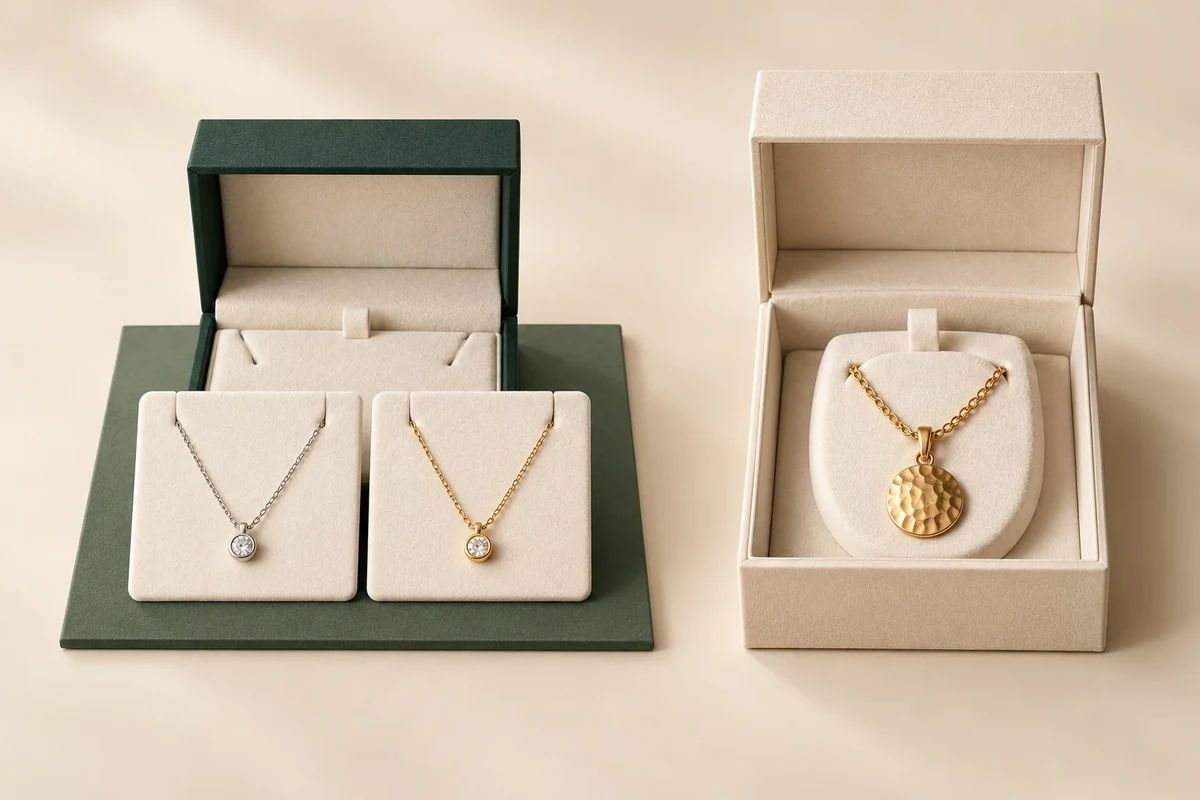
Plan your launch around Packrivo’s current project planning basis of 500 pieces per product / design, then build a quantity sheet for the whole launch. A total of 500 across several different designs doesn’t meet that planning basis. Identify which packaging stays identical, which changes, and how many finished pieces you need for each before asking for a project quotation.
In this guide
- Separate the product count from the packaging design count
- Build a quantity plan with a visible surplus
- Use this worksheet for your project
- Compare simplification choices without guessing the price
- Send the scenario you can explain
- Keep reserves inside the same counted design row
- Send the current configuration for review
A small collection can contain several selling products but only one packaging design. It can also contain one selling product with several distinct packaging designs. Keeping those two counts separate makes an early inquiry easier to evaluate and keeps a launch plan from hiding a shortage behind its total.
Separate the product count from the packaging design count
Start with a row for every packaging configuration you want supplied. Give it a plain identifier, such as BOX-A or LABEL-B. Alongside it, record structure, dimensions, material, printed artwork, finish and included components. This is your working description of a design, subject to project confirmation.
Five necklace styles might use the same box and insert. If the delivered packaging is identical, those necklace styles can share one packaging row in your plan. A gift set with a deeper insert belongs in another row because the supplied configuration changes, even if the logo looks the same.
Artwork changes deserve their own flag. A blue logo and a gold logo on otherwise similar boxes may involve different production arrangements. Write the difference down and ask whether it creates a separate design for the quotation. Don’t merge it merely because both boxes have the same size.
Packrivo’s current project planning basis is 500 pieces per product / design. Confirm the exact grouping and commercial conditions for the proposed package before an order. The supplier brief essentials help gather the structural details that define those rows.
A printed box, an insert and a label also need clearly named units. If you need 500 complete packs, write the required count of each component. A quotation for 500 boxes should show whether the inserts and labels are included, supplied separately or still open.
Build a quantity plan with a visible surplus
Use an illustrative launch rather than an industry forecast. Suppose your brand plans 180 silver necklaces, 120 gold necklaces and 100 pendant sets. All 400 selling units use the same agreed box configuration. Ordering 500 boxes leaves 100 beyond that planned allocation.
That remaining quantity has a job only if you assign it one. You might allocate some to photography, handling trials or replacement packing, and keep the balance for future sales. Choose those amounts from your operation. A universal spare percentage would hide differences between hand packing, fulfilment and retail use.
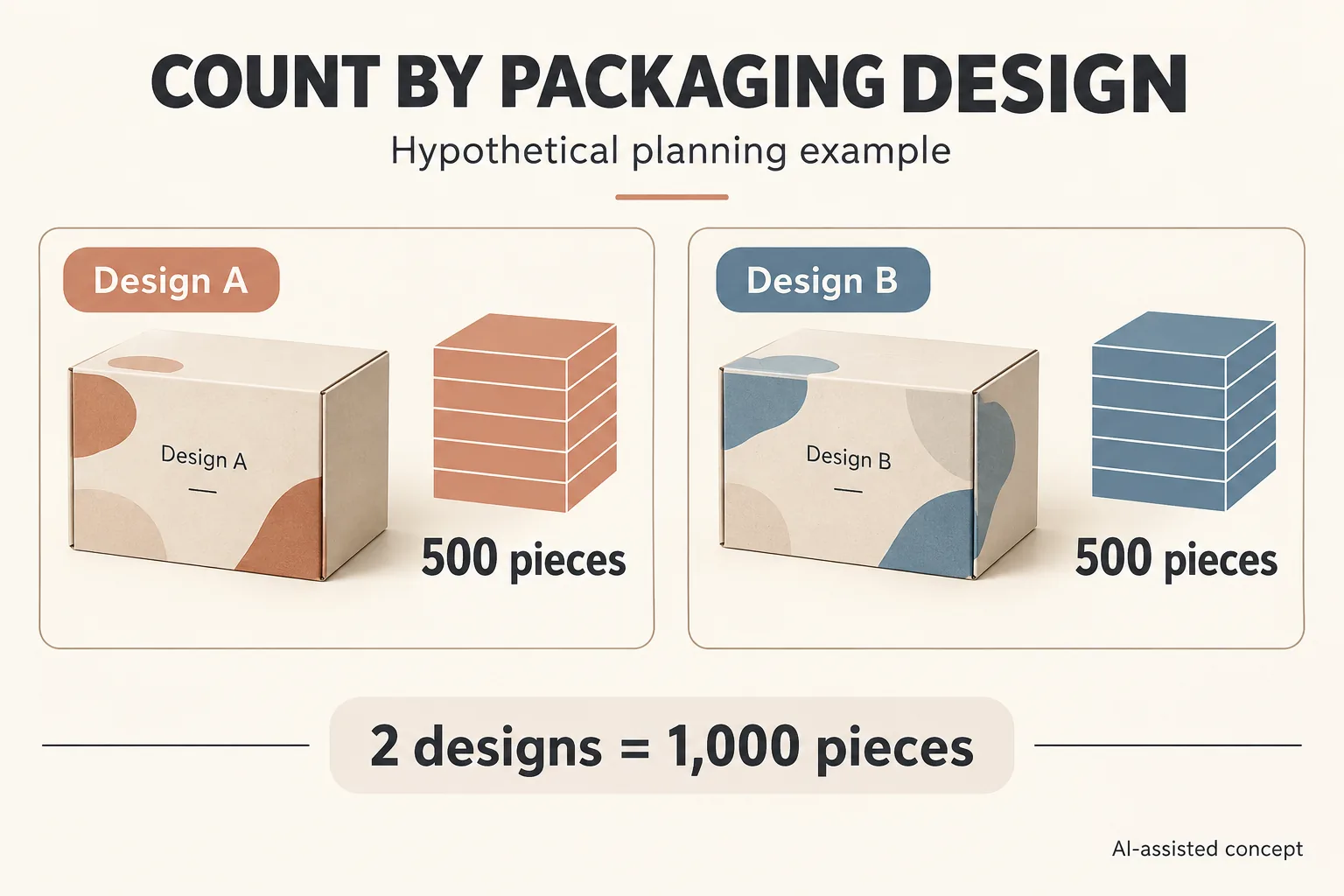
Now change the example: the necklace products use one box, while the pendant set uses another size. The launch has 400 selling units but two packaging designs. On a 500 piece basis for each, the planning total becomes 1,000 boxes. The resulting surplus is a buying decision that should be visible before artwork is finished.
This worksheet separates demand from the inquiry quantity. The numbers are editorial examples, not Packrivo customer orders.
Swipe the table to view all fields.
| Packaging row | Planned selling units | Inquiry quantity | Unallocated pieces | Decision to make |
|---|---|---|---|---|
| One shared necklace box | 300 | 500 | 200 | Assign reserves and future use |
| Deeper pendant set box | 100 | 500 | 400 | Keep, simplify or defer this design |
| Optional printed sleeve | 100 | To confirm | To calculate | Confirm its separate quantity basis |
The sleeve row stays open because a component’s quantity needs its own confirmation. Filling every blank with 500 would create a complete-looking sheet without establishing what the project includes.
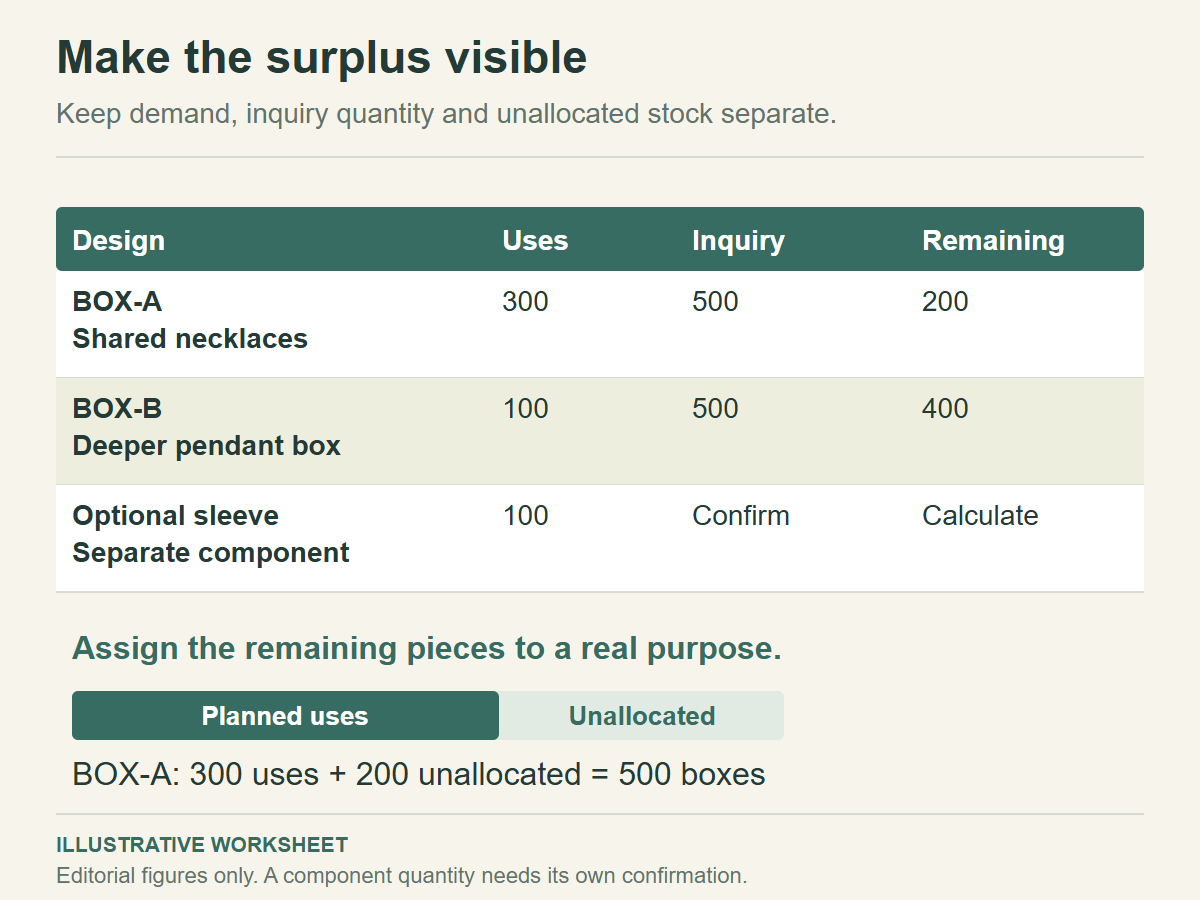
Use this worksheet for your project
Use one row per packaging design or separate component. Record its quantity unit and product allocation, then ask which proposed grouping the project quotation covers.
Open in Excel, Google Sheets or another spreadsheet app. Fill in your actual project details and keep the agreed file and sample versions with the record.
Compare simplification choices without guessing the price
A shared outer box with different information cards is one option to discuss. It can reduce the number of outer box configurations while preserving a product-specific message. The cards still need their own dimensions, artwork and quantities; treat the complete set as a defined assembly.
Another option is to launch fewer packaging variants first. Mark the deferred version and retain its product requirements so it can be evaluated later. A deferred design should disappear from the current quantity total, rather than remain as a half-funded promise in the same sheet.
You can also ask for the original separate designs to be quoted as planned. The worksheet may show that the surplus is acceptable given the brand’s storage space and expected use. That judgment needs the actual proposal, your available cash and a reasonable stock plan.
Record each option as a new scenario. Keep the same product demand underneath it, and change only the packaging configuration or inquiry quantity. This gives you a fair comparison between a shared design, separate designs and a staged launch.
Keep each artwork revision beside its packaging design identifier. When one variant changes, update that row and ask whether the proposed design grouping or quantity basis also changes.
Before comparing offers, use the quote comparison checklist to align the unit, included components and delivery scope. A shared box scenario and a box plus sleeve scenario may have different totals for sound reasons. Ask for those differences to be itemized.
Send the scenario you can explain
Give your inquiry one chosen scenario and name any alternatives you want evaluated. Include each design identifier, required pieces, product allocation, artwork status, components and destination. If two configurations might share a production basis, make that a written question beside the rows concerned.
Date the quantity sheet and identify its owner. Update it when a product launch changes, a design is deferred or a component is removed. Keeping old quantities in an email thread while sending new artwork is an easy way to create competing instructions.
Keep reserves inside the same counted design row
Give every remaining piece a named allocation before adding another design. In the two-design example above, the necklace row has 500 ordered pieces against 300 planned selling units, leaving 200. If 20 are reserved for photography and packing development and 30 for replacement packing, 150 remain for future sales. All quantities here are hypothetical planning choices, not recommended reserve percentages.
| Necklace box allocation, hypothetical | Pieces |
|---|---|
| Planned selling units | 300 |
| Photography and packing development | 20 |
| Replacement packing | 30 |
| Future-sales stock | 150 |
| Total allocated | 500 |
The row reconciles because 300 + 20 + 30 + 150 = 500. Reserves are part of the purchase, not an additional 50 pieces to add on top. For the pendant-set box, calculate its own allocations instead of transferring necklace demand into a different configuration.
If an optional sleeve remains undecided, leave its order quantity open and identify the owner of the commercial question. A complete-looking total with an assumed component quantity can conceal a missing quotation. The component and set unit guide separates those counts, while the sampling quantity record keeps trial requests out of the production MOQ calculation.
Download the custom packaging MOQ 500 pieces per design project record (.csv). The file has named planning fields and blank project rows. It contains no preset acceptance limits or approved results.
Send the current configuration for review
Bring the completed record, actual product or component references, requested quantity by design and destination to Packrivo’s packaging inquiry. Name the specific open decision above so the next sourcing discussion can address it. Packrivo coordinates sourcing questions; material, sample, price and delivery terms need project confirmation.