
Write jewelry-card mounting instructions with matched front and back views for each important step. Identify the card, jewelry and attachment method, then show the customer’s release route separately. A front presentation photo can conceal the work behind the card and leave packing staff to improvise it.
The output is a work card for one confirmed configuration. It should describe the actual joining proposal rather than prescribe generic hole sizes or use the jewelry itself as a forming tool.
Identify the mounted configuration
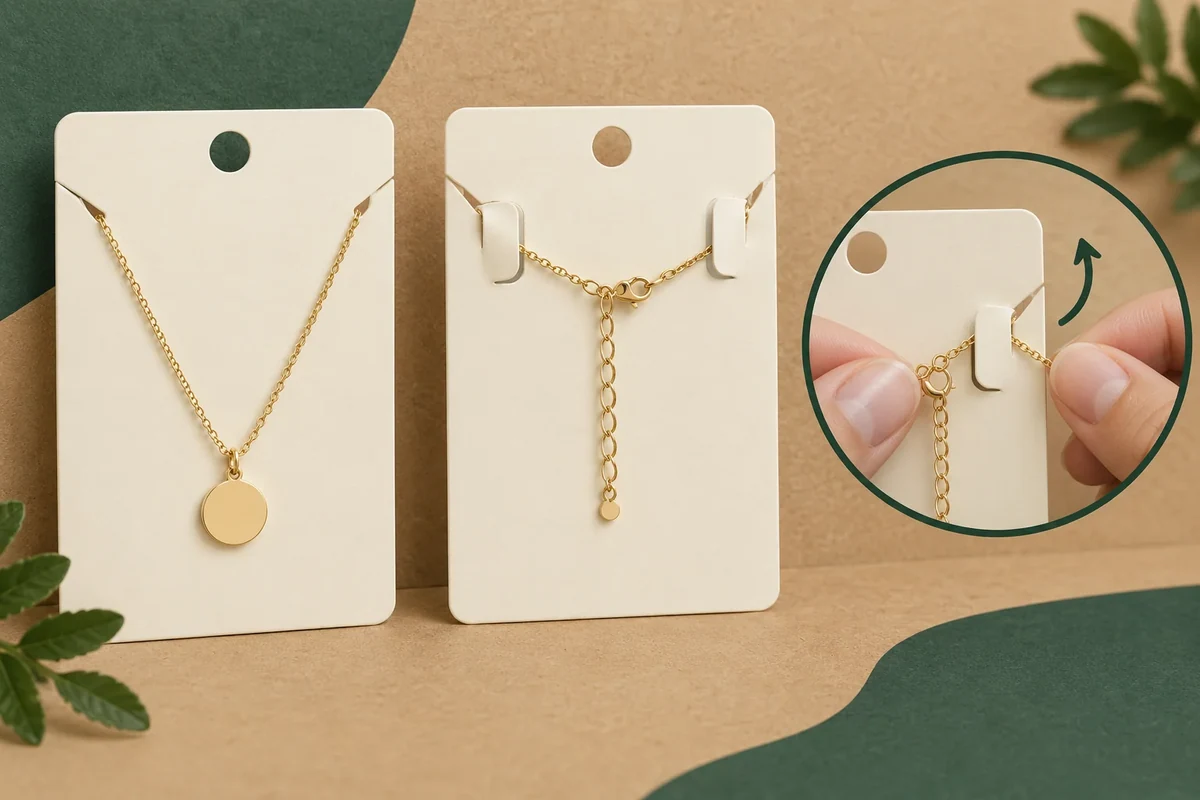
Avery’s jewelry display-card examples show front positions and rear backing or chain management. Use that relationship to request both views of your proposal. The article’s DIY measurements are not universal instructions for your item.
Name the card drawing and the jewelry variant. Include projecting clasps, pins or chain ends in the rear view. Record the separate backing, tie, tape or other attachment proposed by the responsible source.
Keep mounting instructions distinct from the holder-fit review. One describes how the item is attached; the other describes its resulting envelope and fit in the pack.
Write one action per view pair
For each step, show the front state and the rear relationship it creates. Keep the card orientation fixed so left and right remain clear. If a tool or fixture is required, identify it as part of the agreed process.
State what staff do before the card enters the outer box or bag. A final assembly image should not hide a rear attachment that requires access later unavailable after packing.
| Work-card field | Front view | Back view or instruction |
|---|---|---|
| Starting state | Card and item orientation | Loose attachment components |
| Mounting step | Position created on face | Confirmed connecting action |
| Rear management | Front remains in intended position | Backing, chain or other parts |
| Packed state | Resulting displayed item | Complete rear envelope |
| Customer release | Starting grip | Confirmed removal action |
| Reference | Jewelry/card revision | Attachment and instruction version |
Do not substitute a similar jewelry item for the intended variant without a new configuration note. Its rear connections may differ despite a similar front silhouette.
Follow a hypothetical necklace-card instruction
Suppose a gift brand mounts a necklace on a card and manages excess chain behind it. The front image shows the desired necklace position. The work card also identifies the proposed rear management method and the sequence before the card is packed.
A reviewer follows those instructions without verbal coaching. If the chain is routed another way to complete the step, that deviation is recorded. The supplier or responsible packing source can then clarify the intended process.
The customer’s release action gets its own view pair. It should not be assumed to reverse all factory or packing steps, particularly where another attachment is proposed for removal.
Use a located sequence question
Call the front position FP1 and rear attachment RA1 in the hypothetical record. Ask: ‘Please confirm the mounting action that creates FP1/RA1 before the card is packed.’ This is more specific than asking for a finished front photo.
If a revised item changes its clasp or chain, update the rear envelope and instruction. A front artwork revision alone does not explain that physical change.
Keep any contact, retention or handling requirement separate from the instruction’s clarity. A successfully followed work card is process evidence, not a certified protection or durability result.
Send matched views and the release job
Bring the card and item identities, front/back steps and open release questions through Packrivo’s enquiry. The next response should confirm the actual attachment and order for that configuration, followed by a review of the resulting complete mounted pack.
An unchanged front view can conceal a changed mounting instruction
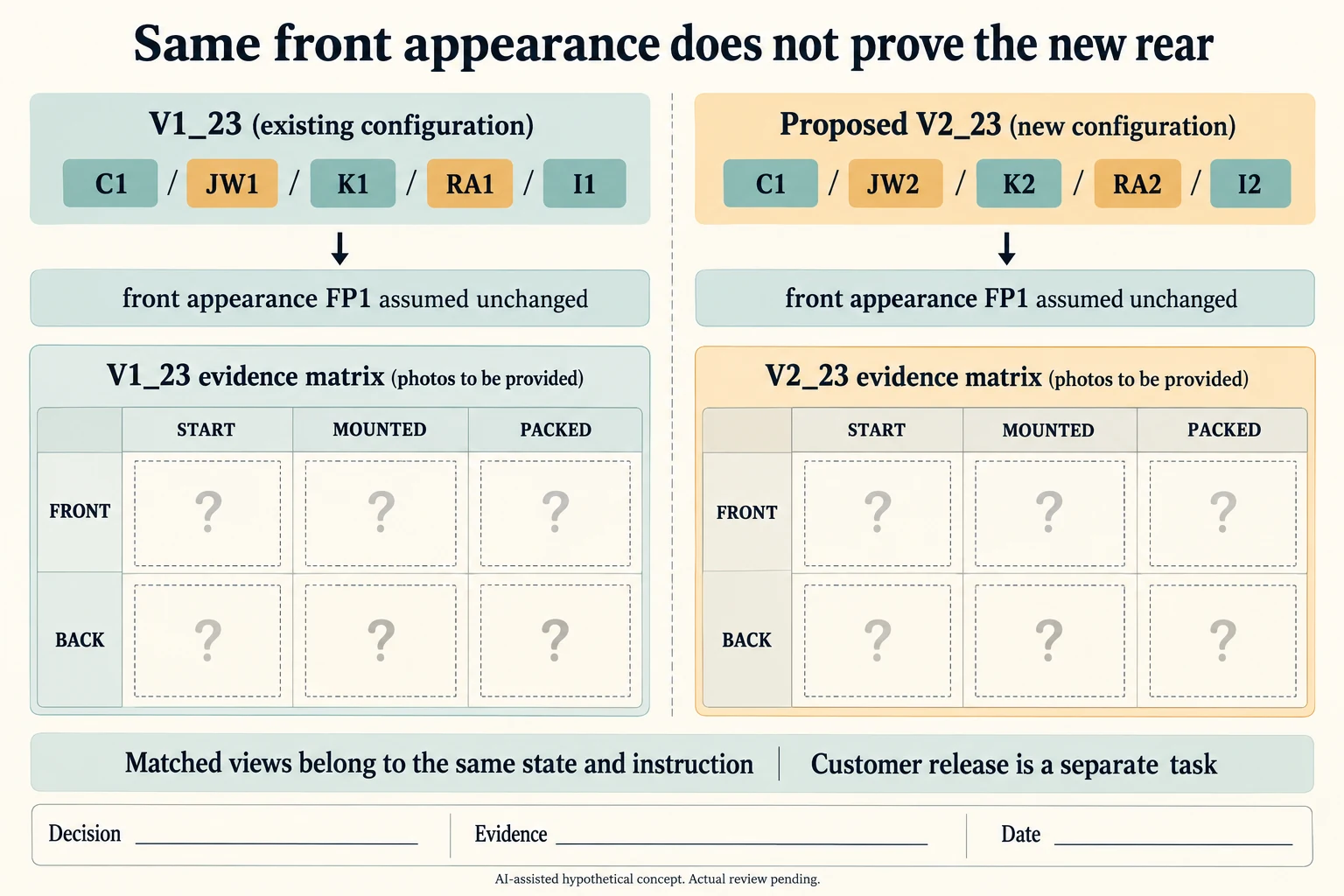
Extend the hypothetical necklace record with two versioned combinations. V1_23 uses card C1, jewelry JW1, clasp K1, rear reference RA1 and instruction I1. Proposed V2_23 retains C1 and the same described front appearance FP1 but uses jewelry JW2, clasp K2, rear reference RA2 and instruction I2. The front similarity is an assumption for this example, not evidence that the new clasp fits.
Scroll horizontally if columns extend beyond the view.
| Hypothetical configuration | Named object | Relationship | Input or next scope |
|---|---|---|---|
| V1_23 | V1_23 | uses jewelry | JW1 |
| V1_23 | V1_23 | uses clasp | K1 |
| V1_23 | V1_23 | uses rear | RA1 |
| V1_23 | V1_23 | uses instruction | I1 |
| V2_23 | V2_23 | uses jewelry | JW2 |
| V2_23 | V2_23 | uses clasp | K2 |
| V2_23 | V2_23 | uses rear | RA2 |
| V2_23 | V2_23 | uses instruction | I2 |
For each combination, the CSV requests matched front and back views at START, MOUNTED and PACKED. These are review checkpoints, not three prescribed operator actions. The actual source instruction may require additional before/after pairs for its individual actions. Do not place a mounted front from I1 beside a rear from I2 and call them one state; the instruction reference stays on every requested view.
The rear envelope includes the actual chain route, clasp, backing and any supplier-confirmed attachment. Avery’s article, updated August 12, 2026, illustrates excess necklace chain managed behind a card. That example establishes why a rear view matters; it does not make tape or a particular hole offset suitable for the proposed jewelry. Leave the attachment method and measurements for the selected construction and actual piece.
Request uncoached instruction review and the customer-release task separately for both versions. Factory mounting and customer removal can follow different actions. A source clarification may produce I2 without changing the front artwork, so the packing bench still needs the current version identity. Actual sample, method, contact, observation, evidence and decision fields remain blank.
Download the jewelry card rear mounting revision record (.csv). It includes the original table fields and scenarios alongside the added relationships. HYPOTHETICAL rows are editorial examples or required review scopes, not actual records. Actual quantity, configuration, component and file identities, materials, process, specification, copy, method, condition, observation, owner, decision, evidence and dates are blank. ACTUAL_BLANK is a separate empty starting row; enter permitted project evidence before using an actual record. A blank means unknown.
Use the Jewelry Box Insert Fit: Seven Measurements Before Sampling for its separate question. Use the Packaging Sample Revisions: Compare Versions Before Approval for its separate question. Use the Keep Box Insert and Sleeve Variants Matched During Packing for its separate question.
Source scope checked 16 October 2026. References cover only the named materials, processes or guidance. Added configurations and geometry are hypothetical, not supplier specifications, tests or production approval; they set no universal tolerances or machine limits. Confirm the actual material, process, drawing and formed sample for the project.
Discuss this packaging specification with Packrivo. We coordinate independent suppliers. MOQ: 500 pieces per product/design; illustrative quantities are not production offers. Confirm materials, samples, price and timing for your project.