
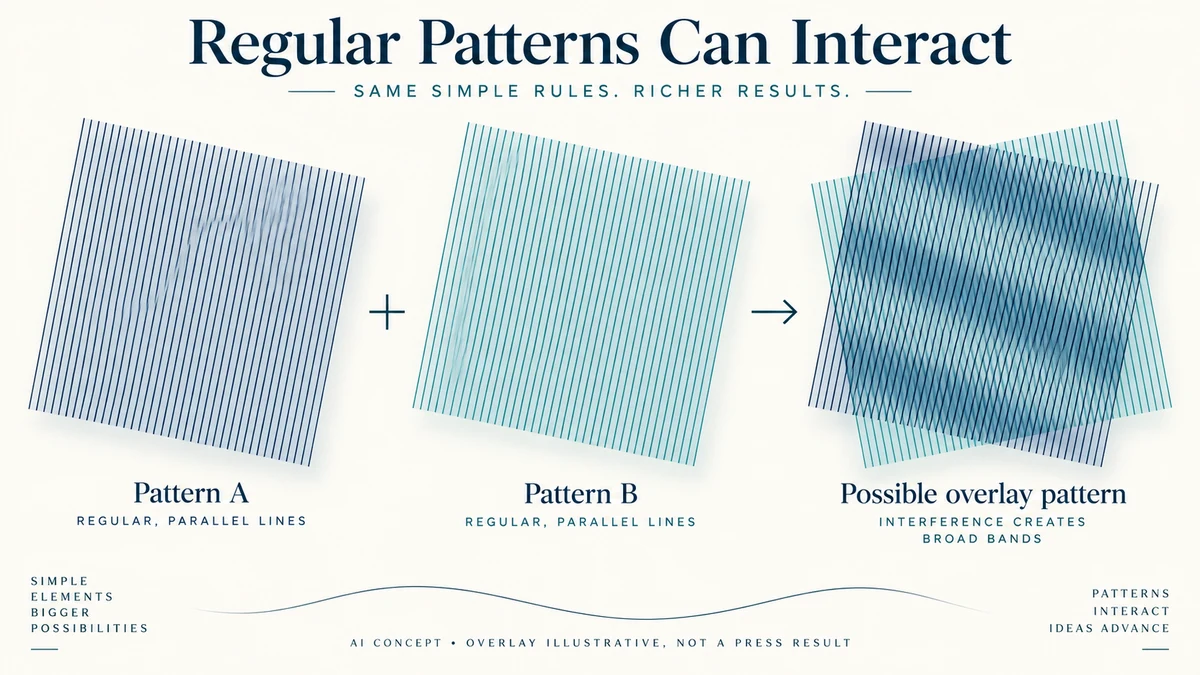
An unwanted ripple in a printed image is not always missing image resolution. Two regular structures can interact and produce a larger visible pattern that was absent from either structure alone. This is a moire concern.
For packaging with fine stripes, textiles or a previously screened image, the useful question is whether regular detail in the artwork interacts with the reproduction screen. Increasing a file’s pixel count without identifying that relationship may leave the concern unresolved.
Separate the intended pattern from the reproduction pattern
A design may intentionally contain repeated fine lines or dots. A screened printing process also introduces a structure used to reproduce tone. Their spacing and orientation can interact.
The resulting larger pattern is different from the individual lines or dots the designer intended. An apparently broad band can arise from the changing alignment of finer structures across an area.
This explains a possible mechanism, not the cause of every visible band. Actual print evidence can involve other defects, while digital resampling and screen display can introduce their own pattern concerns.
Identify where the observation was made: a source image, a resized screen preview, a PDF or an actual print. These are different stages, and a pattern visible at one stage cannot automatically be assigned to the press.
Follow an invented striped-panel example
Suppose a gift-box lid uses a fine diagonal stripe background. The designer’s intended repeated structure is part of the artwork. The printer proposes a reproduction process with its own regular screen.
Imagine placing two transparent regular line patterns over one another. Small changes in their relative angle or spacing can change the larger pattern you see. That tabletop analogy makes the interaction visible without defining a production screen setting.
An accompanying AI illustration is only an invented overlay. It is not the actual lid artwork, a simulated press result or proof that the chosen process will produce moire.
The appropriate next discussion concerns the actual stripe pattern at final size and the printer’s reproduction method. A printer may propose changes to the artwork or production treatment, but the accepted solution needs evidence for that specific combination.
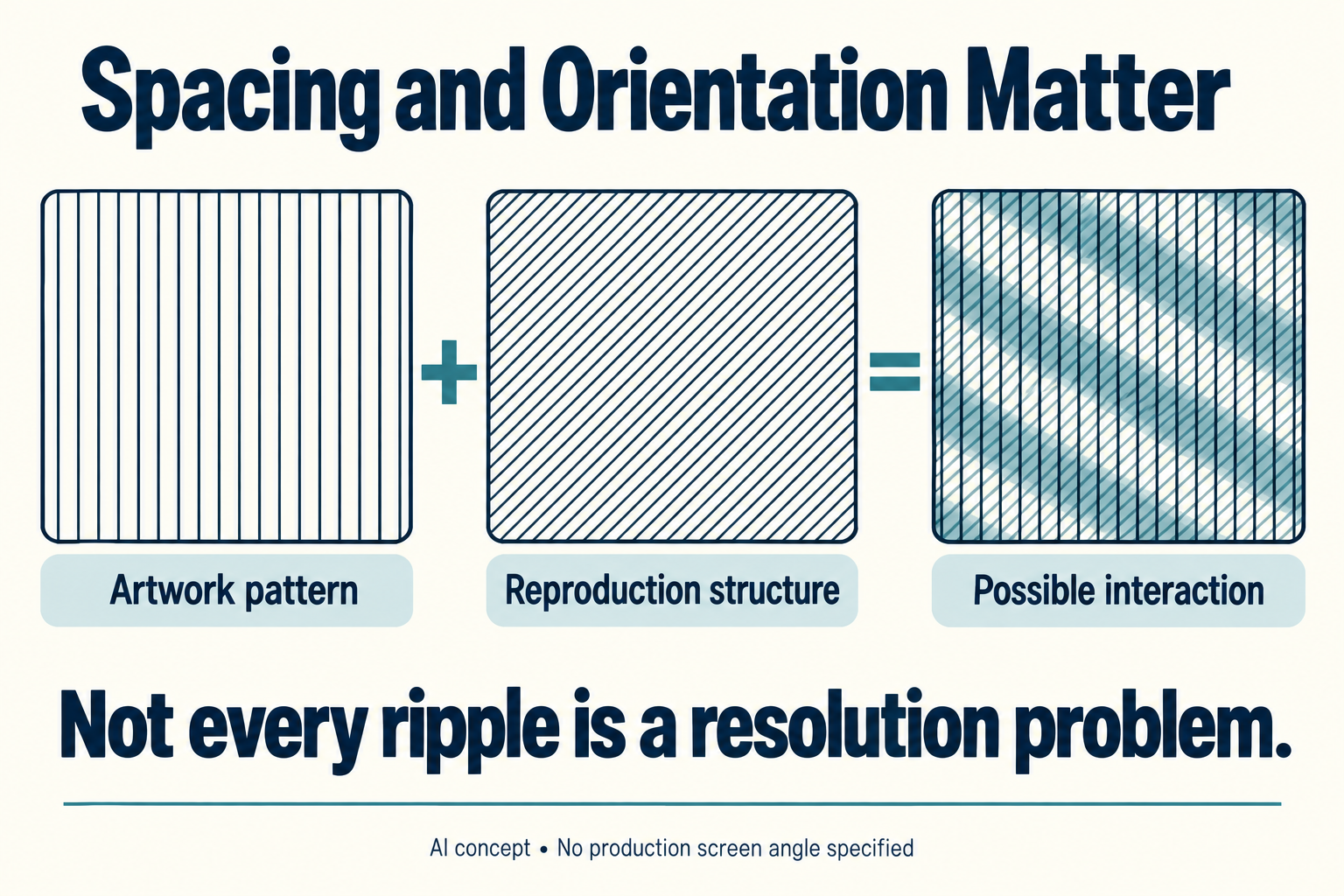
A previously screened image can bring a pattern with it
A scanned printed picture may retain the earlier reproduction pattern. Sending that picture through another regular screening stage can introduce a second structure rather than starting from an unscreened original.
Where authorized, obtaining the original image can therefore answer a different need from enlarging the scanned version. A file can have many pixels while still carrying an unwanted regular source pattern.
Adobe’s public Bitmap conversion guidance explains halftone-screen settings and warns about moire when a screened image is printed using a halftone printer. This is a versioned software explanation, not a universal packaging-screen prescription.
Its discussion of screen frequency and angle also shows why those properties deserve separate identities. Do not copy a familiar angle or frequency into a packaging brief without the selected printer’s requirements.
Resolution and screening remain different questions
The placed-image resolution guide relates available pixels to printed size. That calculation remains useful, but it does not identify interference between regular patterns.
A source can have adequate effective resolution for a stated workflow and still contain problematic periodic detail. Conversely, a soft image may have a resolution concern without the repeated structure needed for this moire mechanism.
Ask the designer to preserve the final-size crop in the comparison. Changing the physical scale changes the pattern spacing presented to the reproduction process. A cropped view enlarged to another size is not an unchanged pattern condition.
If a screen preview changes as the reviewer zooms, record that observation instead of interpreting one screenshot as a physical print result. The output comparison needs the appropriate specimen and scope.
Give the printer a located interaction to assess
Provide the actual file, the affected area and the intended placement size. Identify whether the source already contains a reproduction screen or deliberate repeated artwork. Ask what evidence addresses that combination under the proposed printing conditions.
The packaging PDF preflight guide helps define technical file checks. A clean general preflight report does not establish that every pattern will reproduce as intended; the chosen profile may not examine this interaction.
When a correction is proposed, retain the new source and final-size comparison. Avoid treating a higher pixel count, a different filename or a clean PDF export as proof that the visible concern is resolved.
Packrivo can coordinate the affected artwork and printer’s questions. The actual design and reproduction combination determines the evidence needed. No screen angle, line frequency or print approval is specified by this conceptual example.
Source scope: Checked 11 October 2026. Adobe’s public Bitmap conversion page was updated 23 February 2026. The cited explanation concerns its software and halftone interaction; it does not prescribe press settings for the invented lid. No actual artwork, screen, print or moire correction was evaluated here.
Fine intervals can share a much larger alignment period
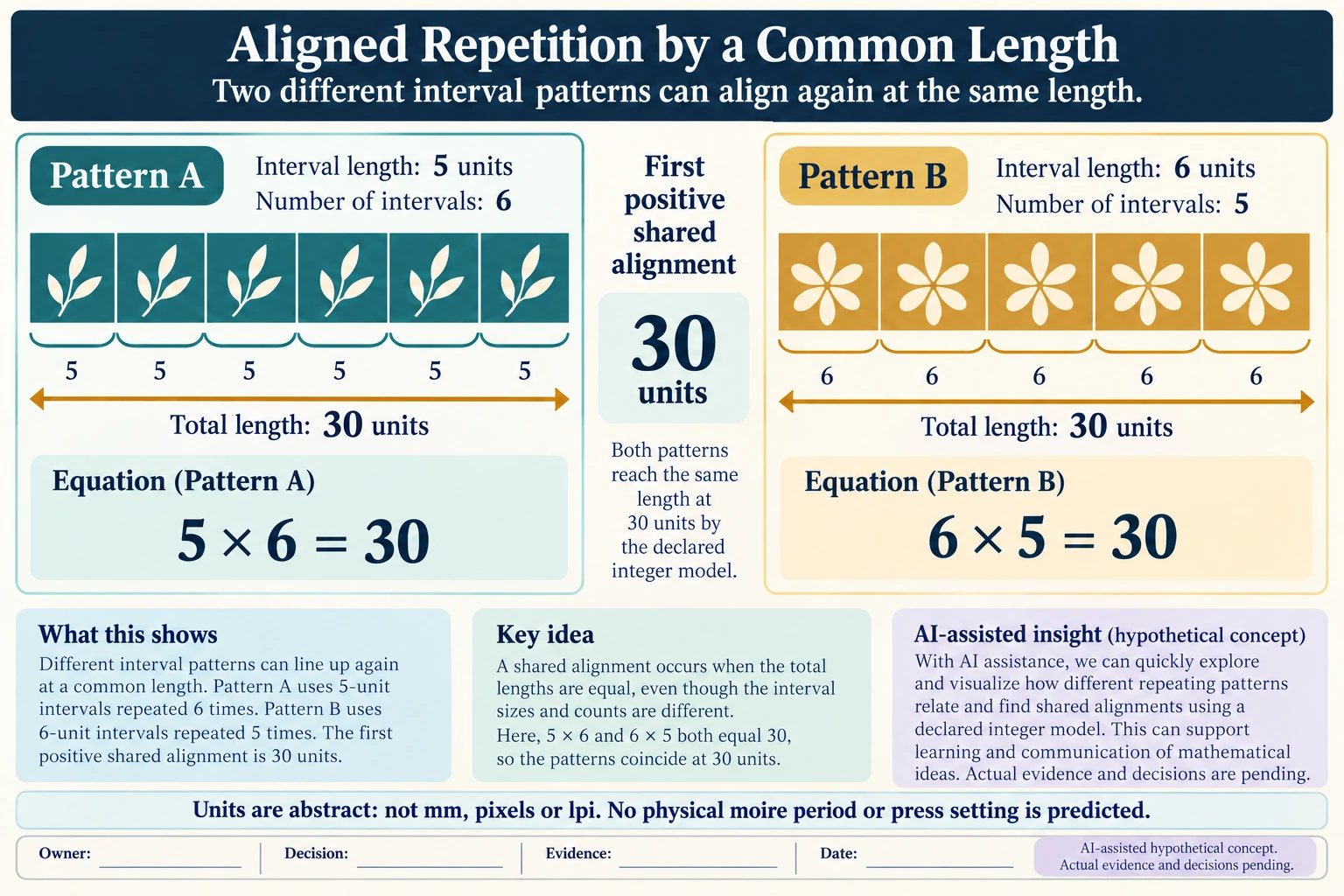
Use abstract length units, not millimetres, pixels or line-screen settings. Pattern A has marks every 5 units and pattern B every 6 units, both starting at zero. Their first positive shared alignment is 30 units: six A intervals and five B intervals. This is an integer-spacing model, not a simulated press result.
Scroll horizontally if columns extend beyond the view.
| Hypothetical configuration | Named object | Relationship | Input or next scope |
|---|---|---|---|
| PATTERN_A | TOTAL_LENGTH | calculated from | PATTERN_A_INTERVAL*PATTERN_A_COUNT; 30 abstract_length_units |
| PATTERN_B | TOTAL_LENGTH | calculated from | PATTERN_B_INTERVAL*PATTERN_B_COUNT; 30 abstract_length_units |
| ALIGNMENT_MODEL | FIRST_POSITIVE_SHARED_ALIGNMENT | calculated from | lcm(PATTERN_A_INTERVAL,PATTERN_B_INTERVAL); 30 abstract_length_units |
| ALIGNMENT_MODEL | BOTH_PATTERNS | start at | COMMON_ZERO |
| ALIGNMENT_MODEL | ABSTRACT_LENGTH_UNITS | not a | PIXEL_MM_LPI_ANGLE_OR_PHYSICAL_MOIRE_PREDICTION |
The example explains why a larger repeated relationship can arise from finer repeated structures. It does not predict a visible moire period for a particular image, viewing system or printing process. Actual angle, screening, sampling and final-size artwork remain unspecified.
Increasing file pixel count does not change those declared source intervals by itself. If a proposal rescales or replaces the original pattern, that is a different input, and its physical placement must be retained in the comparison. A zoom-dependent screen observation also remains a screen observation.
Adobe’s Bitmap guidance warns of possible rescreening moire in its stated context; it does not say every pair of patterns must show it. No 45° or other universal angle is prescribed here. Ask the designer and printer which source structure, output treatment and final-size evidence address the actual concern before calling it resolved.
Download the print pattern repeated alignment interval model record (.csv). It includes the original table fields and scenarios alongside the added relationships. HYPOTHETICAL rows are editorial examples or required review scopes, not actual records. Actual quantity, configuration, component and file identities, materials, process, specification, copy, method, condition, observation, owner, decision, evidence and dates are blank. ACTUAL_BLANK is a separate empty starting row; enter permitted project evidence before using an actual record. A blank means unknown.
Use the Packaging Image Resolution at the Final Print Size for its separate question.
Source scope checked 17 October 2026: Adobe Bitmap help, updated 23 February 2026, supports possible rescreening interaction in its described workflow. That update is not a standard publication date. The abstract integer-spacing example predicts no actual moire, production angle, line frequency or correction result. The added configurations and calculations are hypothetical, with actual evidence and decisions pending.
Discuss this packaging specification with Packrivo. We coordinate independent suppliers. MOQ: 500 pieces per product/design; illustrative quantities are not production offers. Confirm materials, samples, price and timing for your project.