
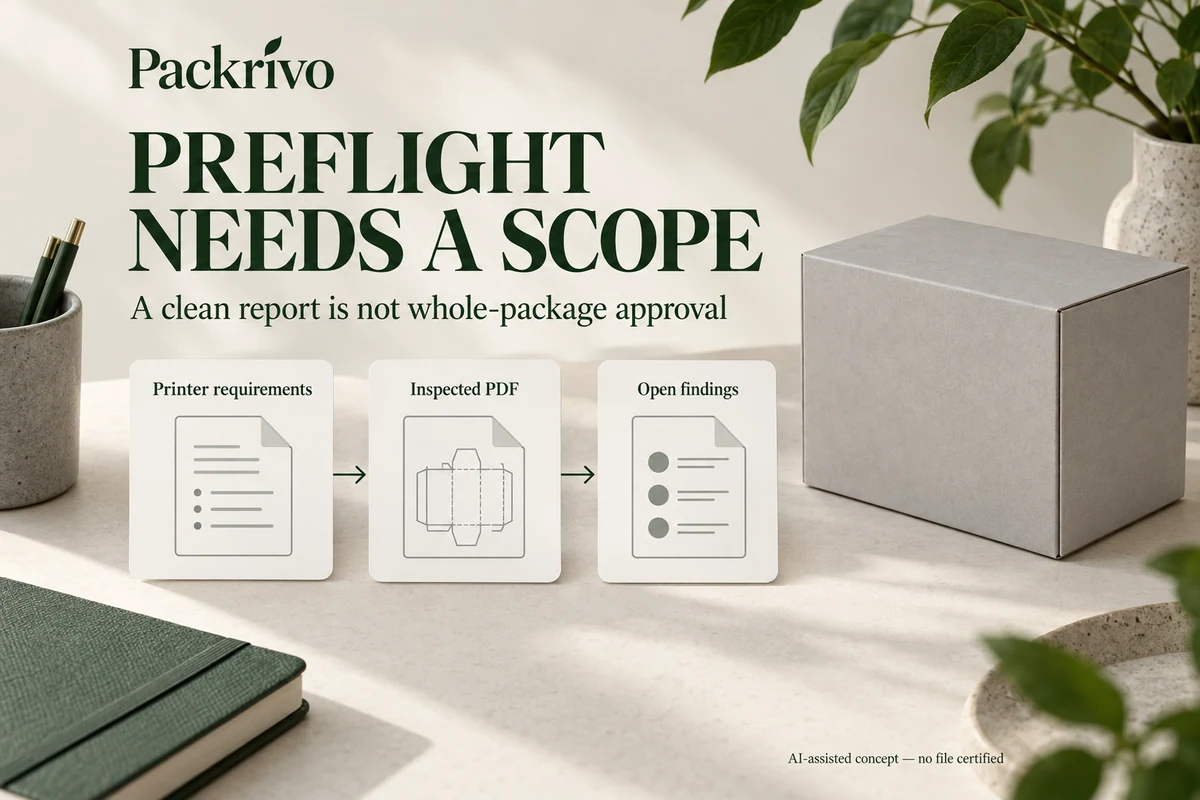
Check a packaging PDF against the selected printer’s delivery requirements, using a named preflight profile where available. Review the actual findings and the inspected file. A PDF/X label or a clean general-purpose report doesn’t establish that the artwork meets a particular package’s dimensions, spot-ink plan or buyer-approved copy.
For a small brand, the useful question is whether the delivery PDF can proceed through the proposed workflow without unresolved technical issues. Start by obtaining the printer’s requirements. Then ask the designer to show which checks were run and what remains open.
Obtain the profile before assessing the result
Adobe describes preflight as checking PDF contents against defined values. Depending on the profile, it can inspect or correct properties including fonts, image resolution, colors, transparency and compatibility. See Adobe’s Preflight inspection guidance.
Ask whether the printer supplies a profile, export preset or written specification. Record which of these controls the delivery. If the designer uses a general profile, ask which printer requirements it covers and which require a separate check.
Avoid interpreting "no errors" without the profile’s scope. A check that never tests the expected spot-ink count cannot establish that the ink count is correct. Equally, a warning may be acceptable within a documented workflow. The printer should resolve that technical interpretation.
Separate PDF/X status from the intended printing condition
Ask the printer which PDF/X variant, if any, its workflow accepts. Keep that answer with the export settings instead of choosing a preset because its name sounds more advanced.
A PDF output intent identifies the intended reproduction condition. Adobe notes that an output intent does not itself convert the document’s colors. See its output-intent explanation. A suitable-looking profile name therefore doesn’t settle how the exported artwork was prepared.
Request the printer’s answer on both the required file standard and the intended color workflow. Don’t substitute a profile associated with another stock or process merely to clear a software warning.
Sort findings into useful actions
A preflight report becomes useful when each finding leads to a decision. Use the following triage table with the designer and printer.
| Finding | First action | Evidence needed before closing it |
|---|---|---|
| A required font is not embedded in the PDF | Ask the designer to check font permissions and the export settings | Revised export, embedding check and comparison of affected text |
| An image falls below the profile’s threshold | Confirm the final placement and applicable printer requirement | Printer decision or a revised image and export |
| An unexpected color or spot plate appears | Ask the designer to identify its objects | Printer-confirmed ink plan and corrected output if needed |
| A compatibility or transparency issue appears | Ask the printer which output route it accepts | Revised export checked through that route |
| A technical warning has an agreed exception | Ask the printer to identify the exception’s scope | Written decision tied to the inspected file |
This is an editorial triage aid, not a replacement for the provider’s technical profile.
Keep automatic fixes reviewable
If the designer uses a fixup, retain the original file and inspect the resulting output. Ask what changed and which visible objects need another comparison. A corrected technical property may affect color, text or image appearance.
In a hypothetical project, the first report flags an unexpected spot plate. The designer locates a placed logo containing an extra swatch. After a printer-approved correction, the designer exports again and checks the new file. The buyer compares the logo’s intended appearance as a separate step.
The report should identify the corrected file, rather than leaving the earlier report beside a later PDF with no clear relationship.
Complete the checks the profile cannot answer
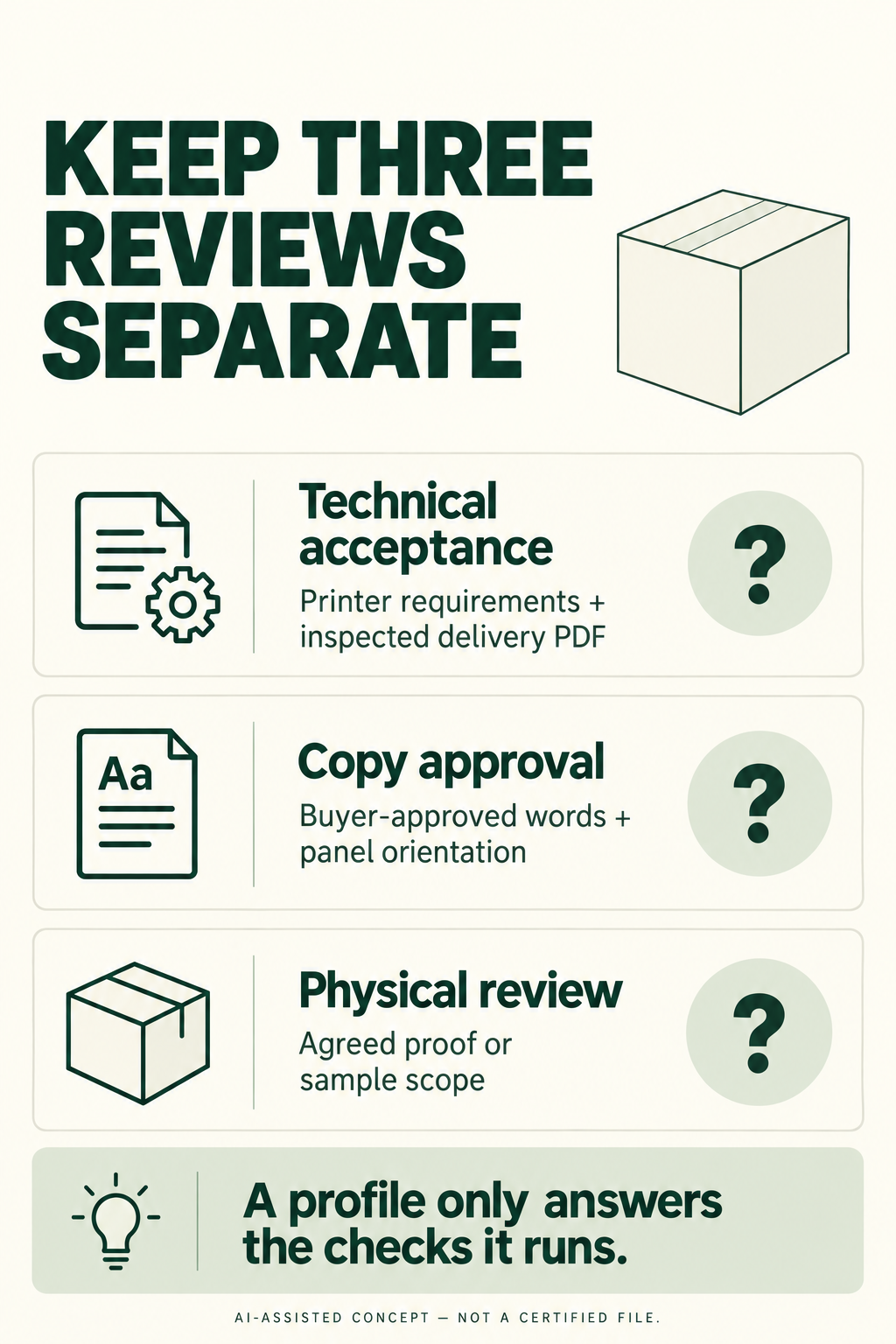
Read the product copy and check the package’s panel orientation against the intended structure. A technical PDF inspection doesn’t know which care statement the buyer approved. Use the artwork handoff checklist for that broader review and the actual-size overlay method for trim and construction relationships.
Send the printer the inspected delivery PDF, the relevant report and unresolved questions. Keep technical acceptance, copy approval and physical sample review identifiable. That gives each reviewer a concrete job and prevents a software result from becoming approval of the whole package.
Adobe references checked 8 October 2026. This guide describes a buyer’s review process; it does not certify a file or prescribe a universal packaging preflight profile.
A new PDF needs its own report and the right check scope
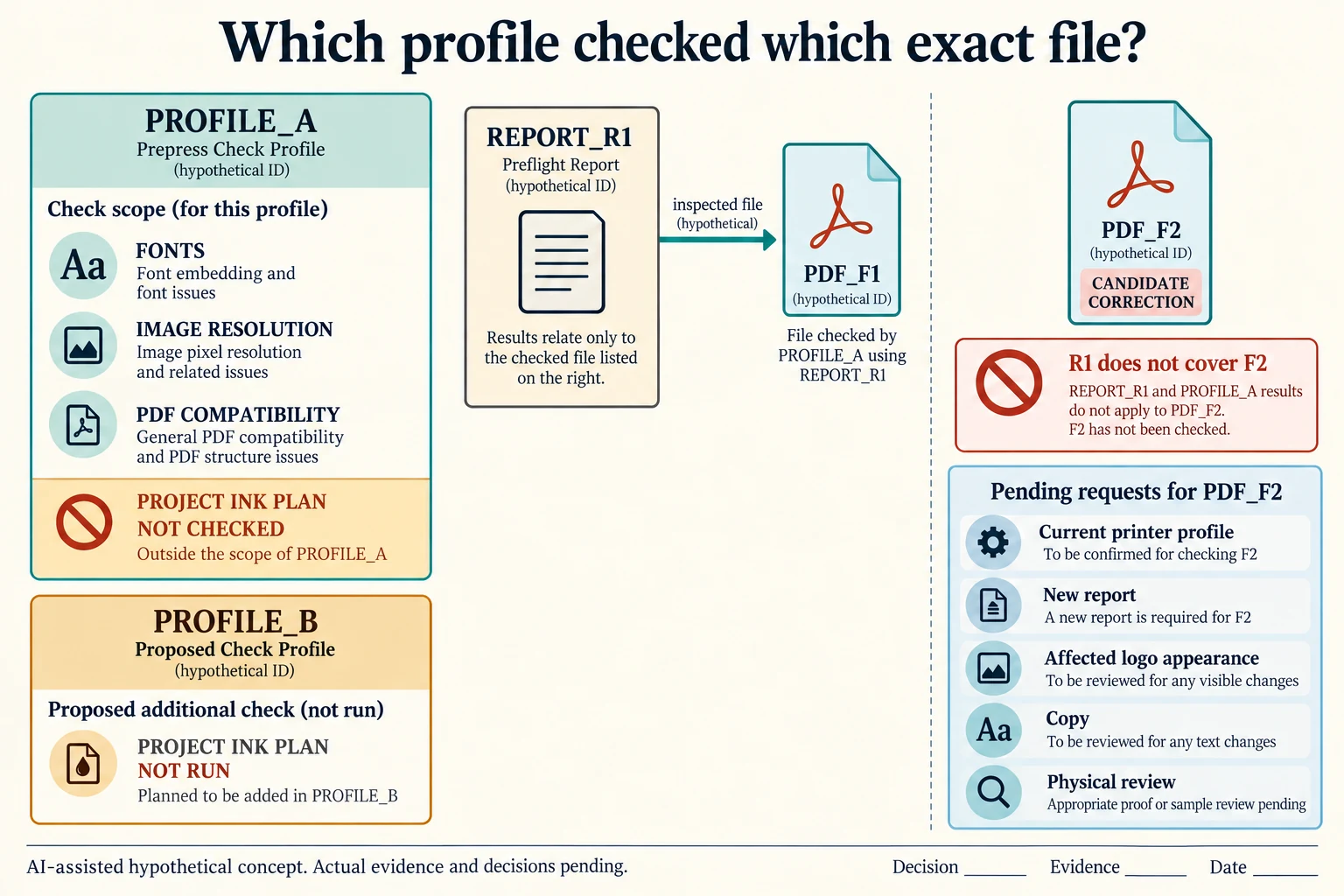
Assume a fictional PROFILE_A checks fonts, image resolution and PDF compatibility but does not check the project’s ink plan. PROFILE_B is a proposed extension that adds that check. These names do not identify Acrobat presets or profiles actually run. A no-errors message for A cannot answer a requirement excluded from its scope, and B’s proposed coverage supplies no result until the correct file is inspected.
Scroll horizontally if columns extend beyond the view.
| Hypothetical configuration | Named object | Relationship | Input or next scope |
|---|---|---|---|
| PROFILE_SCOPE27 | PROFILE_A | assumed checks | FONT |
| PROFILE_SCOPE27 | PROFILE_A | assumed checks | IMAGE_RESOLUTION |
| PROFILE_SCOPE27 | PROFILE_A | assumed checks | PDF_COMPATIBILITY |
| PROFILE_SCOPE27 | PROFILE_A | assumed does not check | PROJECT_INK_PLAN |
| PROFILE_SCOPE27 | PROFILE_B | assumed adds check | PROJECT_INK_PLAN |
| FILE_BIND27 | REPORT_R1 | assumed inspected file | PDF_F1 |
| FILE_BIND27 | PDF_F2 | candidate correction of | PDF_F1 |
| FILE_BIND27 | REPORT_R1 | does not cover | PDF_F2 |
| FILE_BIND27 | PDF_F2 | requires | CURRENT_PRINTER_PROFILE |
| FILE_BIND27 | PDF_F2 | requires | NEW_REPORT |
| FILE_BIND27 | PDF_F2 | requires | AFFECTED_LOGO_COMPARE |
| FILE_BIND27 | PDF_F2 | requires | BUYER_COPY |
| FILE_BIND27 | PDF_F2 | requires | PHYSICAL_REVIEW |
Keep exact-file binding separate from profile coverage. In FILE_BIND27, invented REPORT_R1 refers to PDF_F1. PDF_F2 is a proposed correction, not the file R1 inspected. Even if the correction was intended to remove the logo’s extra swatch, retaining R1 beside F2 does not establish that F2 passed either profile or preserved the intended appearance.
Request a current printer profile, a new report for the exact F2 output and a located comparison of the affected logo. Keep buyer copy and physical review open under their own jobs. If the receiving printer accepts a technical exception, preserve its written scope and the inspected file rather than delete the warning without a trace. A fixup also needs a retained original and a visible change record.
Adobe’s preflight description makes the checked values profile-dependent. Its output-intent guidance distinguishes the intended reproduction condition from a conversion of PDF colors; neither an output-intent name nor a PDF/X label is complete project acceptance. The selected printer determines its actual standard, color route and exceptions. This exercise binds questions to a file and profile, while the wider handoff retains copy, structure and sample decisions.
Download the packaging pdf preflight profile file binding record (.csv). It includes the original table fields and scenarios alongside the added relationships. HYPOTHETICAL rows are editorial examples or required review scopes, not actual records. Actual quantity, configuration, component and file identities, materials, process, specification, copy, method, condition, observation, owner, decision, evidence and dates are blank. ACTUAL_BLANK is a separate empty starting row; enter permitted project evidence before using an actual record. A blank means unknown.
Use the A Print File Manifest Keeps Fonts, Links and Output Ownership Visible for its separate question. Use the Actual-Size Proofs Make Trim and Die-Cut Relationships Reviewable for its separate question. Use the Packaging Artwork Handoff Checklist for Print Approval for its separate question.
Sources apply to their named material, process or guidance. Worked configurations and dimensions are teaching examples; they do not establish production tolerances, machine settings or test results. Review the specified material, drawing and formed sample.
Discuss this packaging specification with Packrivo. We coordinate independent suppliers. MOQ: 500 pieces per product/design; illustrative quantities are not production offers. Confirm materials, samples, price and timing for your project.