
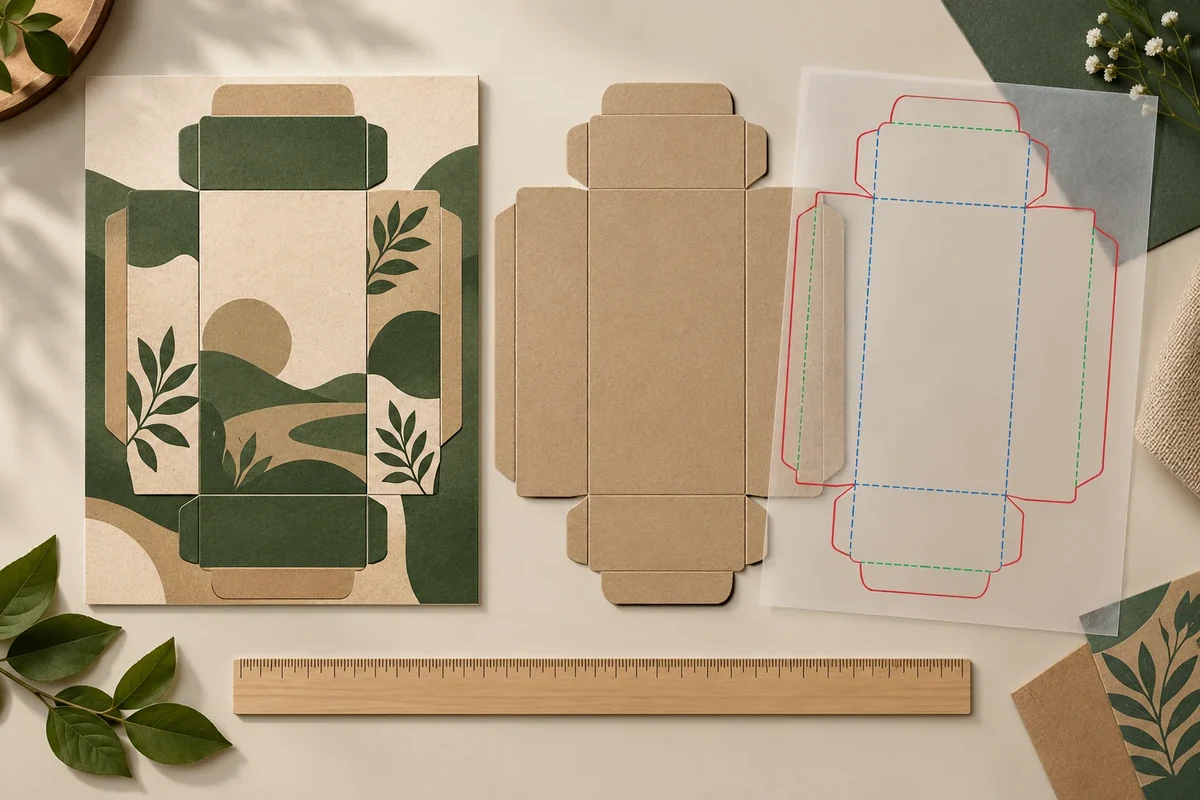
Use an actual-size proof to locate artwork against the current trim, die-cut and crease drawing. Verify the output scale, identify the relevant objects and retain the selected converter’s safe-area requirements. The result should be a located overlay decision, not a general statement that the digital proof looks correct.
Keep page trim and package cutting identities separate
The official Adobe marks and bleeds guidance explains trim marks and artwork extending beyond the trim/crop area. It supplies those file concepts, not universal die-cut tolerances or safe distances for your package.
Identify the current structural drawing and its units. Name the cut, crease and any other relevant construction lines separately from the PDF page boundary. The designer and converter should agree which lines are used for the package review.
Record how the actual-size output was verified. Keep the file, print/export settings and scale reference with the review. If a screenshot or enlarged view is used to locate an issue, retain it alongside the actual-size evidence rather than treating its screen dimensions as the product dimensions.
Inspect the relationship at the named object
The printer’s artwork specification is an example of tying usable artwork to an accurate dieline and print layout. The selected converter still supplies the requirements that control this project’s objects, edges and folds.
Mark the supplied logo, text block, window or other object beside the relevant cut/crease line. Ask whether a distance, alignment or repeated panel relationship needs review under the actual selected specification. Leave missing safe-area values to the converter instead of borrowing a default from another box.
Review the complete artwork orientation after folding as well as its flat relationship. If the object moves to another panel when the drawing changes, keep that as a layout revision. A clean crop at the page boundary can still leave a different package-cutting question.
Use an actual-size overlay checklist
This original Packrivo aid records a hypothetical logo beside a gift-carton cut line.
| Relationship | Illustrative record | Next confirmation |
|---|---|---|
| Output scale | File PDF1, actual-size verification retained | Designer records output method/reference |
| Structure | Drawing BX1 and units | Converter identifies package cut/crease lines |
| Trim/bleed | PDF trim boundary versus structural cut | Printer confirms the intended file relationship |
| Object A1 | Logo beside cut C1 on panel F1 | Actual selected safe-area requirement |
| Formed orientation | F1 shown on formed sample S1 | Buyer reviews visible placement |
| Exception | Located alignment or clearance issue | Revised file/drawing and accepted owner |
Resolve a hypothetical scale and cut question
Imagine a proof preview shows a logo centered on the visible page, but the structural cut line is offset within that page. The next action is to verify the file scale and package drawing, then locate the logo against the actual cut. Centering it in the page is not the same decision.
The converter can return the applicable requirement and the designer can prepare the revised overlay. Review the changed object at actual size and retain the old and new drawing/output references. The buyer can then accept a specific relationship instead of approving every technical aspect of the proof at once.
Handoff the overlay with the selected rule
Use the artwork handoff checklist for the supplied files. The dieline-change record identifies linked layout checks, and the sample approval guide records which evidence still requires a formed or physical sample.
The designer owns scale and object placement in the output. The converter owns the structural lines and project-specific rule. The buyer accepts the visible arrangement using the named evidence. Keep any unresolved feature with a next owner rather than calling the full proof technically approved.
Share the actual-size overlay, drawing revision and located question through the packaging brief. MOQ is 500 pieces per design; artwork, samples and commercial terms are confirmed for the project.
Separate an export-scale correction from moving the artwork object
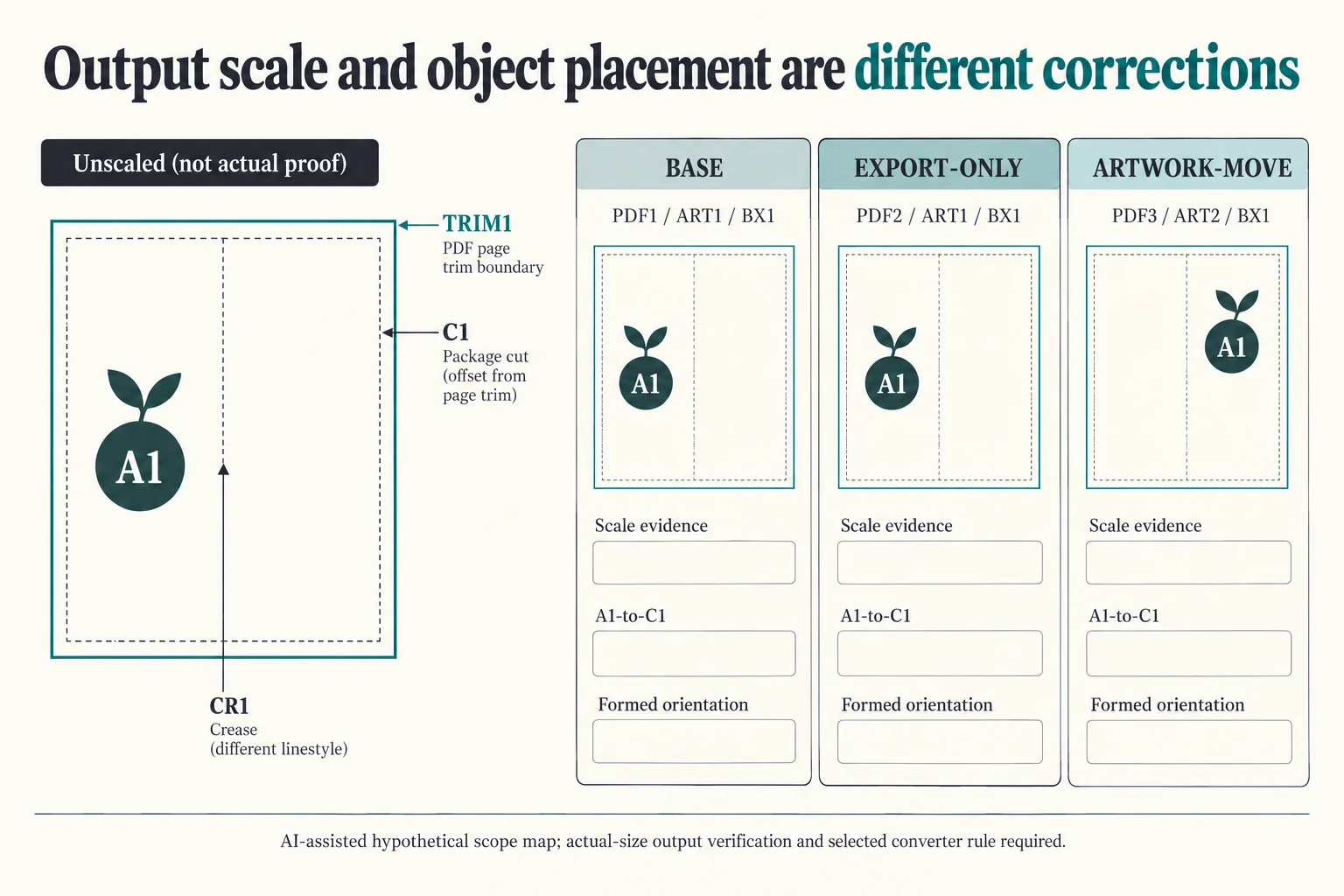
Name three fictional configurations for the same BX1 drawing and logo A1. BASE22 uses PDF1/ART1. EXPORT_ONLY22 proposes PDF2 from the same ART1. ARTWORK_MOVE22 proposes PDF3 from revised ART2. The first changes the output reference; the second changes the artwork reference. Neither is declared correctly scaled or positioned merely by being the newer file.
Scroll horizontally if columns extend beyond the view.
| Hypothetical configuration | Named object | Relationship | Input or next scope |
|---|---|---|---|
| BASE22 | BASE22 | uses output | PDF1 |
| BASE22 | BASE22 | uses artwork | ART1 |
| BASE22 | BASE22 | uses drawing | BX1 |
| EXPORT_ONLY22 | EXPORT_ONLY22 | uses output | PDF2 |
| EXPORT_ONLY22 | EXPORT_ONLY22 | uses artwork | ART1 |
| EXPORT_ONLY22 | EXPORT_ONLY22 | uses drawing | BX1 |
| ARTWORK_MOVE22 | ARTWORK_MOVE22 | uses output | PDF3 |
| ARTWORK_MOVE22 | ARTWORK_MOVE22 | uses artwork | ART2 |
| ARTWORK_MOVE22 | ARTWORK_MOVE22 | uses drawing | BX1 |
For every configuration, retain three separate questions: what evidence establishes the output scale, where A1 sits against package cut C1, and how panel F1 reads after forming. A corrected export can address a scale problem without moving A1's intended position in the artwork. Moving A1 within ART2 can address layout while leaving export settings unverified. The designer and converter should identify which question the returned evidence actually answers.
Keep TRIM1 as the PDF page boundary and C1 as the structural cut; CR1 is a crease reference. The teaching sketch is unscaled and supplies no distance between them. A logo centered on the visible page is not necessarily centered on the package face defined by the structural drawing. Use the converter's actual line identities, units and relevant rule rather than replacing that question with a tidy crop.
The download maps the output, artwork, drawing and object references and leaves actual scale, method, conditions, observations and decisions blank. An enlarged locator can accompany the actual-size evidence but cannot become its physical dimension. Accept only the located relationship supported by the selected specification and matching formed view; this comparison supplies no bleed, safe-area or die-cut tolerance.
Download the actual size packaging trim die cut proof record (.csv). It includes the original table fields and scenarios alongside the added relationships. HYPOTHETICAL rows are editorial examples or required review scopes, not actual records. Actual quantity, configuration, component and file identities, materials, process, specification, copy, method, condition, observation, owner, decision, evidence and dates are blank. ACTUAL_BLANK is a separate empty starting row; enter permitted project evidence before using an actual record. A blank means unknown.
Use the Packaging Artwork Handoff Checklist for Print Approval for its separate question. Use the Packaging Dieline Changes Need an Impact Record for its separate question. Use the Agree Packaging Dimensions and Acceptance Methods for its separate question.
Source scope checked 16 October 2026. References cover only the named materials, processes or guidance. Added configurations and geometry are hypothetical, not supplier specifications, tests or production approval; they set no universal tolerances or machine limits. Confirm the actual material, process, drawing and formed sample for the project.
Discuss this packaging specification with Packrivo. We coordinate independent suppliers. MOQ: 500 pieces per product/design; illustrative quantities are not production offers. Confirm materials, samples, price and timing for your project.