
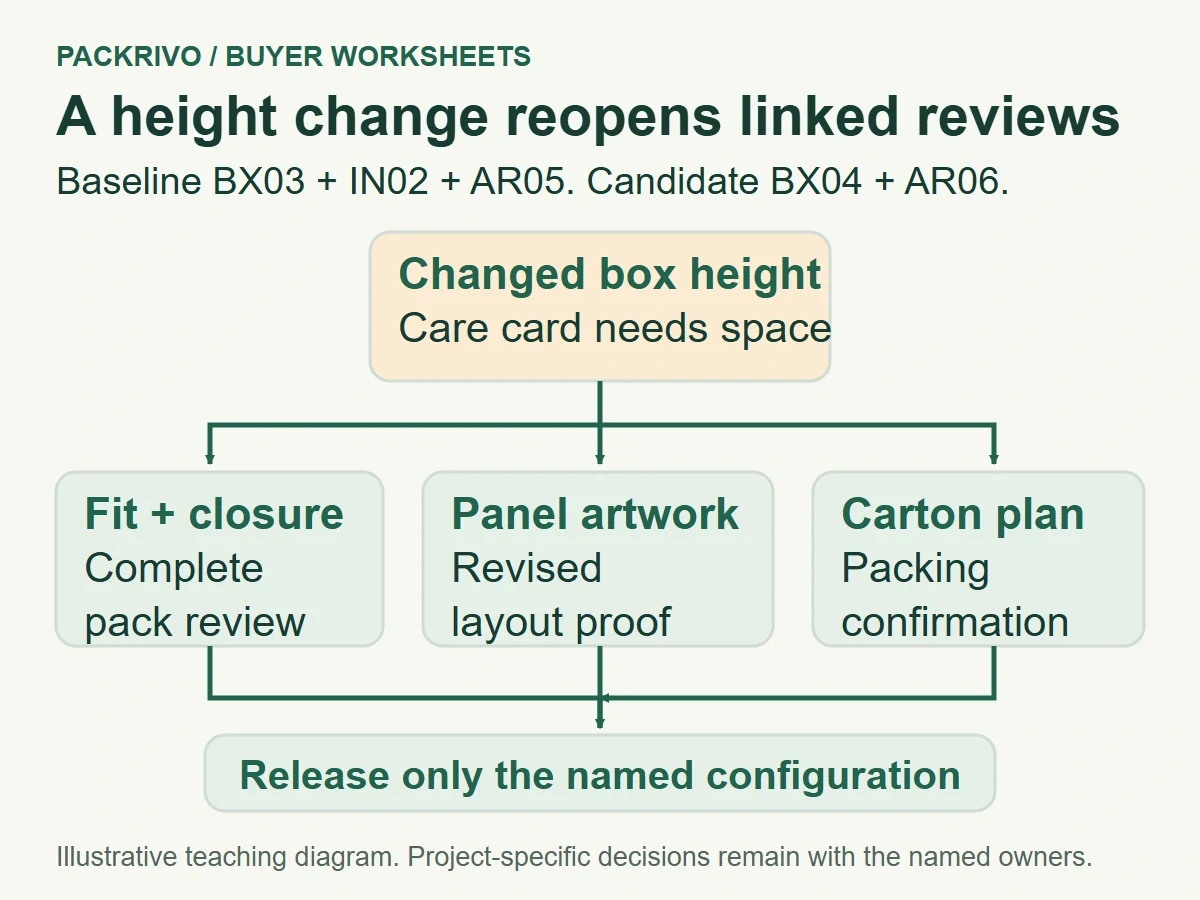
Freeze a packaging dieline by naming the structural drawing, artwork version and approval scope that can move to the next step. When either file changes, record which decisions it affects and who must review them again. This keeps a small correction from silently carrying forward approvals for a different box, insert or printed panel.
The freeze is a working agreement. It tells the designer, buyer and production contact which files to use and how to handle a new request. You can still make a change; the record makes its consequences visible before anyone acts on it.
Freeze the linked configuration, not one filename
A dieline describes the package’s structural layout. Artwork sits in relation to that layout, and a sample may have been built from a particular drawing revision. Record those links together, including the insert drawing when the box depends on a fitted component.
Use identifiers that are clear without opening every file. A release record might name box drawing BX03, insert drawing IN02 and artwork AR05. Add the date, the approver and the decision covered by each approval. Store the files together with the record, and mark replaced versions as superseded.
The artwork handoff checklist covers file preparation and review details. Change control begins after that preparation: it asks which earlier decisions remain valid when one part of the approved configuration moves.
A proof approval may cover copy and layout. A structural sample approval may cover assembled dimensions and closure. Write those scopes separately. If no finished printed sample has been reviewed, leave that evidence as an open requirement in the release record.
Give the freeze a practical boundary. Specify whether it releases files for another proof, a revised sample or a production decision. “Approved” on its own is too broad when different people own different steps. The person receiving the files should know what they’re allowed to do next.
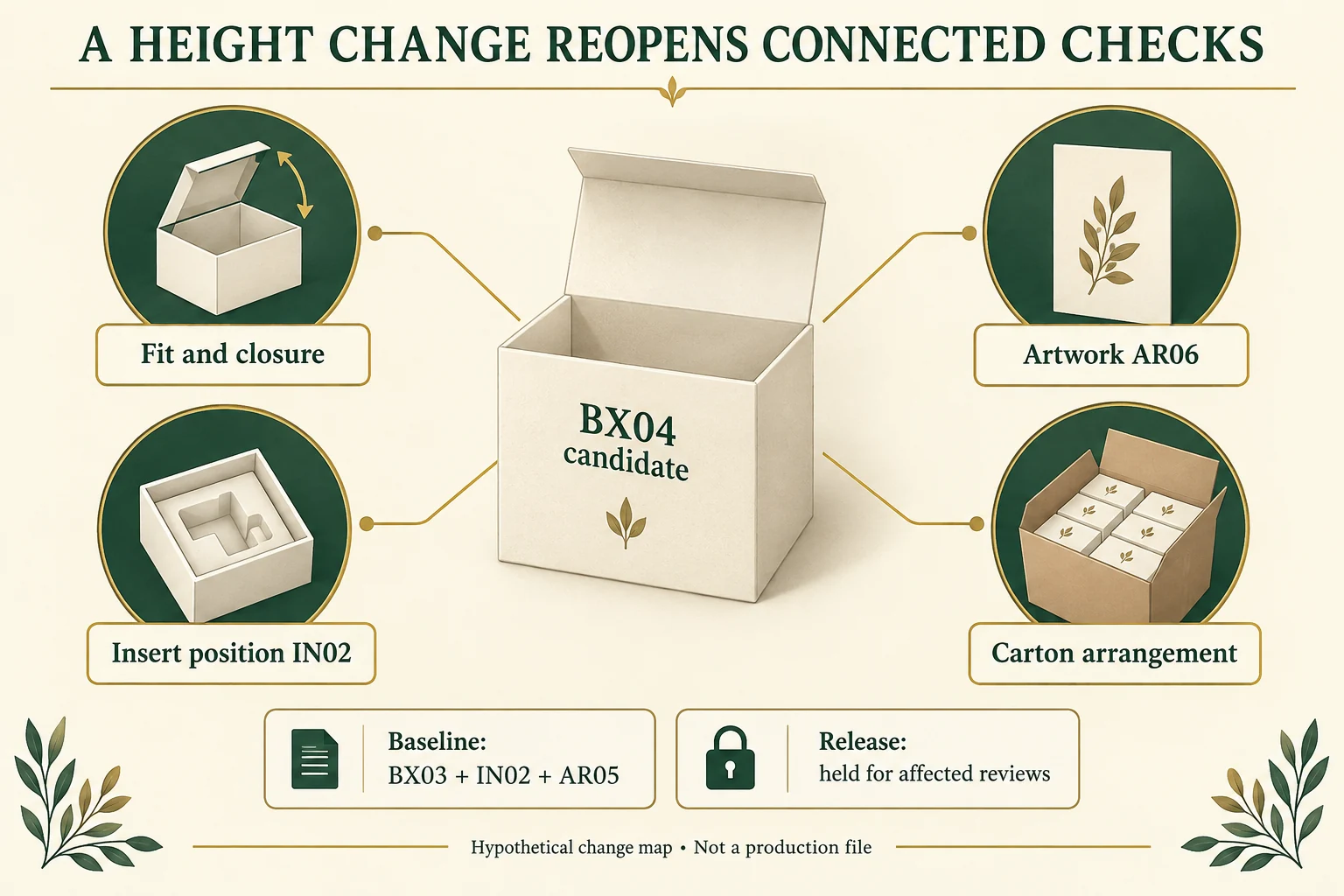
Trace each change through the package
Start with the changed object and follow its connections. Increasing box height can affect the insert position, lid clearance, artwork panel dimensions and packed carton arrangement. Changing a line of copy can affect layout review even if the structural drawing stays the same.
Adobe’s printer marks and bleeds guidance describes how bleed relates to trimming. That supports checking artwork boundaries when a layout changes. The selected production contact must confirm how the revised artwork fits the actual structural file.
Ask each owner to state the effect within their responsibility. The designer can identify moved panels or altered artwork. The structural reviewer can identify changed fit and closure checks. The commercial contact can explain whether the change affects the offer or next-step timing.
Keep an unresolved impact visible. If nobody has confirmed whether a taller box changes the carton count, write “packing impact awaiting confirmation” and assign it. A blank cell is easy to mistake for no impact. A dated open question gives the next conversation a clear purpose.
Scope the evidence request to the change. A spelling correction may need a new layout proof. A change near a fold or closure may call for another physical review. The relevant owners should agree what evidence closes the request rather than automatically repeating every previous step.
Copy a change impact worksheet
Give each proposed change its own change ID, even when several changes arrive in one message. Use a separate linked row for each affected decision or scoped retained evidence item; several rows can belong to one change. Keep the approved baseline visible above the table. This original worksheet is a coordination aid, with review methods confirmed for the actual project.
Swipe the table to view all fields.
| Field | Entry to complete |
|---|---|
| Baseline configuration | Approved box, insert and artwork IDs |
| Requested change | Exact object, dimension, copy or finish being altered |
| Request owner | Person who can explain the reason and approve the request |
| Affected decisions | Fit, closure, layout, color, pack-out or commercial scope |
| Review owner | Person responsible for each affected decision |
| Replacement evidence | Revised drawing, proof, sample or packing record |
| Next-step impact | Step held, step unaffected or answer still pending |
| New configuration | Replacement file IDs and superseded references |
| Closure record | Decision, approver, date and evidence reference |
Follow an illustrative box height revision
In this hypothetical example, a gift brand adds a folded care card above a jewelry pouch. The approved configuration is BX03, IN02 and AR05. The buyer requests a taller box because the card presses against the lid during the sample pack-out.
The structural reviewer checks the revised height and closure. The artwork owner checks the side panel layout on the new drawing. The packing contact checks whether the proposed assembled delivery format changes the carton arrangement. Each review gets its own evidence reference.
BX04 and AR06 become candidates, while IN02 remains under review for its position in the taller box. The buyer holds the next release until the new complete pack has been examined. The record says why that step is held and who can close it.
After the review, the release names BX04, the confirmed insert version and AR06. The old files remain available as history, with their replaced status clear. This is the same version discipline that makes a future packaging reorder record useful.
Separate reopened checks from unaffected evidence
For the hypothetical change from BX03 to BX04, the requested internal height moves from 40 mm to 45 mm. These are invented drawing inputs, not a recommended box size. Keep IN02 identified as the current insert candidate while its installed position in BX04 is checked. AR06 is artwork for the changed structure, not an automatically released file.
Scroll horizontally if columns extend beyond the view.
| Decision | Effect of proposed height change | Required response | State |
|---|---|---|---|
| Loaded fit and closure | Changed internal height and complete contents relationship | Structural reviewer checks complete BX04/IN02 pack | Reopen |
| Insert position | Same IN02 file does not establish same installed relationship | Confirm seating and product/lid relationship | Reopen |
| Side-panel layout | Changed panel geometry can affect print/finish placement | Review AR06 against BX04 and printer requirements | Reopen |
| Carton arrangement | Assembled delivered size may change packing layout | Packing contact returns revised carton data or documented no-change basis | Pending |
| Unchanged approved wording | No wording change requested in this scenario | Artwork owner confirms same approved text remains present | Retain wording evidence only; layout still reopens |
The last row preserves only the wording decision. It does not carry forward placement, legibility or bleed approval on a changed panel. Close each affected row with evidence and a named owner, then issue a release identifying the complete selected configuration and permitted next step. A draft drawing or proposal date is not that release.
End the change with a named release
Before sending revised files onward, ask the receiver to acknowledge the configuration and its permitted next step. Include any remaining hold alongside the release. The record should let someone joining the project understand the current decision without reading the entire message thread.
Bring your drawing IDs, artwork status and proposed changes into a Packrivo project brief when you need help organizing the next supplier discussion. A clear change request gives that discussion a specific starting point.
Keep the current record with the project brief
Download the dieline change impact CSV. It contains field definitions, clearly hypothetical examples and a blank actual-project row. Replace invented values with your own supported records; keep unknown fields open.
Packrivo coordinates packaging sourcing and project questions with independent suppliers. The worksheet is a discussion aid, not a confirmed quotation, manufacturing promise or sample approval. The published starting MOQ is 500 pieces per product/design; actual component, design and commercial scope require confirmation.
Source scope: Adobe supports bleed/trim relationships and printer coordination; the change-impact method and version IDs are original hypothetical examples. Public references checked 16 October 2026. All new illustrations are AI-assisted concepts. No real customer, test, shipment, stock, savings or production outcome is represented.