
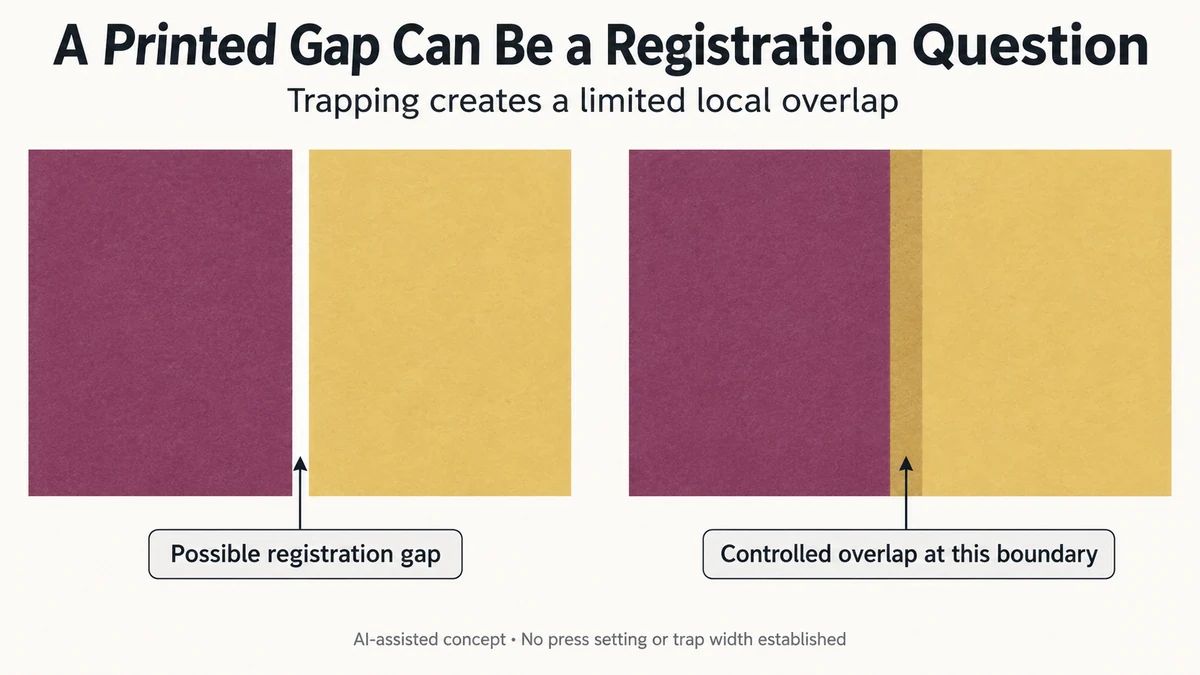
A fine white line between two printed colour areas does not necessarily mean that the artwork contains a missing object. When separately printed colours shift relative to each other, a boundary intended to meet exactly can expose the substrate. Trapping introduces a controlled overlap to reduce that particular gap risk.
For a gift brand, the useful decision is whether a reported boundary problem concerns missing artwork, registration or the selected prepress compensation. Expanding every shape without that distinction can change the intended edge while leaving the underlying question unresolved.
The illustrations below are hypothetical. No actual press, registration tolerance or trap width is specified.
A Butt Boundary Depends on the Colours Meeting as Intended
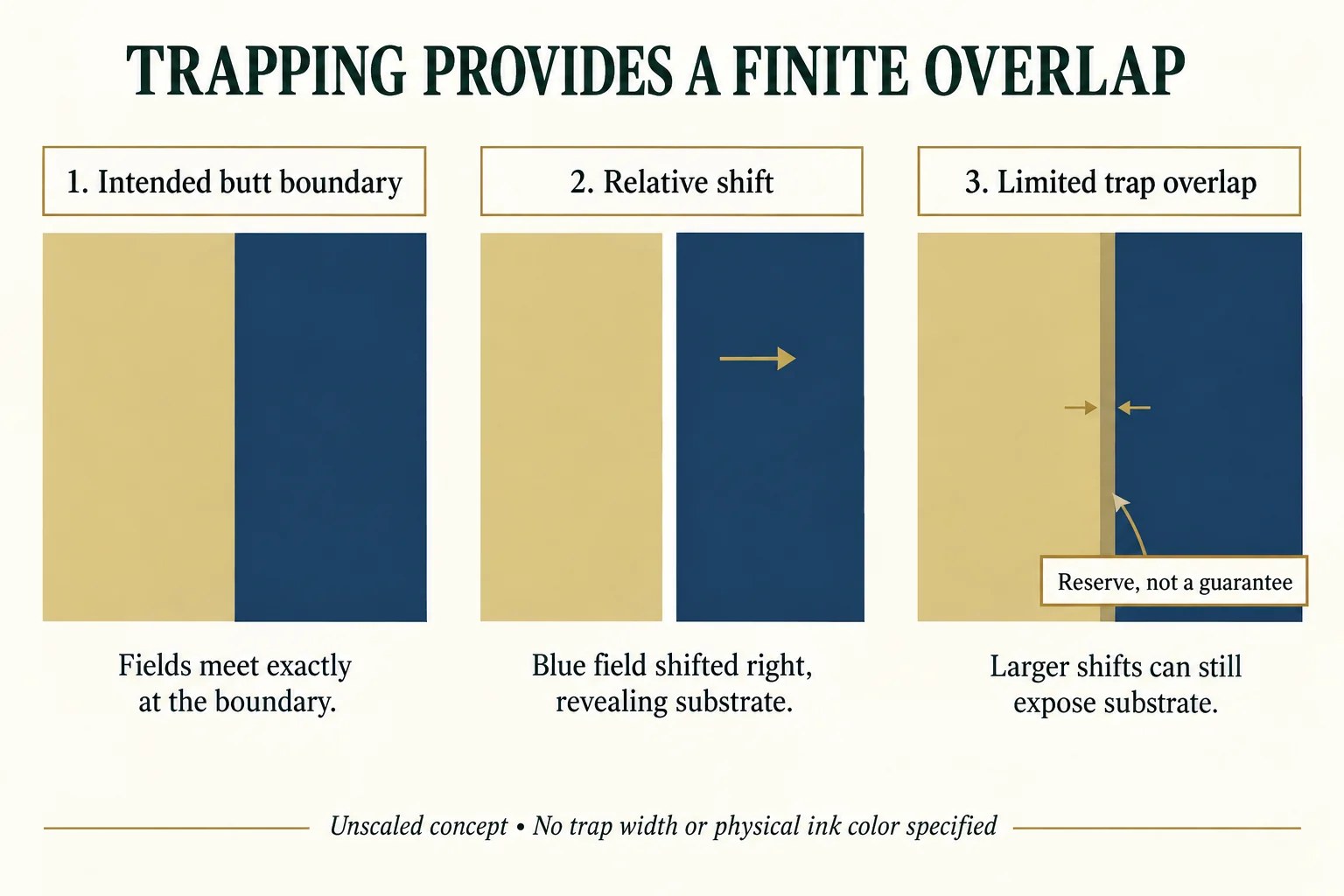
Imagine a pale block beside a dark blue field on a folding-carton panel. In the intended composition, their edges meet without a white line between them.
If those areas depend on separate output separations, a relative displacement can change the printed boundary. A shift in one direction can open a gap; a shift in another can introduce overlap. The source file and the physical printed relationship are therefore different stages of the observation.
A gap that was already present in the intended artwork would be a different problem. Trapping is not a substitute for restoring a genuinely missing design object or correcting the file’s intended geometry.
Adobe’s current trap-preset guidance describes slight overlaps at adjoining colour boundaries as a way to compensate for press misregistration. It also directs the choice of settings to the selected prepress workflow rather than a universal number.
The principle is local: manage a particular boundary where relative printing displacement could reveal an unwanted sliver of substrate.
An Overlap Provides a Limited Geometric Reserve
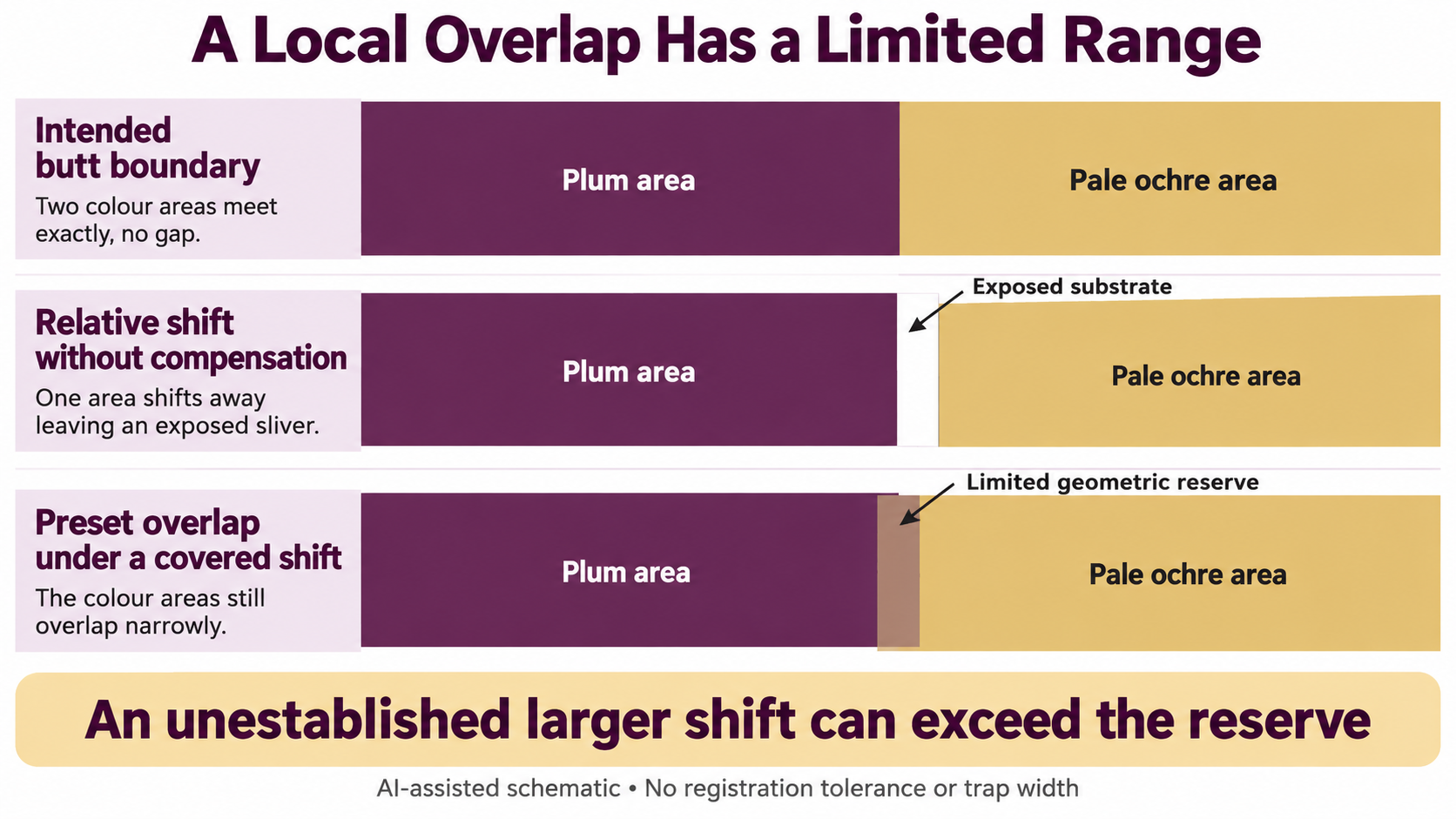
In a simplified one-dimensional illustration, the two printed areas are made to overlap slightly across their intended meeting line. If a relative displacement tends to pull their edges apart, some overlap can remain instead of immediately exposing the substrate.
That reserve is finite. A displacement beyond what the particular compensation covers can still leave a visible gap. Adding an overlap does not establish perfect registration or eliminate every possible boundary problem.
The overlap can also affect the appearance of the edge where colours meet. Its visible effect depends on the inks, substrate, geometry and output. A drawing of two coloured rectangles does not predict the resulting physical edge colour.
This explains why the relevant question is not “should all objects be bigger?” It is which boundary needs compensation, in which output context, and how that compensation preserves the intended design.
The Direction and Objects of Compensation Matter
Different adjacent colours and print arrangements can call for different treatment. One side of a boundary can be extended or another adjusted within a prepress decision; indiscriminately spreading every object is not the same operation.
Adobe’s trap-options explanation ties those controls to ink and press conditions. Its software defaults and ranges are not instructions for this hypothetical carton or every packaging process.
Overprint is another related but distinct instruction. It concerns how an object interacts with underlying printing, rather than proving that a chosen local trap is suitable. An unchanged composite preview also may not answer how the final separations and output workflow handle the boundary.
Some colour relationships need no added trapping under the agreed process. The presence of two neighbouring shapes alone does not establish that every boundary should receive the same adjustment.
A Hypothetical White Sliver Needs Its Location Preserved
Suppose a brand sees a white sliver where the pale block meets the blue field in an illustrative printed candidate. The first useful comparison is the intended boundary against the output and physical observation.
If the intended file already includes a white separation, the design question comes first. If the shapes meet in the intended file but the printed areas do not, registration and the output treatment become relevant investigation questions.
If a trap was specified, the printer still needs to establish whether the selected output used it as intended and whether it was suitable for that particular boundary. None of those findings follows merely from seeing a white line.
This is not a diagnosis of an actual job. It identifies competing explanations and prevents a global artwork expansion from being treated as the automatic remedy.
The brand can keep the reported location, the intended objects and the selected output version together. That gives the designer and printer a specific boundary to resolve, without inventing a press setting or promising that compensation alone will fix it.
Locate the boundary before asking for a trap change
Name the two objects and the output version containing them. Keep a view of the intended file beside the located printed observation. If the design deliberately separates the objects, that is a different request from a print whose intended butt boundary has opened.
| Boundary record | Unresolved fact | Focused response |
|---|---|---|
| A 1 / B 1 intended relationship | Butt boundary or deliberate gap in the approved design? | Artwork owner identifies intended geometry |
| Printed candidate P 1 | Does the visible sliver reproduce that geometry? | Printer locates observation on identified output |
| Proposed compensation | Was the relevant trap applied and is it suitable? | Prepress provider confirms process-specific treatment |
Leave numeric width and ink behavior unassigned until the responsible prepress source supplies them. A revised trapping choice should remain tied to the output file and the named boundary. It does not change the approved color target, close every finish-mask issue or replace a representative print review.
Download this article’s project record (CSV). The record includes field definitions, labeled teaching examples and a blank project row. Add source evidence and the details of your actual project.
For a sourcing discussion, send the intended adjacent objects, located output view and the prepress question. Packrivo coordinates supplier questions; the responsible technical or commercial parties confirm the actual method, configuration and terms.
Keep Boundary Compensation Separate From Other Colour Decisions
The spot-plate review guide concerns which output channels belong to a job. A correct plate list does not, by itself, establish the registration treatment between their printed areas.
Likewise, approving an ink colour does not establish that adjoining objects meet cleanly in a particular print. Trapping addresses the boundary relationship, not the colour’s full reproducibility, a finish mask or a complete print-quality result.
For an actual package, the designer and prepress provider should determine the suitable compensation within the agreed output process. Packrivo can coordinate the intended design and supplier questions, but does not prescribe trap widths, control a press or certify registration through project coordination.
A trap is a deliberate, limited overlap at a relevant boundary. Establish the intended geometry and output before treating a white line as missing artwork or enlarging the design.
Source scope: Adobe’s two linked public English-language InDesign guidance pages were accessed on 16 October 2026. Update labels may differ by regional page; no common publication or update date is asserted here. Their explanations support the compensation principle and workflow dependence; software settings are not a packaging specification. No actual print, measured registration displacement, trap dimension or completed production result is established.