
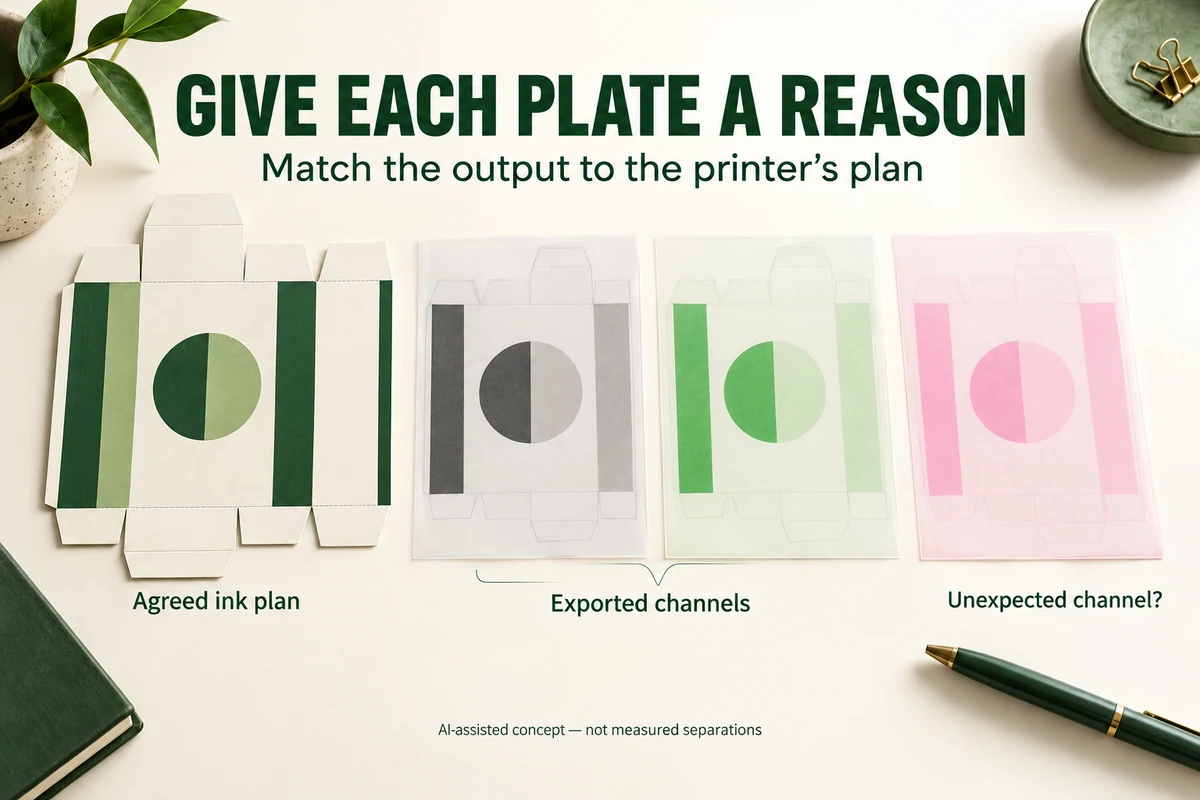
Compare the spot plates in the exported packaging PDF with the printer’s agreed ink and finishing plan. Investigate every unexpected plate and locate the objects using it. A swatch name alone doesn’t establish the intended output. Have the designer correct or map colors only after the printer confirms how those channels should be handled.
An imported logo can carry its own swatches. A separate finish mask can introduce another named channel. The first useful check is whether each channel has a reason to exist in this particular job, rather than whether the composite preview looks attractive.
Start with the agreed output plan
List the intended process inks, spot inks and any separately specified finishing channels. Ask the printer how those channels should appear in the delivery file. Some names can be production instructions rather than ordinary printed colors; their treatment belongs to the agreed workflow.
Illustrator lets the designer select Spot Color as a swatch’s color type. That is a specific setting, not just a naming convention. Adobe’s spot-swatch instructions show that setting.
Have the designer inspect swatch types in the native artwork, then compare the exported PDF. Don’t assume the export preserved every intended channel merely because the native document looks organized.
Investigate unexpected plates by object
Ask the designer to isolate each extra plate and identify where it appears. Work through placed graphics, small logos and finishing artwork as well as the main background. The cause may be local to one asset, so a global color conversion can be a larger change than the design needs.
Adobe’s Output Preview documentation describes showing and hiding process and spot plates. It also notes that hidden-layer objects aren’t included in the onscreen preview. Confirm that the layer state under inspection matches the intended output before drawing conclusions about the complete artwork. The preview doesn’t establish physical color or finish.
If two plates appear to describe the same intended ink, ask the printer whether they should be consolidated. Keep their exact names visible. Similar screen colors don’t prove that the two channels are interchangeable, and a differently named channel isn’t automatically an error.
Compare the correction choices
In a hypothetical label design, the main artwork uses the agreed brand-color spot swatch, while an imported logo introduces a second spot channel. The designer and printer need to determine whether the extra channel was intentional.
| Confirmed situation | Possible next action | Buyer review |
|---|---|---|
| The extra channel represents the same intended ink | Designer follows the printer’s agreed consolidation method | Compare the affected logo and verify the new plate list |
| The logo intentionally uses another spot ink | Printer confirms the expanded ink plan | Review appearance and updated commercial scope |
| The logo should use process color | Designer makes the agreed conversion | Review the changed appearance and exported channels |
| The channel represents a finish instruction | Printer confirms its required naming and treatment | Review the correct mask location separately |
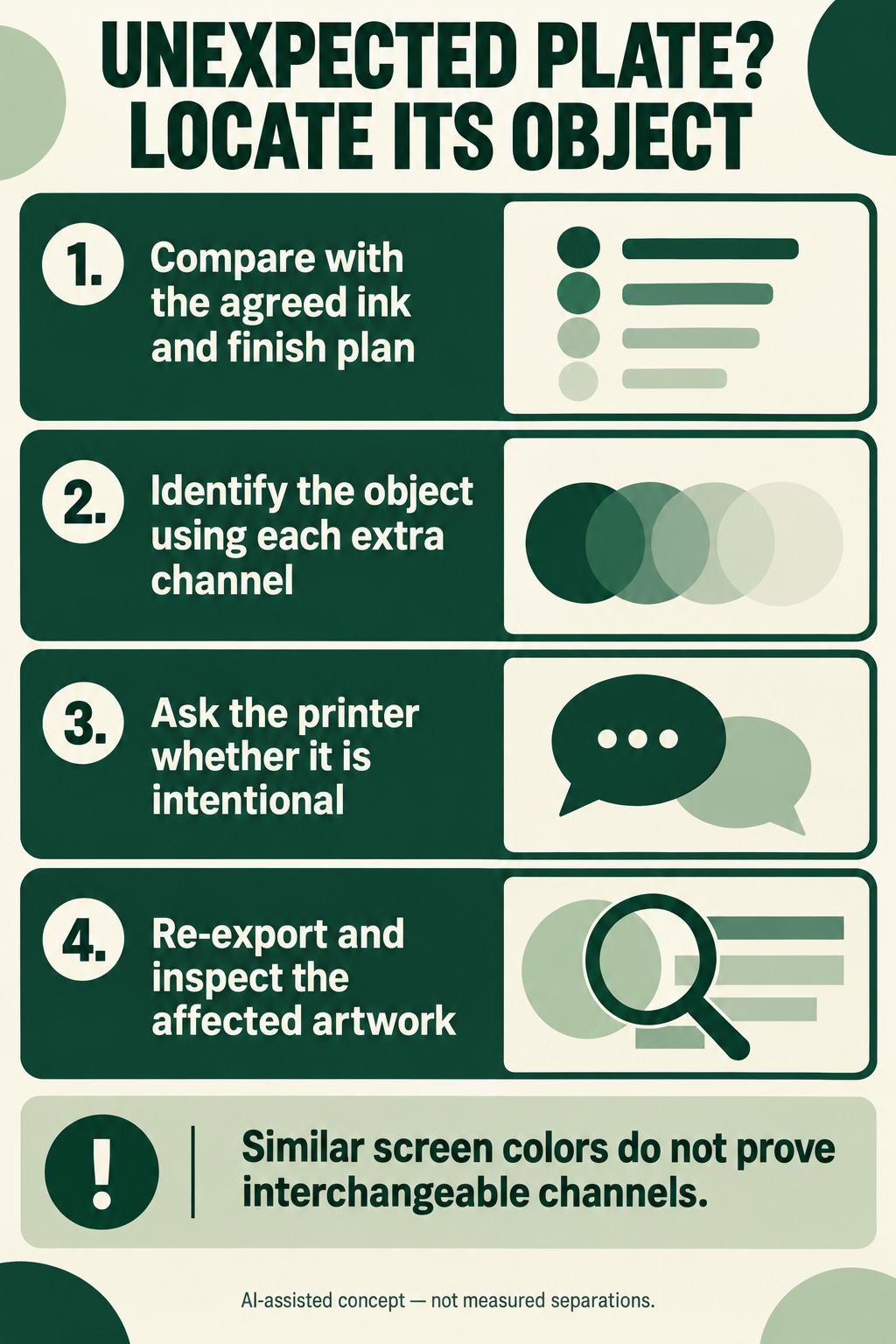
These are discussion branches, not automatic fixes. The decision comes from the intended design and the selected printer’s output plan.
Keep finish masks distinct from color approval
A plate inspection can help reveal which objects belong to a channel. It cannot show how reflective foil or raised relief will look on a physical sample. Ask which proof or sample can answer the relevant appearance question.
Packrivo’s spot-gloss boundary review helps with mask placement. The physical color reference method addresses a different decision: what appearance the buyer wants on the intended stock and finish.
Recheck the exported plate list after edits
Repeat the plate inspection after the correction and inspect the affected objects. Confirm that intentional channels remain and that the disputed channel now matches the agreed decision. Compare the final file with the printer’s current delivery instructions.
Include the resulting plate list and any unresolved channel question in the artwork handoff. A clear list gives the printer a specific output plan to confirm, while a visible before-and-after comparison lets the buyer see what changed in the design.
Technical references checked 8 October 2026. The example is illustrative and makes no claim about a Packrivo printer, quotation or completed job.
A finish channel is not another spot-ink color
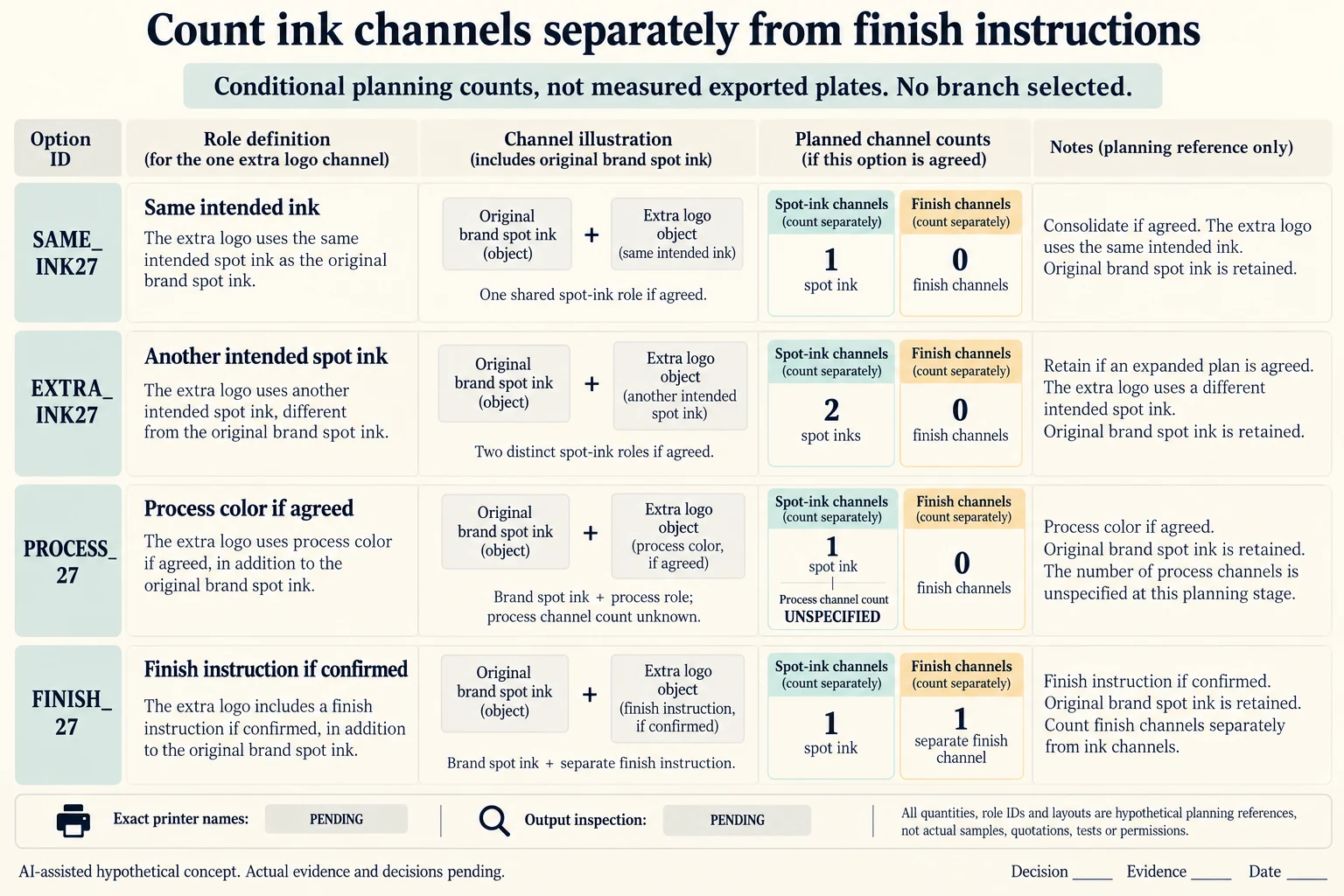
Begin an invented comparison with one intended brand spot-ink channel and one extra channel associated with a placed logo. Keep four possible explanations mutually separate. SAME_INK27 proposes consolidation only if the printer confirms the same intended ink. EXTRA_INK27 retains another spot ink only if the expanded plan is agreed. PROCESS27 proposes a printer-agreed process conversion. FINISH27 treats the extra channel as a separate finish instruction if that role is confirmed.
Scroll horizontally if columns extend beyond the view.
| Hypothetical configuration | Named object | Relationship | Input or next scope |
|---|---|---|---|
| SAME_INK27 | EXTRA_LOGO_CHANNEL | assumed role | SAME_SPOT_INK |
| SAME_INK27 | EXTRA_LOGO_CHANNEL | conditional next action | CONSOLIDATE_IF_PRINTER_AGREES |
| SAME_INK27 | SAME_INK27 | assumed resulting count | SPOT_INK_CHANNELS_ONLY; 1 spot ink channels |
| SAME_INK27 | SAME_INK27 | assumed resulting count | SEPARATE_FINISH_INSTRUCTION_CHANNELS; 0 finish instruction channels |
| EXTRA_INK27 | EXTRA_LOGO_CHANNEL | assumed role | ANOTHER_SPOT_INK |
| EXTRA_INK27 | EXTRA_LOGO_CHANNEL | conditional next action | RETAIN_IF_EXPANDED_PLAN_AGREED |
| EXTRA_INK27 | EXTRA_INK27 | assumed resulting count | SPOT_INK_CHANNELS_ONLY; 2 spot ink channels |
| EXTRA_INK27 | EXTRA_INK27 | assumed resulting count | SEPARATE_FINISH_INSTRUCTION_CHANNELS; 0 finish instruction channels |
| PROCESS27 | EXTRA_LOGO_CHANNEL | assumed role | PROCESS_COLOR |
| PROCESS27 | EXTRA_LOGO_CHANNEL | conditional next action | CONVERT_IF_PRINTER_AGREES |
| PROCESS27 | PROCESS27 | assumed resulting count | SPOT_INK_CHANNELS_ONLY; 1 spot ink channels |
| PROCESS27 | PROCESS27 | assumed resulting count | SEPARATE_FINISH_INSTRUCTION_CHANNELS; 0 finish instruction channels |
| FINISH27 | EXTRA_LOGO_CHANNEL | assumed role | FINISH_INSTRUCTION |
| FINISH27 | EXTRA_LOGO_CHANNEL | conditional next action | RETAIN_SEPARATE_FINISH_ROLE_IF_AGREED |
| FINISH27 | FINISH27 | assumed resulting count | SPOT_INK_CHANNELS_ONLY; 1 spot ink channels |
| FINISH27 | FINISH27 | assumed resulting count | SEPARATE_FINISH_INSTRUCTION_CHANNELS; 1 finish instruction channels |
Count roles rather than names. Under those conditional plans, the spot-ink channel counts are respectively one, two, one and one; separate finish-instruction counts are zero, zero, zero and one. These are invented resulting plan counts, not an inspection of exported plates. Process-channel construction remains unspecified, so the process alternative does not import a fixed number of process inks or a conversion recipe.
The finish branch therefore has two named channel roles without claiming two spot inks. Its exact production name, mask location and treatment still come from the selected printer. A screen color or similar swatch label cannot decide between these branches. Confirm the intended layer/output state as well: Adobe notes that hidden-layer objects are absent from the onscreen preview, limiting what that view establishes.
After the actual role is confirmed, retain the agreed edit or no-change decision, re-export if needed and compare the intended channels and affected objects. Consolidating or converting a logo can change its appearance; an intentional second ink may change commercial scope; a finish mask needs its own location and physical appearance evidence. The CSV leaves those actual names, results, approvals and costs empty.
Download the spot plate role branch channel count record (.csv). It includes the original table fields and scenarios alongside the added relationships. HYPOTHETICAL rows are editorial examples or required review scopes, not actual records. Actual quantity, configuration, component and file identities, materials, process, specification, copy, method, condition, observation, owner, decision, evidence and dates are blank. ACTUAL_BLANK is a separate empty starting row; enter permitted project evidence before using an actual record. A blank means unknown.
Use the Spot-Gloss Masks Need a Named Panel and a Registered Boundary for its separate question. Use the Packaging Color Approval Starts With a Physical Reference for its separate question. Use the Packaging Artwork Handoff Checklist for Print Approval for its separate question.
Sources apply to their named material, process or guidance. Worked configurations and dimensions are teaching examples; they do not establish production tolerances, machine settings or test results. Review the specified material, drawing and formed sample.
Discuss this packaging specification with Packrivo. We coordinate independent suppliers. MOQ: 500 pieces per product/design; illustrative quantities are not production offers. Confirm materials, samples, price and timing for your project.