
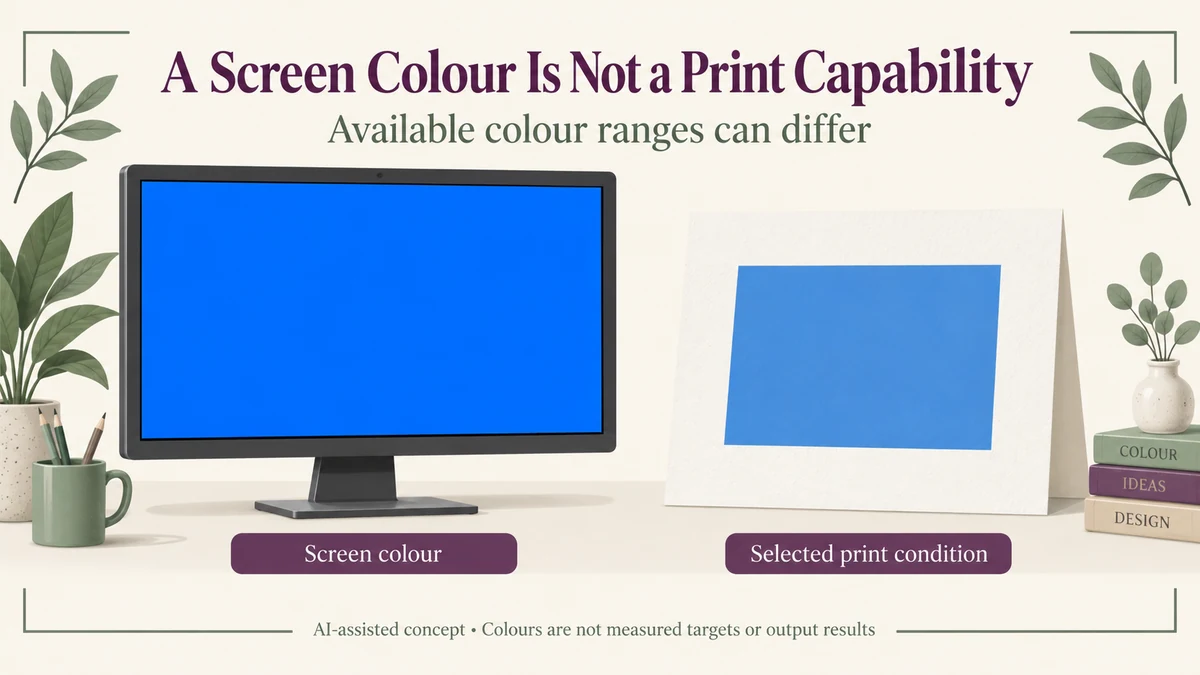
A saturated colour can be valid in a screen image and still fall outside the colours reproducible under a specified printing condition. That is a gamut question, not proof that the printer has failed to match an achievable target.
For a gift brand, identify the intended print condition before treating an RGB choice as a production colour. If the target is outside that condition’s gamut, conversion or a design/process decision is needed; copying the same numbers does not create the missing colour capability.
No device profile, actual packaging colour or measured colour difference is assigned to the hypothetical example below.
A Gamut Is a Range, Not a Guarantee Attached to a Colour Name
A device or output condition has a range of colours it can represent. A display and a particular ink/substrate process can have different ranges. Their data also use different colour-system descriptions.
Adobe’s current out-of-gamut guidance explains that some RGB colours cannot be reproduced accurately in a selected CMYK output. The warning is evaluated against a proof profile, so the intended output basis matters.
It does not establish one universal gamut for every screen or every print process. Nor should a generic diagram imply that all possible RGB and CMYK gamuts have the same boundary or a fixed nesting relationship.
An RGB triplet without its relevant colour-space context is not an ink recipe. Even a properly described digital colour needs a relationship to the proposed physical output before the brand can treat it as a printable target.
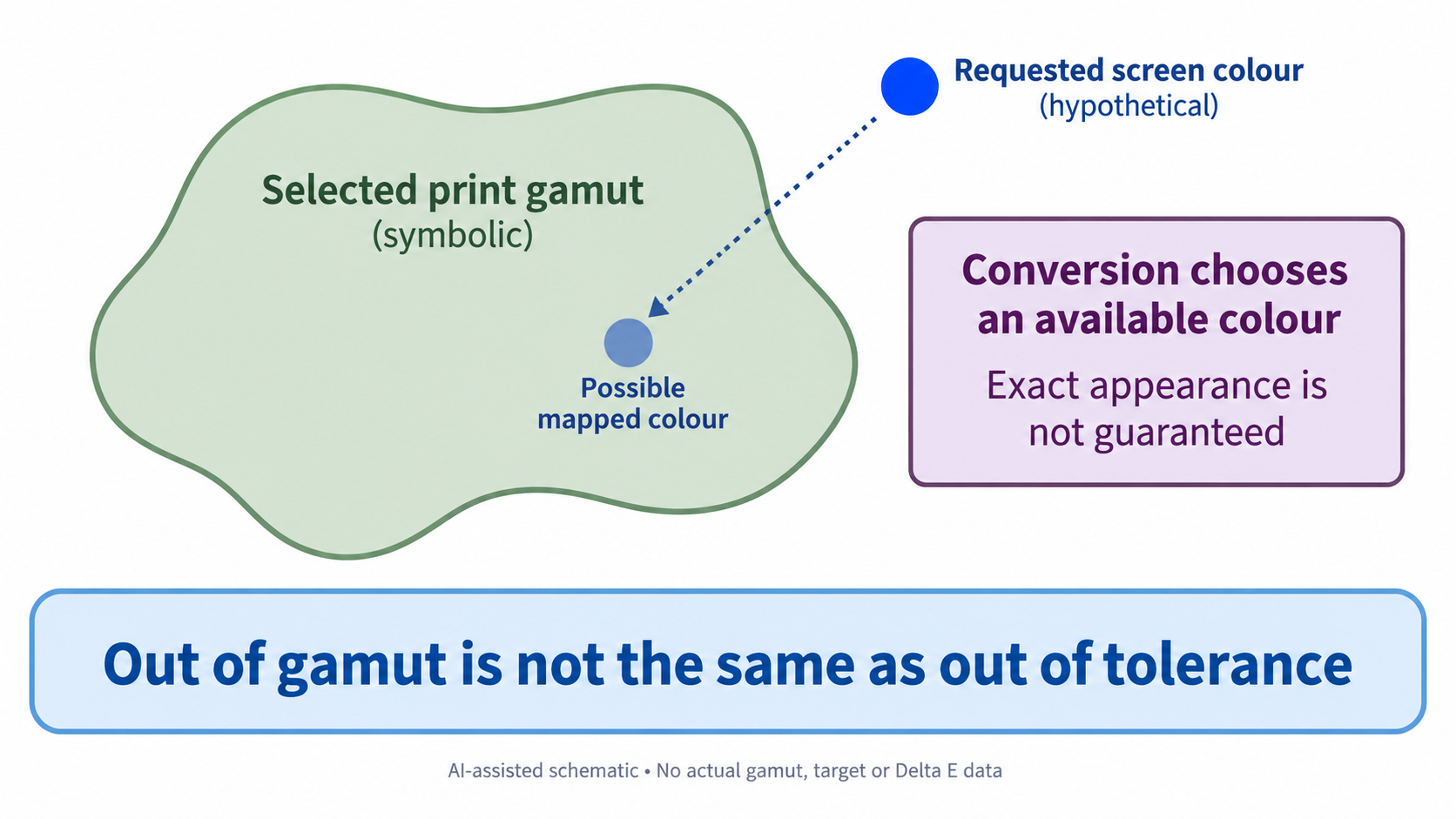
Conversion Can Map a Colour Without Preserving Its Exact Appearance
When an out-of-range colour is converted into a destination space, it has to be represented by an available destination colour according to the conversion choices. Completing that conversion does not mean that the original appearance has become physically available.
The result can change the look of a saturated design area or the relationships among neighbouring colours. The Adobe colour-management explanation describes the role of profiles in translating between device colour spaces; profile-based translation does not repair every source-image or production problem.
A conversion can therefore be technically completed while the brand still needs to decide whether the changed design is acceptable. That is a design decision, not merely a file-format success.
The software’s warning overlay also is not the appearance of the printed colour. Its highlight identifies a potential output-range issue within the chosen proof setup; it does not constitute a physical printed sample.
A Hypothetical Saturated Blue Reveals the Choice
Imagine a brand selecting a vivid blue for a gift-box panel on screen. The specified print condition’s profile indicates that the chosen colour lies outside its gamut.
This is an assumed scenario, not a profile analysis performed on a real Packrivo job. It provides no numerical difference or prediction of the final blue.
One possible decision is to adjust the design toward an achievable colour that preserves the intended relationship with the other areas. Another is to investigate a different output construction or ink approach with the printing provider.
Neither option should be described as automatically restoring the original screen appearance. A proposed spot ink, new substrate or other process change needs its own evidence and commercial scope; a new name alone does not establish the colour that will result.
The brand should also decide what matters most in the affected area. Retaining the exact digital saturation, preserving a colour relationship or selecting an achievable physical brand target are related but different priorities.
Without that decision, repeatedly requesting “the same RGB” can leave the printer trying to satisfy an output condition that has never been established as capable of it.
Out-of-Gamut and Out-of-Tolerance Are Different Findings
An out-of-gamut question concerns whether the specified output can reproduce the target colour within its available range. An out-of-tolerance finding concerns a particular evaluated result compared with an applicable target and criterion.
A physically achievable colour can still be printed differently from its intended reference. Conversely, a well-controlled process cannot be assumed to reproduce a colour outside its stated capability simply by using a tighter tolerance.
The physical colour-reference guide explains how to establish the appearance comparison on the intended material and finish. That remains useful after the output-range decision; it should not be substituted for deciding whether the starting target is achievable under that output.
Changing the colour-difference formula also does not expand the printing gamut. It changes the interpretation of specified colour data, rather than creating a new ink/substrate capability.
Preserve the Intended Output in the Next Design Discussion
For an actual proposal, identify the selected output condition and suitable profile with the responsible printing party. Keep any gamut warning, conversion and proposed design revision tied to that basis, rather than treating a generic CMYK label as complete context.
Then use appropriate output and physical evidence to decide the revised appearance. A screen preview can help locate a problem or compare design directions without becoming an approved print colour.
Packrivo can coordinate the artwork, material and supplier questions. It does not certify a press gamut, provide an actual profile analysis or guarantee colour reproduction through project coordination.
A valid screen colour and a reproducible print colour are different propositions. Establish the destination condition before deciding how an out-of-range target should change.
Source scope: Adobe’s public out-of-gamut page was accessed 11 October 2026 and is updated 6 October 2026; its colour-management explanation was also available. These software principles do not establish a particular packaging press, substrate or profile. No gamut volume, RGB/CMYK recipe, Delta E result or real colour sample has been measured.
A second output should retain its original source identity
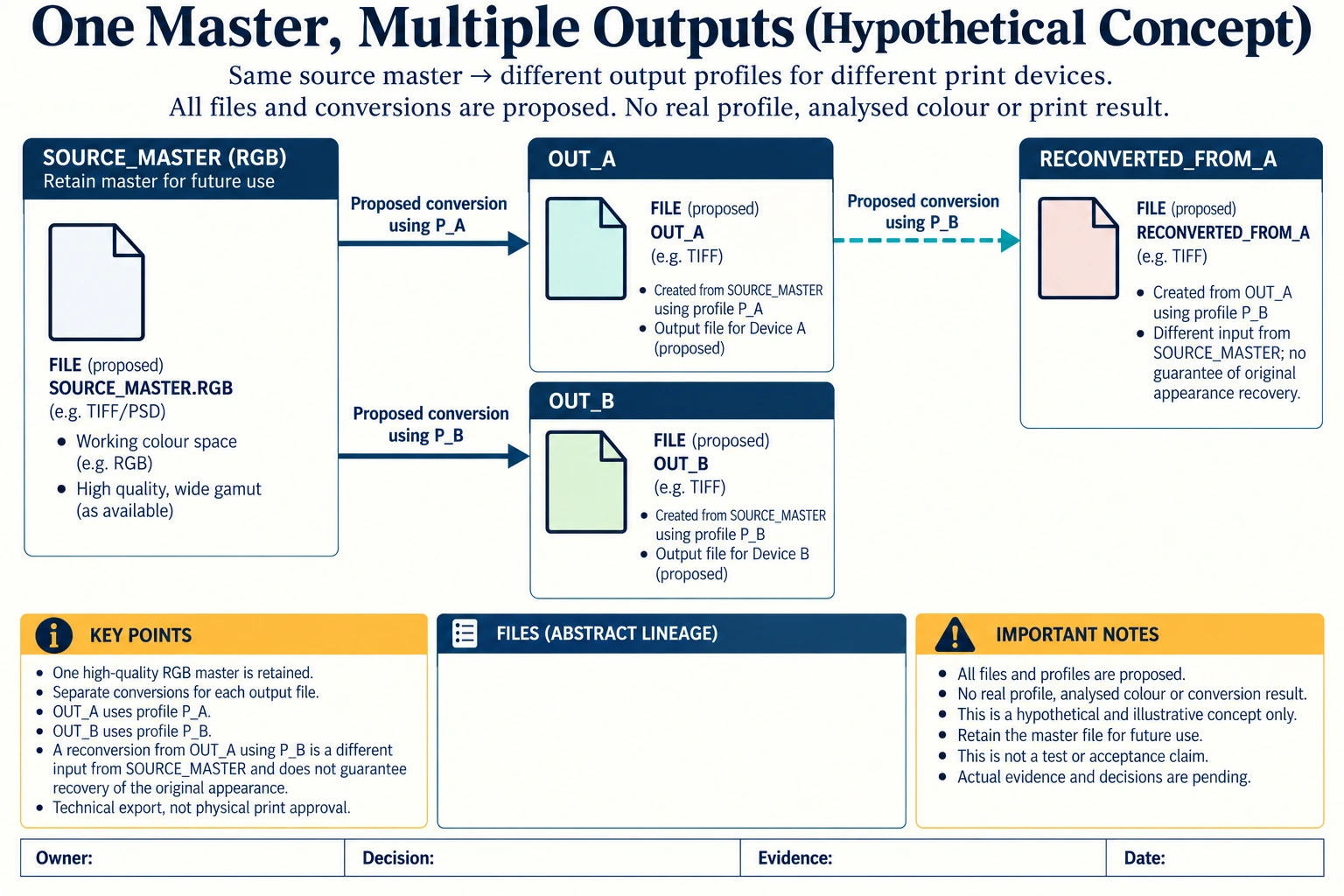
Compare three proposed file paths without analysing a real colour. SOURCE_MASTER is the retained RGB source. OUT_A is a proposed conversion for output condition P_A; OUT_B is another proposed conversion from the same source for P_B. A later OUT_A-to-P_B conversion has a different input from SOURCE_MASTER-to-P_B.
Scroll horizontally if columns extend beyond the view.
| Hypothetical configuration | Named object | Relationship | Input or next scope |
|---|---|---|---|
| DIRECT_A | OUT_A | proposed source | SOURCE_MASTER_RGB |
| DIRECT_A | OUT_A | proposed output condition | P_A |
| DIRECT_B | OUT_B | proposed source | SOURCE_MASTER_RGB |
| DIRECT_B | OUT_B | proposed output condition | P_B |
| RECONVERTED_FROM_A | RECONVERTED_FROM_A | proposed source | OUT_A |
| RECONVERTED_FROM_A | RECONVERTED_FROM_A | proposed output condition | P_B |
| DIRECT_B_VS_RECON | SOURCE_MASTER_RGB | different from | OUT_A |
| RECONVERTED_FROM_A | SECOND_CONVERSION | does not guarantee | ORIGINAL_APPEARANCE_RECOVERY |
| LINEAGE | SOURCE_MASTER_RGB | retain for | OUTPUT_SPECIFIC_PROPOSALS |
| LINEAGE | TECHNICAL_EXPORT | not a | MEASURED_PHYSICAL_MATCH |
If the first conversion remapped information, converting its result again cannot simply be called recovery of the original RGB appearance. Retain the master and output lineage so the responsible printer can identify which source and destination were actually used. This model supplies no actual profile, conversion intent or loss amount.
P_A and P_B name different proposed output conditions, not universal CMYK gamuts. Neither path establishes which colours are in range or what the physical print will look like. A technically completed export or soft proof is not a measured match.
The useful buyer decision is which exact source/output relationship the revised proof should cover. Request the appropriate source-based comparison and physical approval evidence rather than repeatedly renaming a converted file. Changing the output construction or profile also reopens its commercial and appearance scope; no ink capability or colour tolerance is created by the filename.
Download the print gamut profile conversion source master lineage record (.csv). It includes the original table fields and scenarios alongside the added relationships. HYPOTHETICAL rows are editorial examples or required review scopes, not actual records. Actual quantity, configuration, component and file identities, materials, process, specification, copy, method, condition, observation, owner, decision, evidence and dates are blank. ACTUAL_BLANK is a separate empty starting row; enter permitted project evidence before using an actual record. A blank means unknown.
Use the Packaging Color Approval With a Physical Reference for its separate question. Use the Printing on Uncoated Paper: Review the Proposed Stock for its separate question.
Source scope checked 17 October 2026: Adobe profile/gamut guidance updated 6 October 2026 and colour-management help updated 24 May 2023 address specified output workflows. Software conversion and soft proof do not establish a physical match, one global CMYK gamut or universal colour tolerance. The added configurations and calculations are hypothetical, with actual evidence and decisions pending.
Discuss this packaging specification with Packrivo. We coordinate independent suppliers. MOQ: 500 pieces per product/design; illustrative quantities are not production offers. Confirm materials, samples, price and timing for your project.