
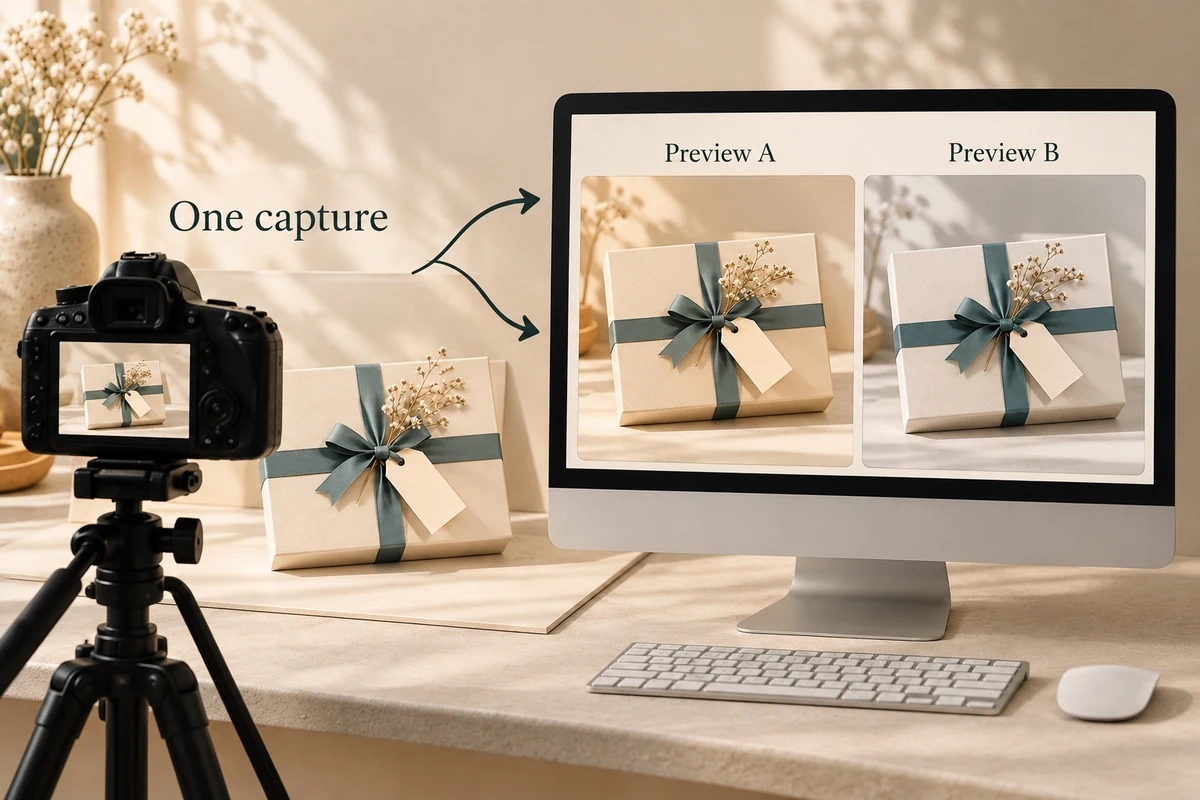
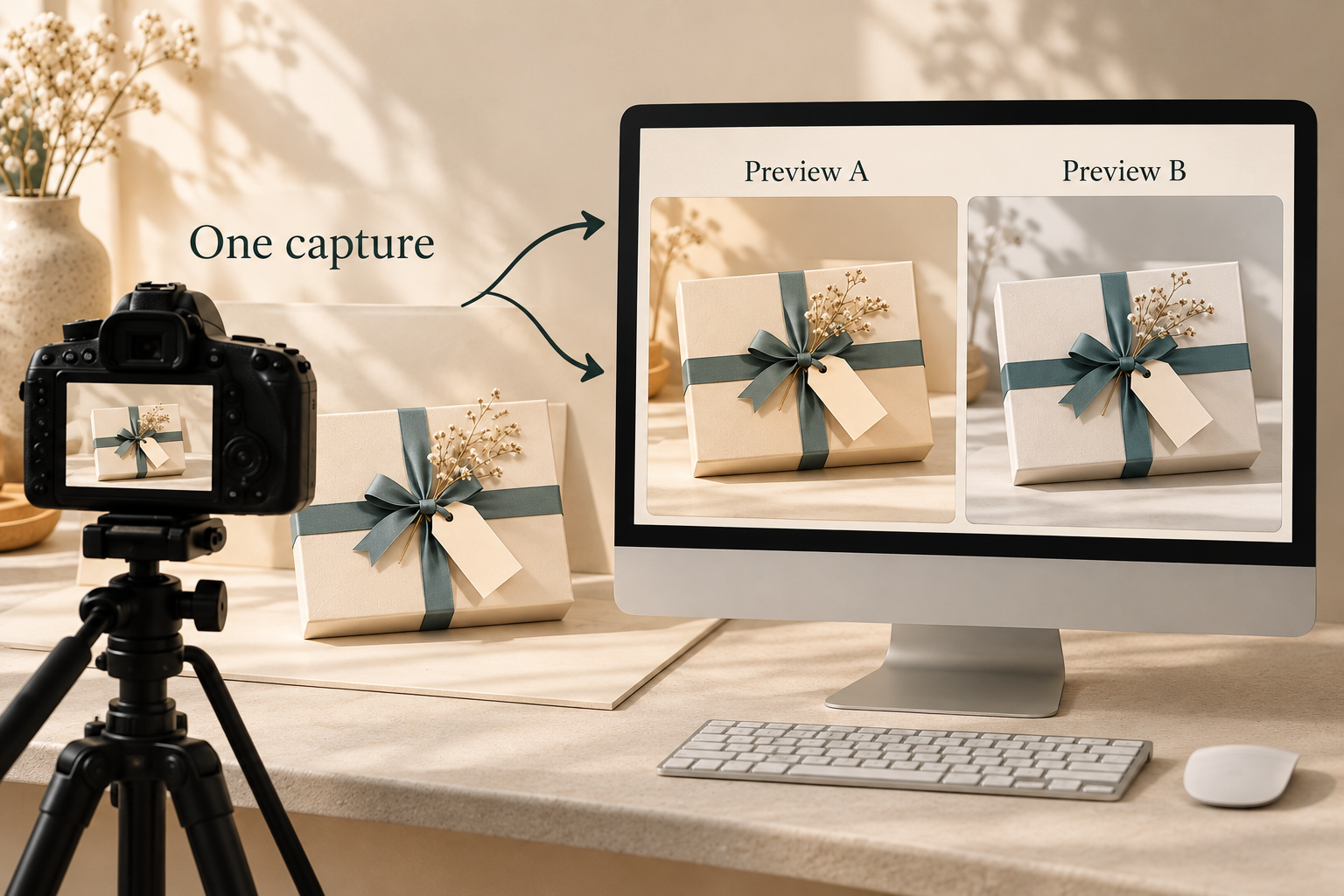
Two packaging previews can differ in color while coming from the same unchanged camera capture. Identify the original capture and its rendering settings before treating the second image as evidence of a print or material change. A white-balance adjustment changes the displayed image; it does not recolor the photographed box.
This distinction helps locate the next question. It does not make a corrected photograph a physical color approval, calibrated measurement or guarantee of what a customer will see.
Trace the capture before comparing the exports
Ask which original image produced each preview. Retain the authorized source, sample identity, capture conditions and any processing record supplied. Two different photographs introduce capture differences; two derivatives of one source allow a narrower image-processing comparison.
Adobe Camera Raw’s official color documentation explains that camera white balance is recorded as metadata and used as an initial setting. Temperature and Tint adjustments change the rendering. Adobe also distinguishes the controls used for raw files from those used for JPEG or TIFF images.
The software settings belong in the evidence record. A generic filename such as “corrected cream” cannot establish whether the box was reprinted, a new photo was taken or the existing capture was rendered differently.
Isolate one hypothetical rendering change
Assume an authorized raw image, R1, records a cream gift box. Export E1 uses the recorded As Shot settings. Export E2 uses deliberately altered Temperature and Tint settings. No actual files or color results have been produced for this example.
Scroll horizontally if columns extend beyond the view.
| Evidence level | Held unchanged in the example | What differs or remains unresolved |
|---|---|---|
| Physical sample | The same box | Its approved physical color remains a separate question |
| Captured source | The same R1 image and viewpoint | No second capture is introduced |
| Rendering | Source data remains R1 | Recorded white-balance settings differ |
| Exported preview | Derived from the same source | Displayed colors may differ after processing |
Because the capture is fixed, this comparison does not introduce another illumination or viewing angle at the sample. It locates a processing change after capture. It still cannot establish which preview accurately describes the physical material.
Do not sample deliberately cream paper as though it must be neutral gray. That can remove the intended material color while creating a seemingly tidy image. The neutral reference and purpose of any adjustment need an appropriate photographic basis.
Keep physical color and reflection questions separate
The physical color-reference review covers the sample, surface and agreed viewing conditions. It remains the appropriate basis for accepting the physical packaging color.
Other comparisons can involve changing light, surface reflections or viewing direction. A metallic-looking mark in an image does not establish foil reflectivity; a warmer preview does not diagnose illuminant metamerism. White balance is one possible processing difference, not the explanation for every color discrepancy.
Retain the exact settings where available and state missing information plainly. An unexplained pair of JPEGs may not provide the original processing history needed to isolate the cause.
Request the evidence at the changed level
If the sample changed, request its physical identity and relevant review. If only rendering changed, ask for the source-to-export connection and the actual settings. If that history is unknown, preserve the uncertainty rather than ordering a print correction from pixels alone.
Packrivo can coordinate the image-reference and supplier questions through a packaging project inquiry. Adobe’s page, updated 29 September 2026, was checked on 15 October 2026. This educational example supplies no calibrated color result, actual fault finding or physical approval.
Temperature controls from different file types are not one scale
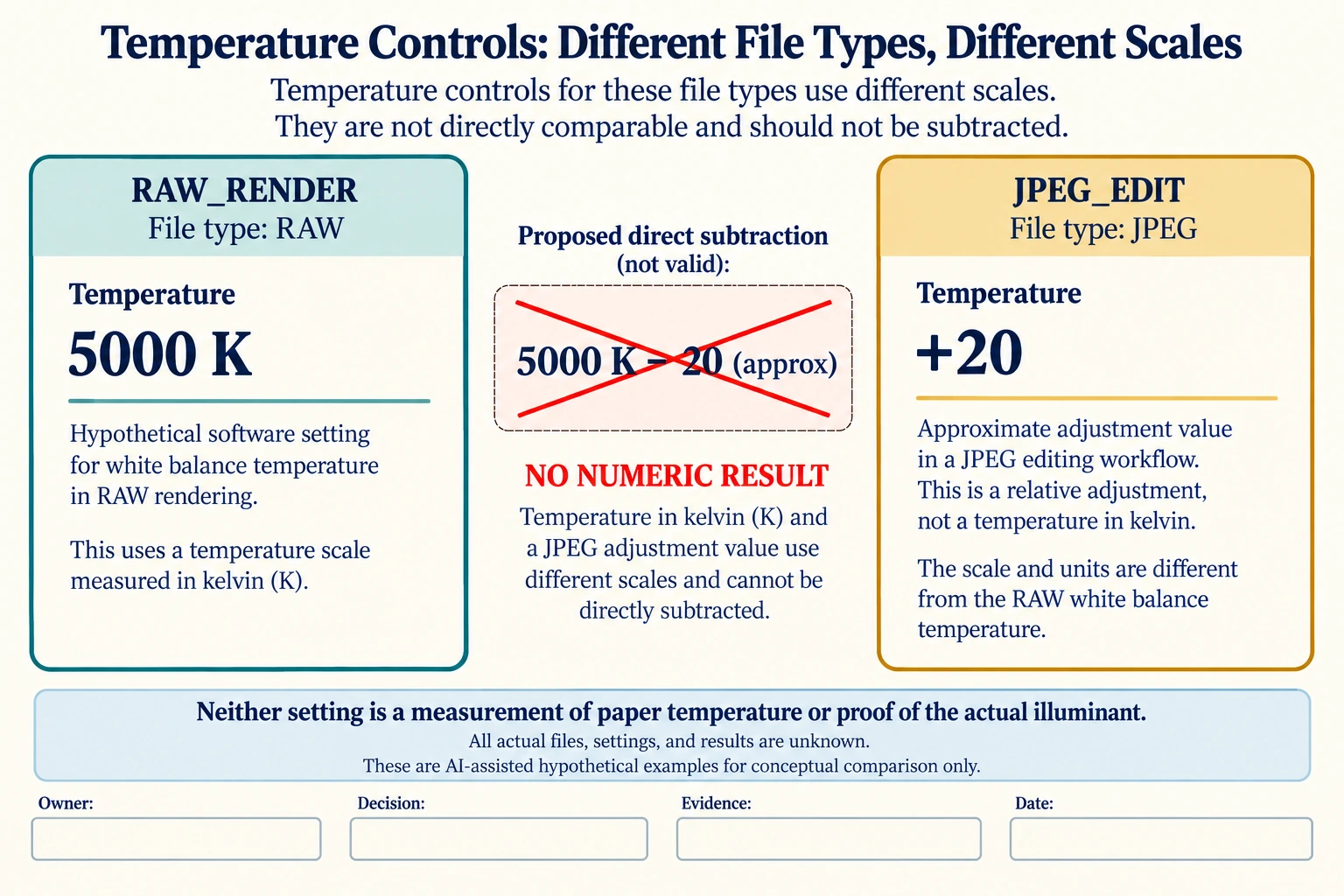
Compare two invented parameter records, not two measured colors. RAW_RENDER names a hypothetical raw source and Temperature 5000 K. JPEG_EDIT names a JPEG derivative and an approximate Temperature adjustment of +20. No files were edited, and the records establish no visual or physical result.
Scroll horizontally if columns extend beyond the view.
| Hypothetical configuration | Named object | Relationship | Input or next scope |
|---|---|---|---|
| RAW_RENDER | TEMPERATURE_SOFTWARE_CONTROL | assumed input | 5000 K (software white-balance control) |
| JPEG_EDIT | TEMPERATURE_SOFTWARE_CONTROL | assumed input | 20 approximate adjustment units (not K) |
| RAW_RENDER | SOURCE_FILE_TYPE | assumed | RAW |
| JPEG_EDIT | DERIVATIVE_FILE_TYPE | assumed | JPEG |
| CONTROL_MODEL | RAW_K_VS_JPEG_APPROX | incompatible scales | NO_NUMERIC_DIFFERENCE_OR_CONVERSION |
| CONTROL_MODEL | SOFTWARE_SETTINGS | not a | PAPER_TEMPERATURE_ACTUAL_ILLUMINANT_OR_PHYSICAL_COLOR |
The two numbers do not share a scale. The JPEG adjustment is not twenty kelvin, and subtracting it from 5000 K would produce a meaningless comparison. Nor is the raw control a measurement of the paper’s temperature or proof of the actual illuminant.
Adobe distinguishes Camera Raw/DNG temperature controls from the approximate controls for already rendered JPEG/TIFF pixels. Keep file type, source-to-derivative relationship and actual settings with an image question. Identical field names in a screenshot do not establish identical parameter meanings.
The buyer should request a comparable source-and-render record or the appropriate physical-color evidence, rather than instructing a printer to correct the difference between these settings. The original same-capture example remains separate from real sample color, calibration and print approval. No neutral reference or color tolerance is selected here.
Download the raw jpeg white balance temperature control scale record (.csv). It includes the original table fields and scenarios alongside the added relationships. HYPOTHETICAL rows are editorial examples or required review scopes, not actual records. Actual quantity, configuration, component and file identities, materials, process, specification, copy, method, condition, observation, owner, decision, evidence and dates are blank. ACTUAL_BLANK is a separate empty starting row; enter permitted project evidence before using an actual record. A blank means unknown.
Use the Packaging Color Approval With a Physical Reference for its separate question. Use the An RGB Colour Can Be Valid on Screen but Outside the Printing Gamut for its separate question.
Source scope checked 17 October 2026: Adobe Camera Raw documentation updated 29 September 2026 distinguishes raw/DNG Kelvin controls from JPEG/TIFF approximate adjustment scales. Software settings are not physical material temperature, measured color, a verified illuminant or print acceptance. The added configurations and calculations are hypothetical, with actual evidence and decisions pending.
What this changes in a packaging enquiry
Send a named physical colour reference and the actual material/finish requirement with a print enquiry, even when several screen previews come from the same photo. Keep export changes separate from sample changes. A preferred image rendering does not establish a new physical packaging colour or print approval.
Discuss this packaging specification with Packrivo. We coordinate independent suppliers. MOQ: 500 pieces per product/design; illustrative quantities are not production offers. Confirm materials, samples, price and timing for your project.