

Plan packaging approval milestones by naming the input, owner and accepted output for each step before assigning dates. Identify which decisions depend on earlier approvals and which reviews can proceed separately. Then ask the responsible parties to confirm their sequence and timing against the actual files, samples and open questions in your project.
A requested arrival date gives the project a goal. The milestone plan explains what must be ready for that goal to be evaluated. It also shows where a missing input or revised sample changes the next decision.
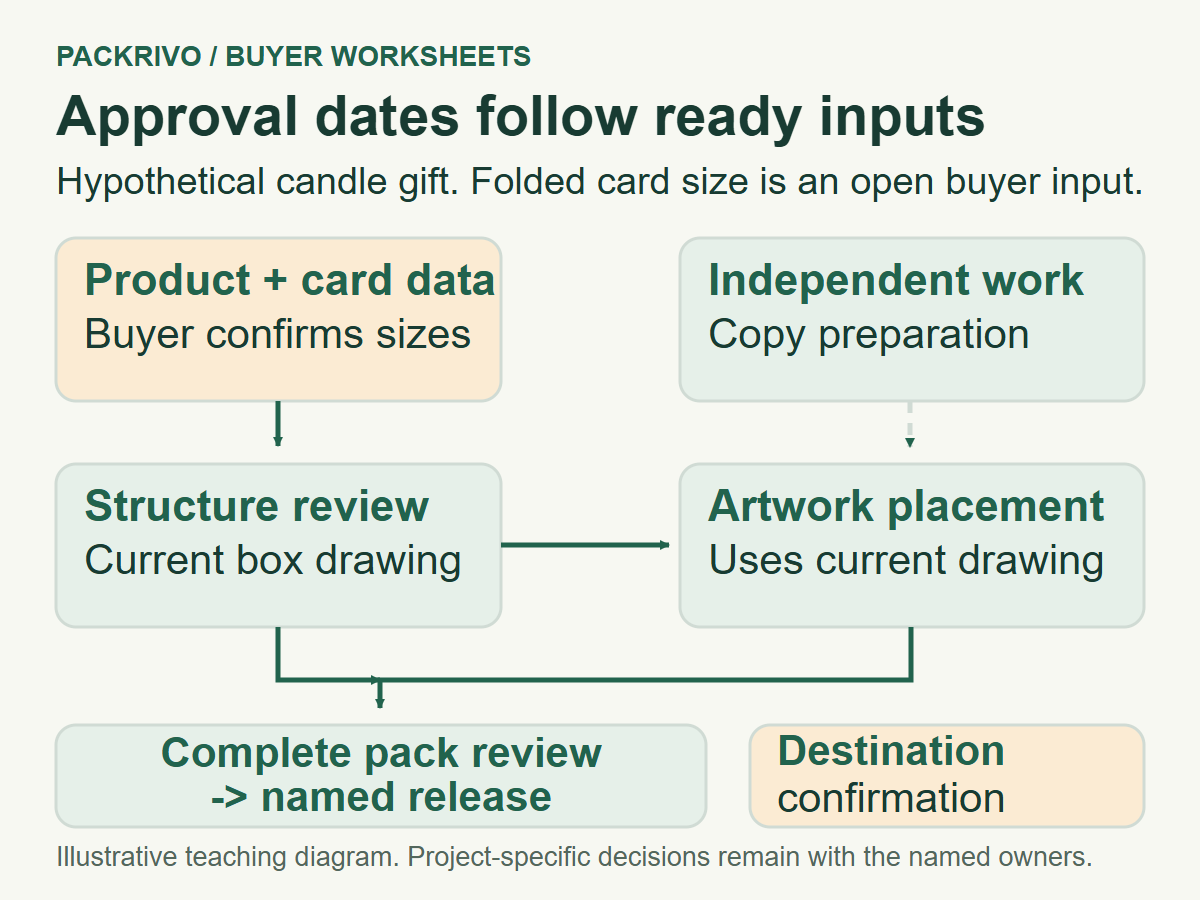
Define what allows a step to begin
Start with the package and its intended use. The structural contact needs the product arrangement and relevant measurements before checking fit. The artwork owner needs the current structural layout before finalizing panel placement. The sample reviewer needs a named candidate and the checks they are expected to perform.
Give each step a specific input. "Artwork ready" might mean a working design to discuss, a file ready for proofing or artwork approved against the selected dieline. Use the description that matches the next action. Otherwise, two people may plan dates around different meanings of readiness.
The supplier brief checklist helps collect early inputs. Your milestone plan adds the dependencies between those inputs and the people who will review them. Keep the brief version next to the plan so later changes are easy to locate.
Define the output that closes the step. A structural review may produce a candidate drawing and a list of open fit questions. A sample review may produce a decision with a specific scope. A release should name the approved configuration and what the next party can do with it.
Adobe’s packaging PDF workflow document discusses production file processing in packaging workflows. It provides useful context for treating file readiness as a real handoff. Your project contacts must confirm the particular file and approval requirements for their work.
Separate dependencies from work that can overlap
Draw a simple sequence for decisions that must happen in order. A revised fit decision may need a physical sample. Final artwork placement may need the structural drawing to stop moving. Final shipment data needs the intended delivery format and packing arrangement.
Other work can proceed while those decisions are open. The buyer can confirm the destination postcode, name the approval owner or prepare copy for review. Record this as independent work with its own output. It gives the team useful progress without treating an unfinished dependent step as complete.
Ask each owner what they need from the preceding step. A production contact may need more than the buyer’s email saying "looks good." They may require specific files, a retained sample reference and confirmation of unresolved items. Include those requirements in the output field.
Use one person as the decision owner for each gate. Several reviewers can contribute observations, but someone must combine them into a clear response. If that owner is unavailable, assign an authorized substitute or mark the decision pending rather than scattering approval across messages.
Keep the planned date separate from the confirmed commitment. Add the basis for a date when the responsible party supplies it. A requested date, an estimate and a confirmed step should remain distinguishable as the plan develops.
Copy an approval dependency worksheet
Use this original worksheet to build the sequence with your project contacts. Fill the first four columns before asking for dates. Add further rows for separate components or reviews when they have different owners.
Swipe the table to view all fields.
| Gate | Input needed | Decision owner | Accepted output | Dependency | Timing status |
|---|---|---|---|---|---|
| Structure review | Product brief and measured arrangement | Named structural reviewer | Drawing ID and open checks | Product data ready | Request, estimate or confirmed |
| Artwork review | Current drawing and complete copy | Named artwork approver | Proof ID and approval scope | Panel layout stable | Owner to confirm |
| Sample review | Candidate ID and agreed check list | Named sample approver | Decision, actions and evidence | Candidate available | Owner to confirm |
| Configuration release | Required approvals and closed actions | Named release owner | Linked drawing, artwork and sample IDs | Required gates accepted | Owner to confirm |
| Shipment planning | Delivery state and carton proposal | Named packing contact | Versioned shipment data | Packing arrangement confirmed | Owner to confirm |
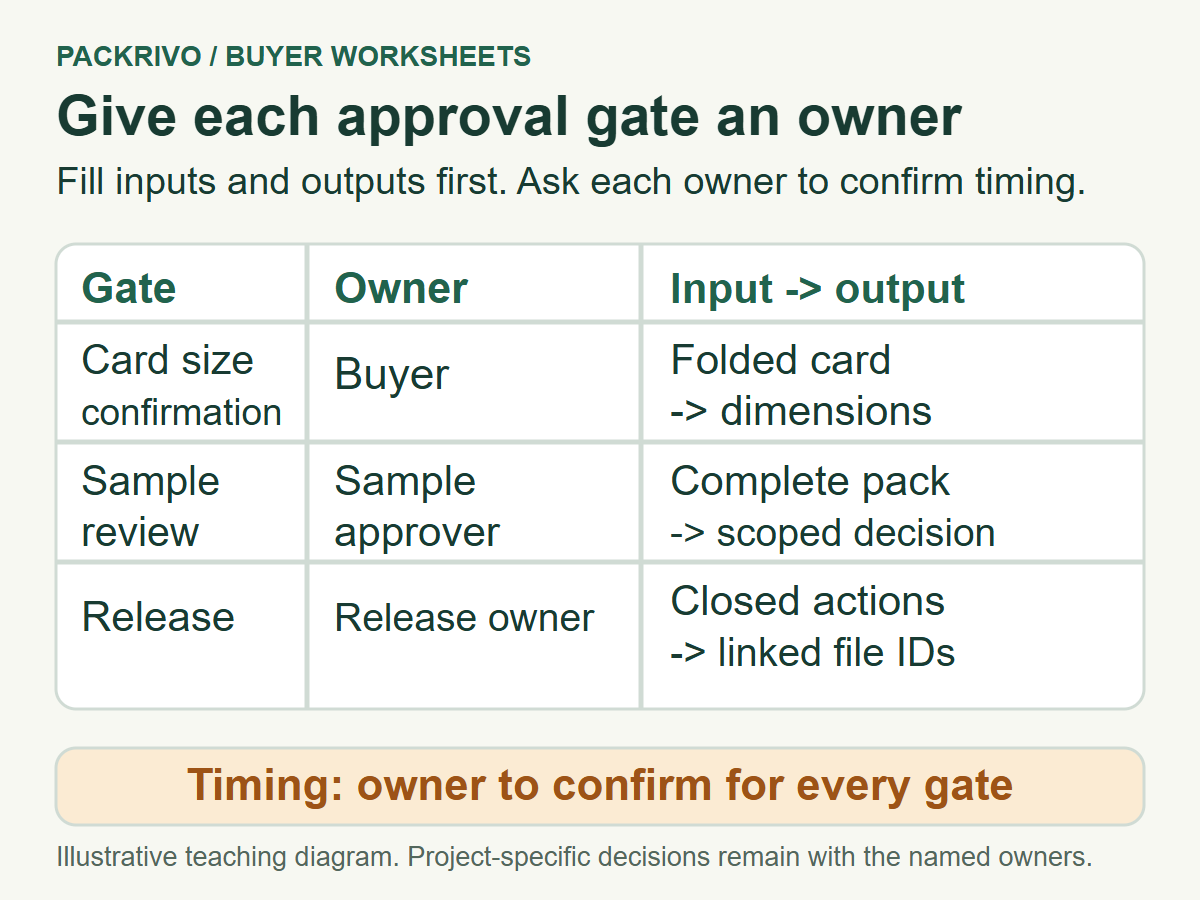
Use this worksheet for your project
Fill the input, owner, accepted output and dependency before assigning dates. Keep target, estimate and confirmed timing separate, with open actions visible.
Open in Excel, Google Sheets or another spreadsheet app. Fill in your actual project details and keep the agreed file and sample versions with the record.
Give an open action the same treatment as a planned gate. Name its input, owner and closure evidence. "Awaiting sample" becomes more actionable when the record says which sample, who provides it and which review follows its arrival.
Use the sample approval checks to make that review’s output specific. Include any changes needed and the scope of the acceptance. That makes it easier to determine whether the configuration release can proceed.
Replan an illustrative candle gift project
In this hypothetical example, a small brand wants a box, insert and care card for a candle gift. The buyer has measured the jar but hasn’t finalized the card’s folded size. The structural review therefore includes an open input owned by the buyer.
While the buyer confirms that size, the artwork owner checks spelling and prepares copy. Final placement stays dependent on the current box drawing. The sample review is planned around a complete pack containing the jar, insert and card, so the output can address their interaction.
The first candidate shows that the card interferes with closure. The owner records a revision action, and the structural contact confirms which drawing and sample need updating. The release gate remains open while unrelated destination and delivery-format questions continue.
After the revised complete pack is reviewed, the buyer returns a scoped decision. The release owner links it to the correct drawing and artwork IDs. Each responsible party can then reassess timing from the current state rather than carrying forward dates based on the first candidate.
Ask for timing against the current plan
Send the dependency table with the requested delivery goal and the configuration version. Ask the contacts to identify unresolved inputs, their proposed sequence and the basis for timing. Keep the answer with the plan and update affected gates when the project changes.
Bring your target date, approval owners and unresolved inputs into a Packrivo milestone brief. A clear sequence gives the human review a practical basis for discussing the next step.
Reopen card-dependent gates and preserve unrelated work
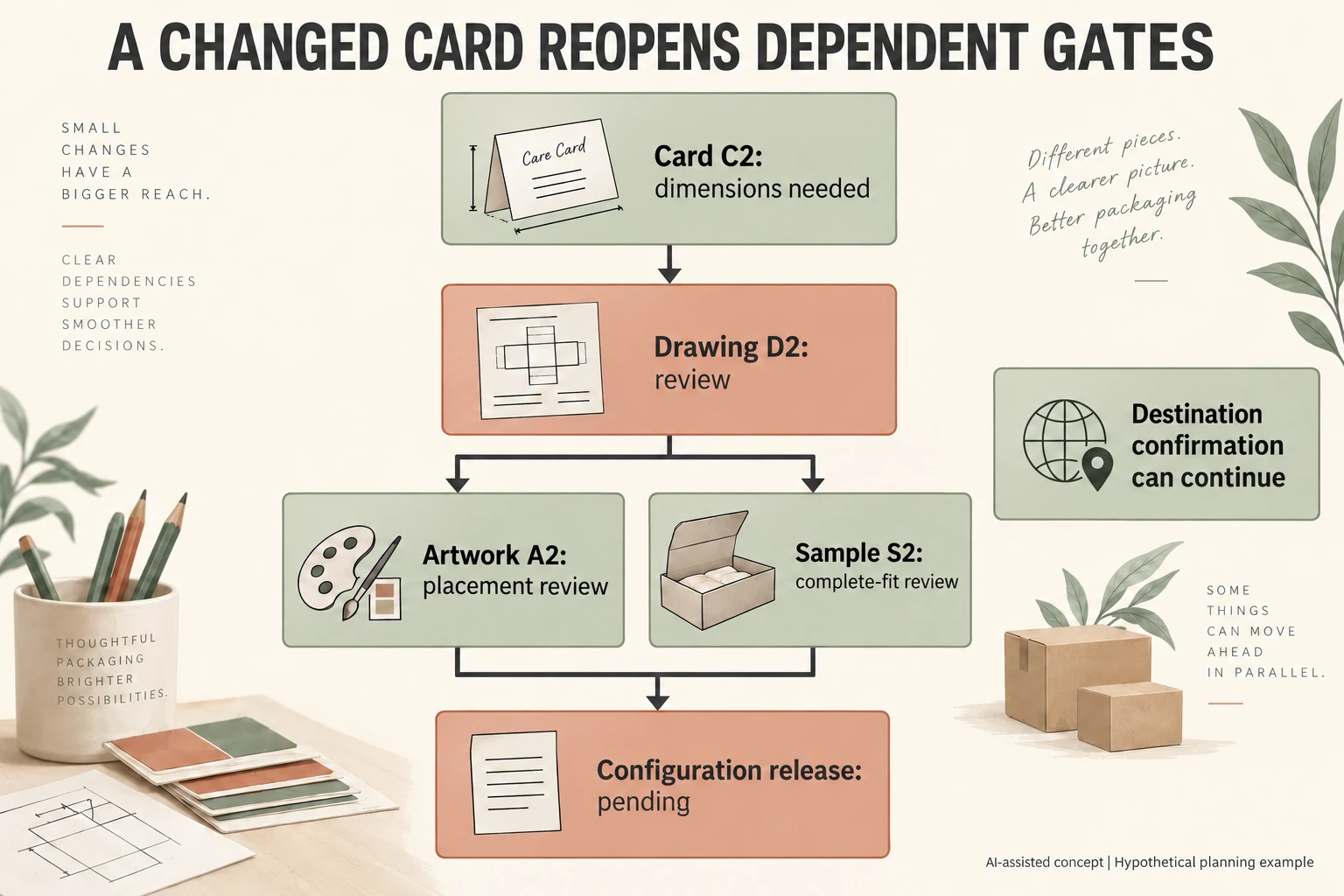
Continue the fictional candle project with C2 replacing care card C1. Its folded dimensions remain missing. D2 drawing, A2 artwork and S2 sample are candidate references, not produced or accepted outputs. Identify which gates need the input while preserving separate destination work.
Scroll horizontally if columns extend beyond the view.
| Gate | Input | Candidate output | Planning state |
|---|---|---|---|
| Card definition | C2 dimensions | Defined C2 | Open |
| Drawing | C2, jar and insert | D2 review | Dependent on C2 |
| Artwork | D2 and confirmed copy | A2 placement review | Not accepted |
| Complete fit | D2, C2 and contents | S2 decision | Not performed |
| Release | Required A2 and S2 decisions | Linked release | Pending |
| Destination | Address and delivered format | Destination record | May proceed separately |
The D2 branch means both A2 and S2 need the current structural basis. It does not promise simultaneous work or imply an unprinted sample settles artwork. Ask each actual owner what further inputs its branch needs.
Retain C1/D1/A1/S1 history under its earlier scope. Do not change an old acceptance date to make it current. Earlier evidence can be linked if its applicability is reviewed; changed interfaces remain separate decisions. Requested, estimated and confirmed dates are distinct CSV fields, all blank here. A completed destination task does not clear the open card-dependent release. No lead time or delivery commitment follows from this dependency map.
Download the packaging approval timeline record (.csv). HYPOTHETICAL rows are invented examples. Use ACTUAL_BLANK for permitted project inputs; replace that row label only when recording actual facts. Empty evidence, observation and date fields mean unknown or not performed, never acceptance. Keep checkpoints and revisions separate.
Send the current version chain, missing C2 input and gate owners before asking parties for revised timing. Prepare the identified scope for a Packrivo inquiry. Packrivo coordinates independent suppliers. These records establish no supplier offer, service availability or MOQ exception; its published baseline is 500 pieces per product/design.