
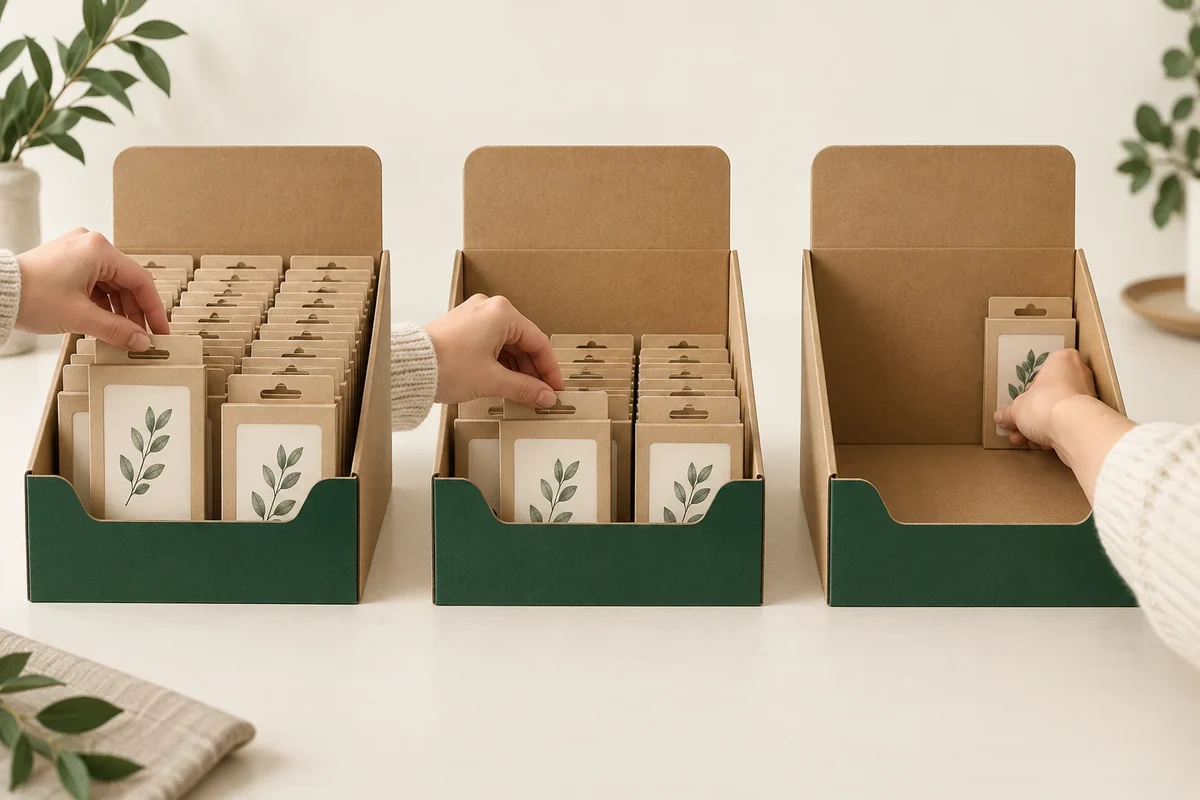
Set a retail display’s front-wall height around the sale-ready unit and the customer’s grip route. Review full, half-full and last-row states before fixing the profile. A front wall that shows the product well in a full display can leave a different reach question after units are removed.
The front profile also carries artwork, but the customer action needs a defined space first. Treat grip and information area as linked decisions rather than choosing a large panel and hoping the contents remain easy to reach.
Choose the unit and grip route
PackMojo’s display box reference identifies retail shelf and counter presentation. That supports the use context. It doesn’t prescribe your front-wall height or establish that one display profile improves sales.
Provide the actual sale-ready unit, including any card, bag or individual carton. Mark where a customer should grip it. The gripped envelope may differ from the product alone if an outer card extends above it.
State whether units are lifted vertically, tipped slightly or removed through another proposed route. Keep that action with the row layout. An unrecorded tilt can make a difficult profile appear to work.
Compare the foldable packaging directions when selecting the tray construction. Keep this article’s front-wall and grip review tied to a display that remains on the counter.
Review three stock states
Start with the intended full arrangement and record the unit facing direction. Ask a reviewer to remove a front unit using the chosen grip. Observe contact with the front wall and neighbouring units.
Repeat with the proposed half-full arrangement. State whether staff have moved remaining units forwards; that is part of the display operation, not a hidden correction. Keep a starting photo before the removal action.
Finally review the last row or final unit in its intended position. The visible face and reach can differ from the full state. A profile decision should include that later condition if it belongs to the planned use.
Keep restocking separate. If staff refill from above or replace the whole tray, record that action as another requirement rather than assuming the customer grip review covers it.
Use a front-wall access sketch
Draw a side view for each stock state using the same front-wall profile. Add the row layout and grip route to the record.
| State | Unit position | Grip observation | Next question |
|---|---|---|---|
| Full | Front and adjacent units | Finger entry and wall contact | Profile or arrangement change if needed |
| Half full | Remaining layout as planned | Reach and neighbouring movement | Staff repositioning requirement |
| Last row | Final intended positions | Visible face and removal route | Profile, holder or refill response |
| Artwork | Available front face after profile choice | Copy visible in relevant states | Artwork area to confirm |
| Reference | Unit, tray and profile revisions | Matched starting views | Changed state needing recheck |
The table records actions and observations. It doesn’t assign an ergonomic score or turn a sample view into a conversion result.
Follow a hypothetical gift-card display
Suppose a counter tray holds upright gift-card packs. The brand wants a large front motif, but customers are intended to grip the lower portion of each pack. The first sketch shows where that grip meets the proposed front wall.
The buyer reviews the full, half-full and last-row arrangements. In the last-row condition, the reviewer needs a different reach. That observation is recorded before the front profile and artwork are finalized.
The supplier may propose a shaped cutout, another unit position or another tray configuration. Compare each response against the same grip route and stock states. A lower wall is one possible proposal, not a universal answer.
Separate profile choices from staff repositioning
For the hypothetical gift-card display, call the initial front-row grip G1 and the last-row grip G2. Keep their starting unit positions in the sketch. If staff are expected to move units forwards, add that operation to the half-full and last-row states.
Ask the supplier: ‘Please review access to G2 with the stated front profile and remaining arrangement.’ That names the actual later-state question. A photo of a full display does not answer it, even when the same tray and units are shown.
If the response proposes a cutout, identify its changed profile on the side sketch and update the available artwork area. If it instead proposes moving units, update the staff action. These are different changes and should not disappear under the same phrase ‘better access’.
Compare the revised proposal using the same sale-ready unit and chosen grip. Record neighbouring-unit movement and any changed hand action without inventing an ergonomic score. The final brief should say which stock states and operator actions it covers. It can settle a practical display profile while leaving load, handling and sales performance outside that observation scope.
Confirm access before closing the artwork area
The four corner display tray direction adds prepared-corner setup to the same retail-use brief. Use its structural questions alongside this front-wall tool rather than repeating them here.
Send the three-state sketches, unit envelope, proposed grip and open profile question through Packrivo’s enquiry form. Review the supplier’s formed sample in the intended display position before treating the front-wall profile and its artwork area as settled.
Distinguish a changed profile from a staff advancing operation
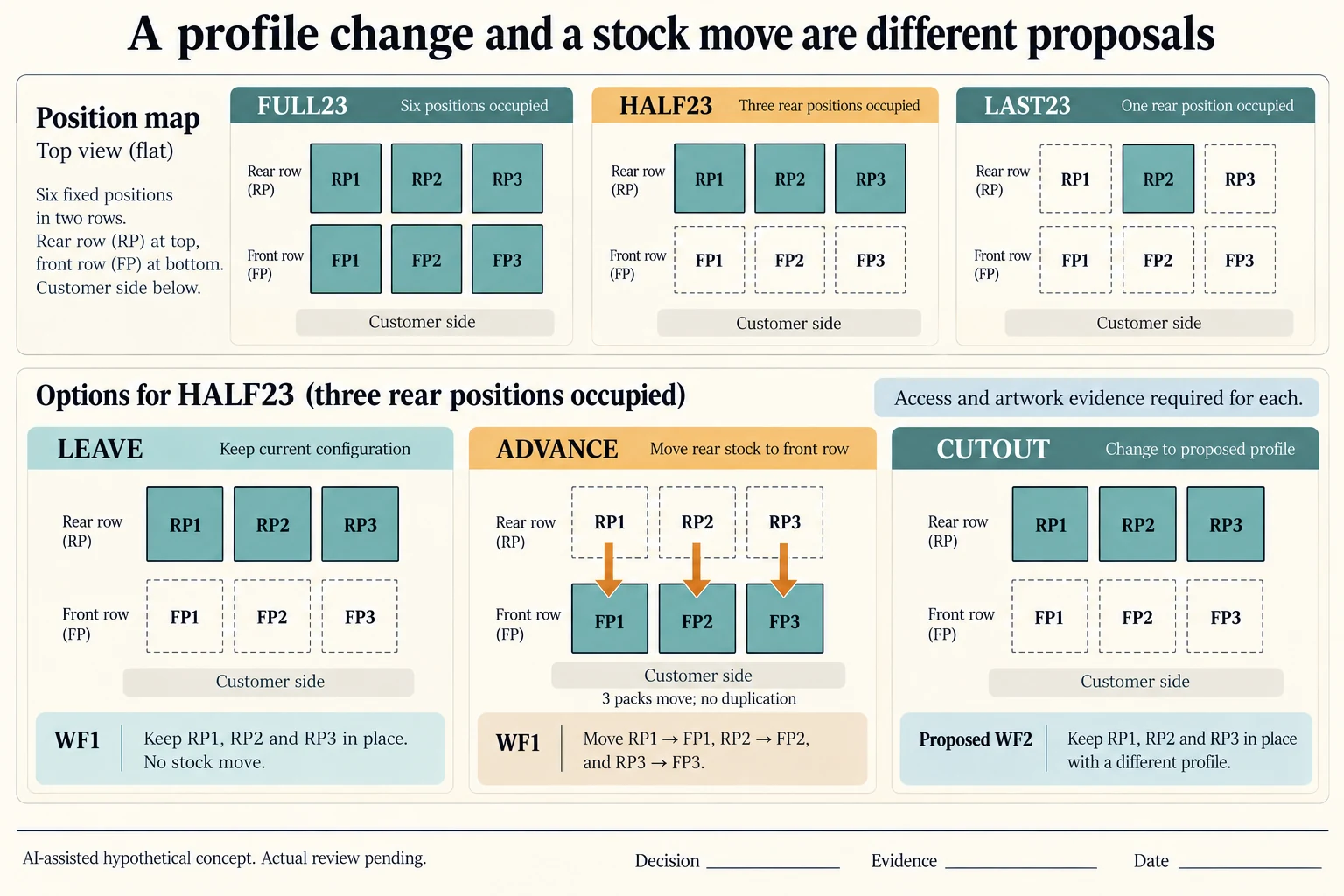
Use an invented two-row layout with three positions per row. FP1–FP3 are the front positions; RP1–RP3 are the rear positions. FULL23 holds six sale-ready U1 packs, HALF23 retains the three rear packs, and LAST23 retains only RP2. These counts define this example, not an actual tray capacity. The CSV assigns every position a numeric occupancy and leaves actual layout, observations and decisions blank.
Scroll horizontally if columns extend beyond the view.
| Hypothetical configuration | Named object | Relationship | Input or next scope |
|---|---|---|---|
| FULL23_LEAVE | DISPLAY | uses profile | WF1 |
| FULL23_CUTOUT | DISPLAY | uses profile | WF2 |
| HALF23_LEAVE | DISPLAY | uses profile | WF1 |
| HALF23_ADVANCE | DISPLAY | uses profile | WF1 |
| HALF23_CUTOUT | DISPLAY | uses profile | WF2 |
| LAST23_LEAVE | DISPLAY | uses profile | WF1 |
| LAST23_ADVANCE | DISPLAY | uses profile | WF1 |
| LAST23_CUTOUT | DISPLAY | uses profile | WF2 |
Compare two kinds of response. LEAVE keeps remaining units in their starting positions under profile WF1. ADVANCE moves each remaining rear unit to the corresponding front position, also under WF1; this proposal applies only to HALF23 and LAST23, where the front is empty. It requires an explicit staff operation before the customer action. A full layout has no advancing proposal into occupied front positions. CUTOUT retains the stock positions but proposes profile WF2. None is selected or shown to improve access.
For each proposed configuration, request evidence of the chosen grip, neighbouring-unit movement and available artwork. A front-wall change can alter the information area; an advancing operation changes the starting layout and operating responsibility. Comparing a full WF1 photograph against an advanced last unit would combine stock state and staff work. Keep those changes identifiable before asking whether the profile itself answered the original G2 reach question.
A position map supports a precise sample request without inventing a hand clearance or ergonomic score. Use the same complete U1 envelope and intended grip on the formed sample, then record any changed hand action. This access record does not determine display balance, carrying load or sales response. The stability and customer-access guides address those separate questions.
Download the display front wall stock states record (.csv). It includes the original table fields and scenarios alongside the added relationships. HYPOTHETICAL rows are editorial examples or required review scopes, not actual records. Actual quantity, configuration, component and file identities, materials, process, specification, copy, method, condition, observation, owner, decision, evidence and dates are blank. ACTUAL_BLANK is a separate empty starting row; enter permitted project evidence before using an actual record. A blank means unknown.
Use the A Counter Display’s Tipping Risk Depends on Its Footprint and Loaded Centre of Mass for its separate question. Use the Retail Packaging Customer Access: See, Touch or Remove for its separate question. Use the Packaging Sample Revisions: Compare Versions Before Approval for its separate question.
References apply to the materials, processes or guidance named in each source. Worked configurations and dimensions are teaching examples, not tested specifications or production limits. Use the project’s material specification, drawing and formed sample for approval.
Discuss this packaging specification with Packrivo. We coordinate independent suppliers. MOQ: 500 pieces per product/design; illustrative quantities are not production offers. Confirm materials, samples, price and timing for your project.