
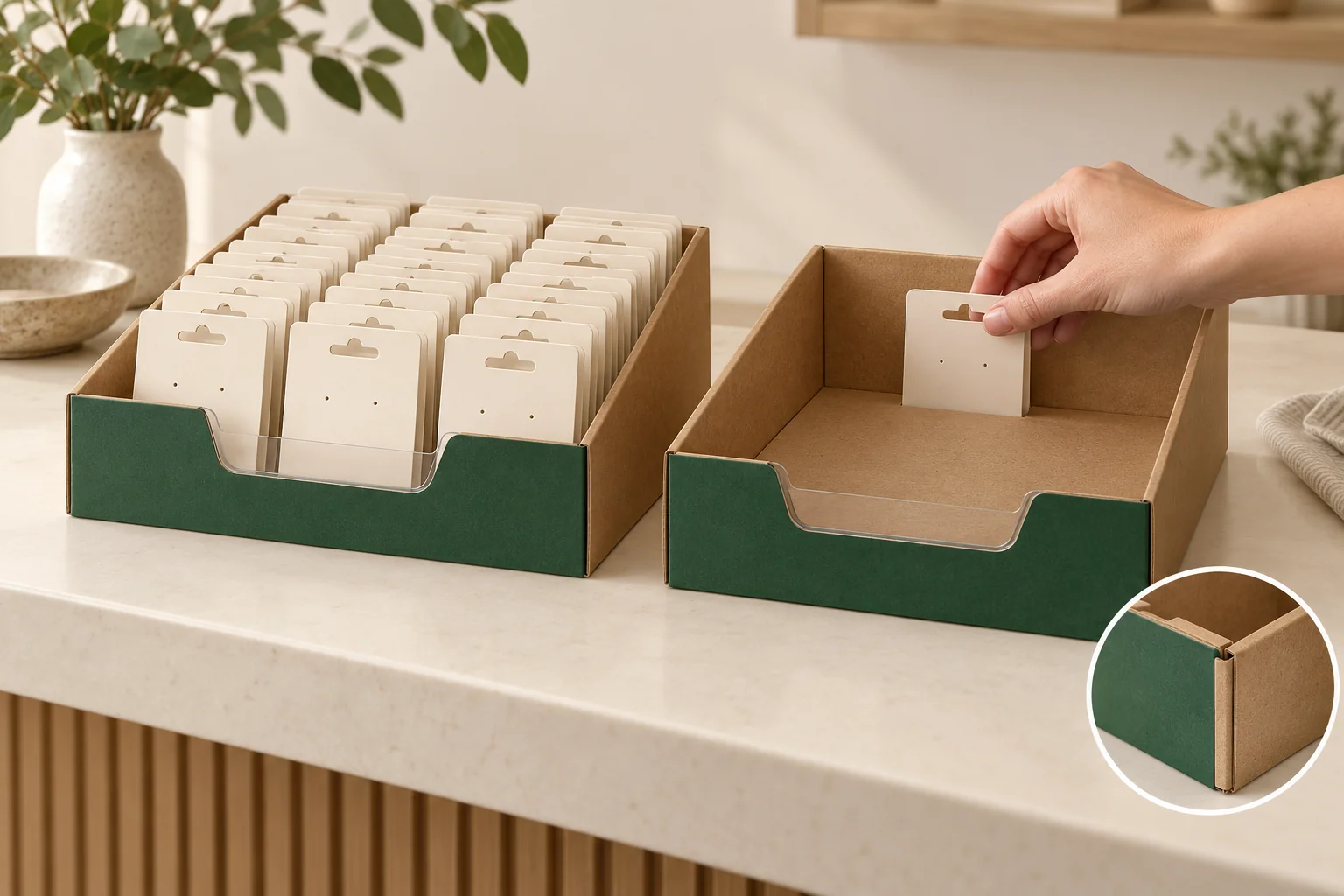
This option focuses on a prepared tray and the customer-facing cutout. The unit arrangement, restocking method and front-wall profile should be decided together. Retail fit and distribution protection are separate questions.
Confirm the corners before drawing the display front
PakFactory’s four corner display reference describes a collapsible display with four pre-glued corners. Use that detail as a structural reference, then request the actual corner and front-cutout drawing for your project.
Show the tray before and after setup. Identify the four prepared corners and ask how the front profile is formed. A drawing should make clear which sections stay attached, fold or are removed.
Within the foldable packaging family, this configuration answers a display task. If customers receive the whole box, review that complete-pack action separately from a tray that stays on the counter.
Arrange the sale-ready units
Provide unit dimensions with any outer card, lid or wrap attached. Show the intended row count and facing direction on a top view. Include any divider or backing piece so the layout describes the actual display contents.
For a hypothetical counter display of jewelry-card packs, the first row may sit behind a low front wall. Ask a reviewer to pick a unit from that row without lifting the tray. Repeat the action after the first row is gone and only the back row remains.
Restocking deserves its own action. State whether staff refill from above, replace the whole tray or move stock forwards. A low front cutout that works for removal may still leave a different question about arranging the remaining units.
Record access as the display empties
Use identical unit orientation in each state. The record is an observation tool rather than a sales prediction.
| Display state | Unit to remove | Observation to capture |
|---|---|---|
| Full | Front corner and front center | Finger route above or around front wall |
| Reduced | Remaining rear row | Reach and neighbouring unit movement |
| Last unit | Final intended position | Visibility and grip without tipping tray |
| Refill | Replacement units | Entry route and final facing position |
Photograph the starting state before each removal. If a unit falls or moves, record which action caused it. Don’t hide that movement by rearranging the tray before taking the evidence photo.
Sample the cutout with the formed corners
Confirm whether the tray arrives flat with corners prepared and who forms it. Load the sample only after all corners are in the intended position. A wall that is still partly collapsed can change the front profile during the trial.
Review the proposed material, board caliper and unit load as a configuration. If the front wall, divider or unit size changes, repeat the depletion record. Avoid assigning a capacity from the structure name or borrowing a supplier’s promotional strength statement.
Check that artwork remains visible at the chosen front height. The customer grip has priority over fitting a large printed message into a panel that needs cutting away.
When a proposed cutout has a curved or stepped front profile, mark the unit positions beside its high and low sections. Review grip at both locations. A center opening photo can miss a corner unit behind a taller section. Keep that extra position in the depletion record if it belongs to the intended retail arrangement.
Bring the display states to the brief
Send your unit envelope, row layout, front-cutout sketch, refill method, quantity and destination through Get a Quote. The minimum is 500 pieces per design. The structure, components, sample scope, price and timing are confirmed for the specific project.