
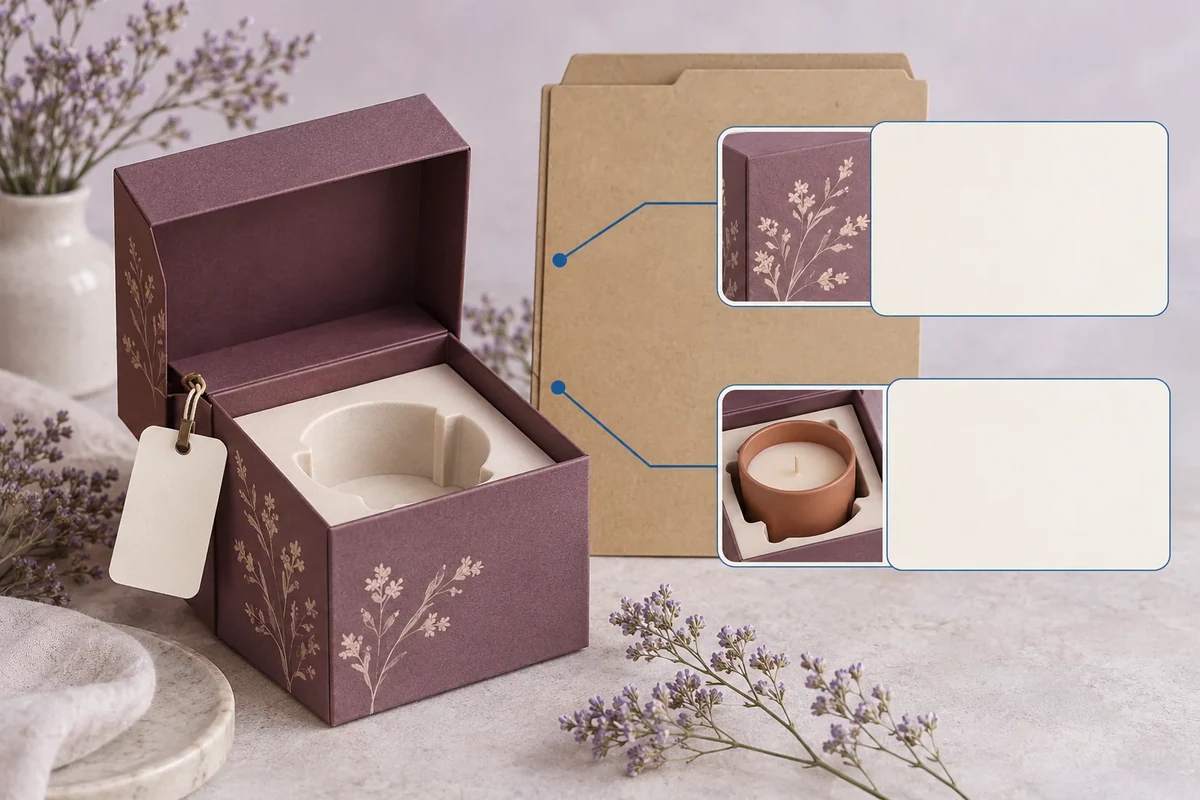
Write an approval reference label that names the sample, version and exact accepted scope, with unreviewed items still visible. Link it to the responsible decision record. A label reading approved alone can be mistaken for acceptance of material, fit, artwork and performance that were never reviewed together.
This approval label is a Packrivo original evidence index. It locates an existing decision rather than replacing the evidence or granting permission to manufacture. Its wording should reflect the actual decision already made.
Choose the scope the label refers to
Name the sample and configuration represented. List the specific decision, such as exterior artwork placement or a defined loaded-fit interface. Keep the responsible reviewer and evidence reference available in the full record.
Use the sample approval guide for the underlying conclusion and evidence. The reference label should point to it rather than create a new unsupported decision.
Include accepted and unreviewed fields
Write the accepted scope in concrete terms. If colour, material, performance or another job was not covered, say so in the unreviewed field. Do not imply absence of a concern means acceptance.
Keep sample identity and decision date tied to the actual review. If parts are paired, identify the combination rather than attaching one label to a different lid or holder later.
| Label field | Entry to use | Purpose |
|---|---|---|
| Reference | Actual sample/configuration ID | Identify the object |
| Version | Drawing/material/artwork as relevant | Find the represented proposal |
| Accepted scope | Specific completed decision | Avoid blanket approval |
| Unreviewed | Named jobs not covered | Keep remaining evidence visible |
| Decision link | Responsible record and reviewer | Locate authority and basis |
| Change trigger | Relevant revision needing new review | Prevent automatic reuse |
The sample revision record keeps later changes connected. A compact label can remain attached to the old sample while the current proposal has moved on.
Follow a hypothetical artwork reference
Suppose a brand accepts artwork placement on a printed appearance sample but has not reviewed its loaded holder. The label names the artwork revision and accepted placement scope, with loaded fit listed as unreviewed.
The sample can then be used as the named placement reference without claiming it establishes product support or material performance. Another review record can address those jobs later.
If a new holder is placed inside the sample for a photograph, that change does not silently become covered by the label. The reference identifies the original decision and its limitations.
Write a scope-specific label entry
A useful accepted field can read ‘front-panel artwork position on reference AP2’. The corresponding unreviewed field can name loaded holder fit or final material if those were outside the decision. Use actual project wording, not these hypothetical IDs.
Ask the source or decision owner to confirm ambiguous label scope before relying on it. The label should not expand a partial review into production authorization.
The original method helps index evidence. It does not establish quality-system certification, technical performance or a contractual commitment from the label alone.
Send the unclear reference
Bring the sample identity, actual decision record and ambiguous scope through the packaging enquiry. The next response should clarify which accepted decision the reference represents and which jobs still need evidence.
An approval label follows its feature scope, not the next combination
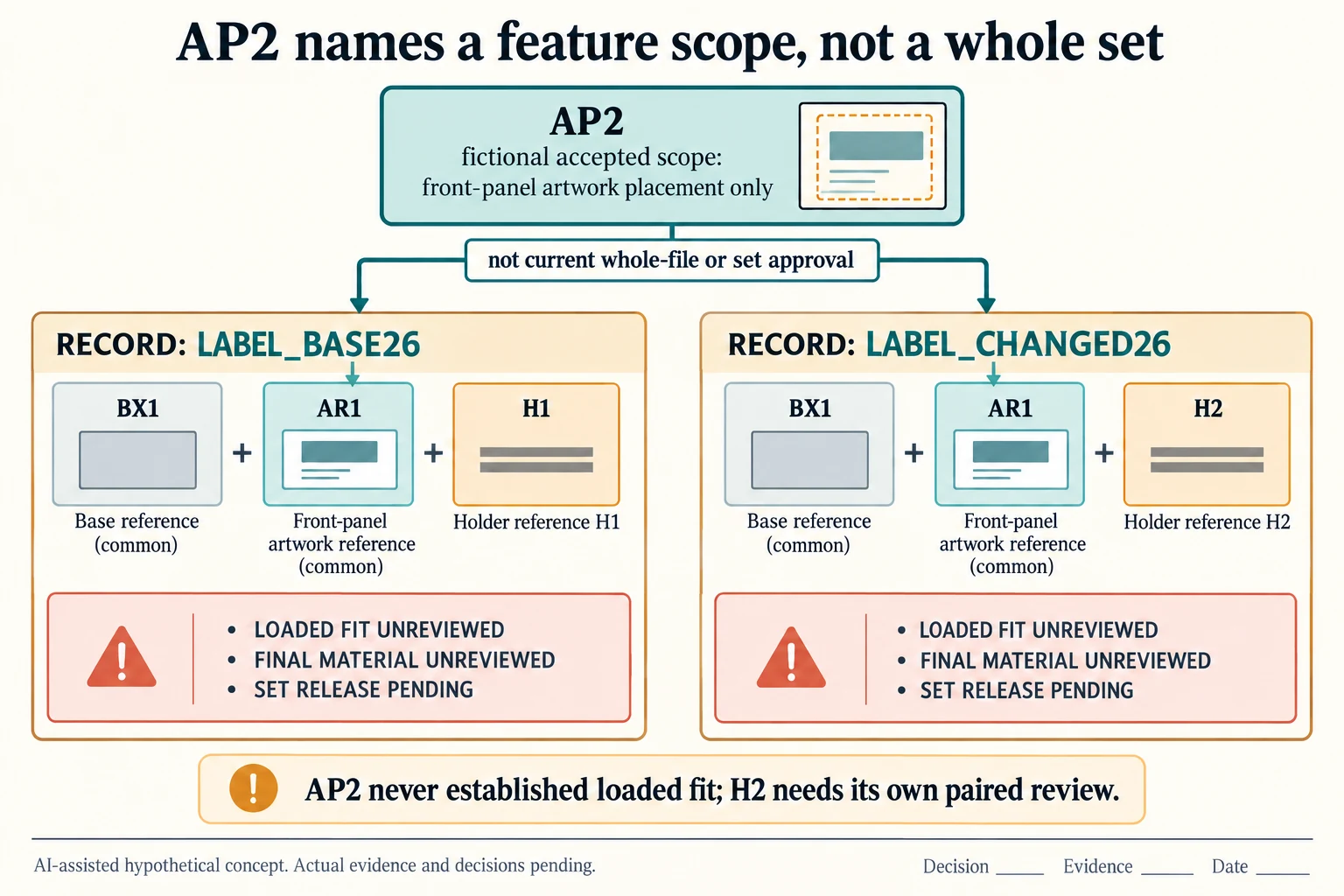
Use AP2 only for its original fictional front-panel artwork placement scope. To expose a transfer error, write two invented combinations: LABEL_BASE26 uses BX1, AR1 and H1; LABEL_CHANGED26 uses BX1, AR1 and H2. The box and artwork identities are held constant while the holder reference changes. This is a record comparison, not evidence that either combination exists or has passed review.
Scroll horizontally if columns extend beyond the view.
| Hypothetical configuration | Named object | Relationship | Input or next scope |
|---|---|---|---|
| LABEL_BASE26 | LABEL_BASE26 | uses box | BX1 |
| LABEL_BASE26 | LABEL_BASE26 | uses artwork | AR1 |
| LABEL_BASE26 | LABEL_BASE26 | uses holder | H1 |
| LABEL_BASE26 | LABEL_BASE26 | refers to | AP2_FRONT_PLACEMENT_ONLY |
| LABEL_BASE26 | LABEL_BASE26 | requires | CURRENT_LOADED_FIT |
| LABEL_BASE26 | LABEL_BASE26 | requires | FINAL_MATERIAL |
| LABEL_CHANGED26 | LABEL_CHANGED26 | uses box | BX1 |
| LABEL_CHANGED26 | LABEL_CHANGED26 | uses artwork | AR1 |
| LABEL_CHANGED26 | LABEL_CHANGED26 | uses holder | H2 |
| LABEL_CHANGED26 | LABEL_CHANGED26 | refers to | AP2_FRONT_PLACEMENT_ONLY |
| LABEL_CHANGED26 | LABEL_CHANGED26 | requires | CURRENT_LOADED_FIT |
| LABEL_CHANGED26 | LABEL_CHANGED26 | requires | FINAL_MATERIAL |
| LABEL_CHANGED26 | H2_WITH_BX1 | does not inherit | H1_PAIR_FIT_FROM_AP2 |
AP2 can remain an index to the old placement decision without becoming an approval of H2 in BX1. In fact, the original AP2 premise never established loaded-holder fit or final material for H1 either. Keep those limitations beside both combination rows rather than imply that changing a label can create missing earlier evidence. Identify the actual sample and exact accepted feature before reusing any index.
The CSV requests current loaded fit, final material, required set links and responsible release separately. A change to H2 may reopen its particular interfaces while leaving the historical artwork decision documented under its scope. A familiar artwork reference does not close the lid-to-contents relationship or establish a selected material and process.
Use a complete-set dependency record when the question becomes whether all required relationships have evidence. This label record answers the narrower question of what a tag points to. It supplies no certification, contract interpretation or production permission. Actual source decisions and dates stay blank until the authorized reviewer records the real configuration and limits.
Download the packaging approval label combination boundary record (.csv). It includes the original table fields and scenarios alongside the added relationships. HYPOTHETICAL rows are editorial examples or required review scopes, not actual records. Actual quantity, configuration, component and file identities, materials, process, specification, copy, method, condition, observation, owner, decision, evidence and dates are blank. ACTUAL_BLANK is a separate empty starting row; enter permitted project evidence before using an actual record. A blank means unknown.
Use the Link Component Approvals Before Releasing the Whole Set for its separate question. Use the Custom Packaging Sample: Approval Checks That Matter for its separate question. Use the Packaging Reorder Checklist: Control the Version First for its separate question.
Source scope checked 16 October 2026. References cover only the named materials, processes or guidance. Added configurations and geometry are hypothetical, not supplier specifications, tests or production approval; they set no universal tolerances or machine limits. Confirm the actual material, process, drawing and formed sample for the project.
Discuss this packaging specification with Packrivo. We coordinate independent suppliers. MOQ: 500 pieces per product/design; illustrative quantities are not production offers. Confirm materials, samples, price and timing for your project.