
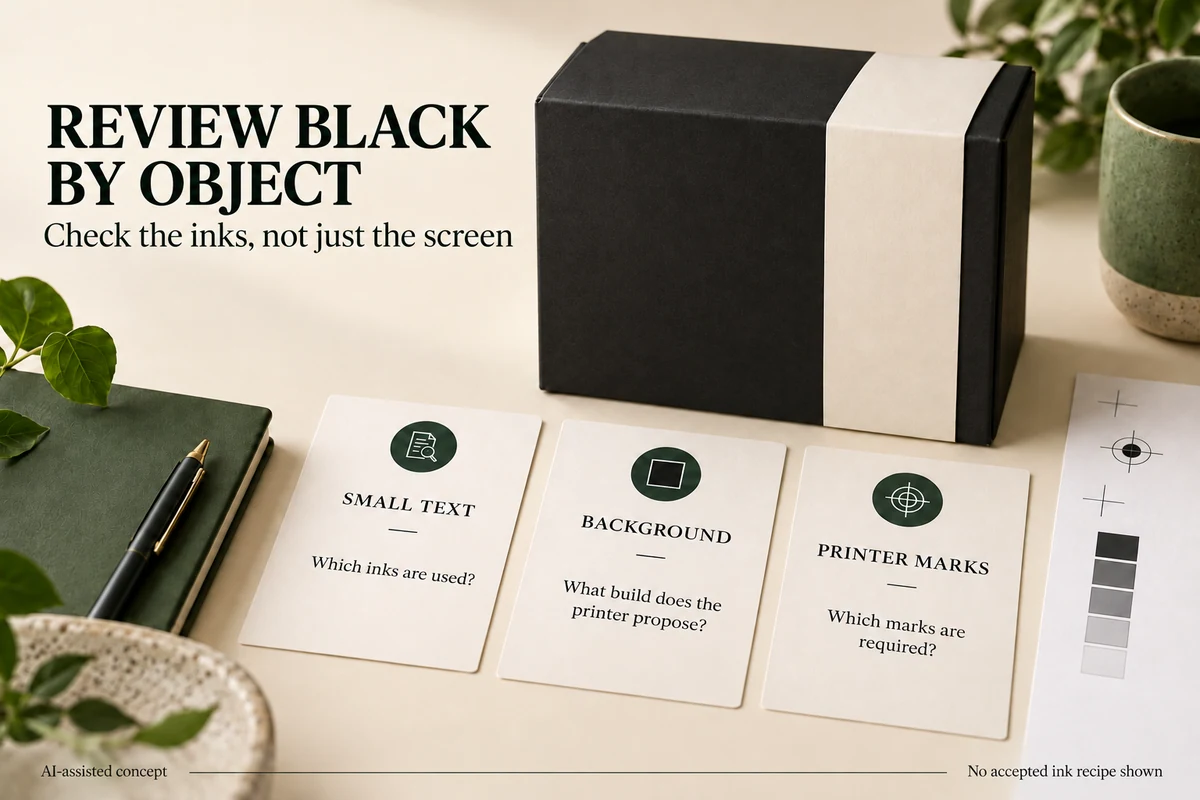
Review black packaging artwork by object: small text, large backgrounds and printer marks have different jobs. Inspect which inks each object uses instead of judging darkness from the screen. Ask the printer for the proposed black construction and coverage limit. Keep the registration swatch out of ordinary product copy.
A black lid and a small care paragraph can appear equally dark in a PDF preview. That appearance doesn’t tell you whether the objects use the same ink construction. Before changing a whole design, separate the large display area from text that customers must read.
Identify the black you are reviewing
In a CMYK file, K identifies the black process channel. Rich black combines black with other process inks. Adobe’s print-black tutorial introduces that distinction. It doesn’t provide a universal packaging recipe for every substrate and printing process.
Ask the designer to identify the construction of three representative objects: the smallest dark text, the largest black background and a black logo. This is a useful sampling method for discussion, not a substitute for a complete technical preflight.
Keep a proposed recipe attached to its intended use. If the printer offers one construction for a background and another for small text, the designer needs to know which objects belong to each. An instruction to "make all black richer" leaves those decisions unresolved.
Check the registration swatch separately
Adobe explains that Illustrator’s Registration swatch prints on every separation in a PostScript workflow. It is intended for marks used to align plates. Adobe warns against using it for type. See its swatch definitions and guidance.
Ask the designer to locate any product text, logo or background using that swatch. Distinguish these objects from legitimate printer marks outside the package artwork. Don’t remove marks without checking the printer’s instructions, and don’t treat every visually black object as registration color.
For a small brand, a useful request is: "Please check that the care text and logo use their intended black swatches, and that registration color is limited to the marks your workflow requires." It asks for an observable check without prescribing the press setup.
Review coverage using the printer’s limit
Total ink coverage is the combined percentage of the inks at a location. Adobe’s Output Preview guidance describes coverage warnings and directs users to obtain the maximum from their print provider.
Use the provider’s value for the proposed process. A limit copied from an unrelated printing job can make a warning seem meaningful when it isn’t. If a dark area is flagged, send its location to the designer and printer for assessment. Reducing every channel indiscriminately can change the appearance beyond the affected area.
Use an object-based decision sheet
The following example is hypothetical. It describes questions to resolve for a gift sleeve; it doesn’t contain accepted ink recipes or measured print results.
| Object | What the designer checks | What the printer confirms |
|---|---|---|
| Small care text | Current swatch and inks in the output | Suitable construction for this text and process |
| Main black background | Proposed build and coverage at flagged areas | Accepted build, coverage limit and proof scope |
| Black logo | Inks used and whether it overlaps other artwork | Construction and overlap treatment |
| Printer marks | Registration swatch use and location | Which marks the delivery file needs |
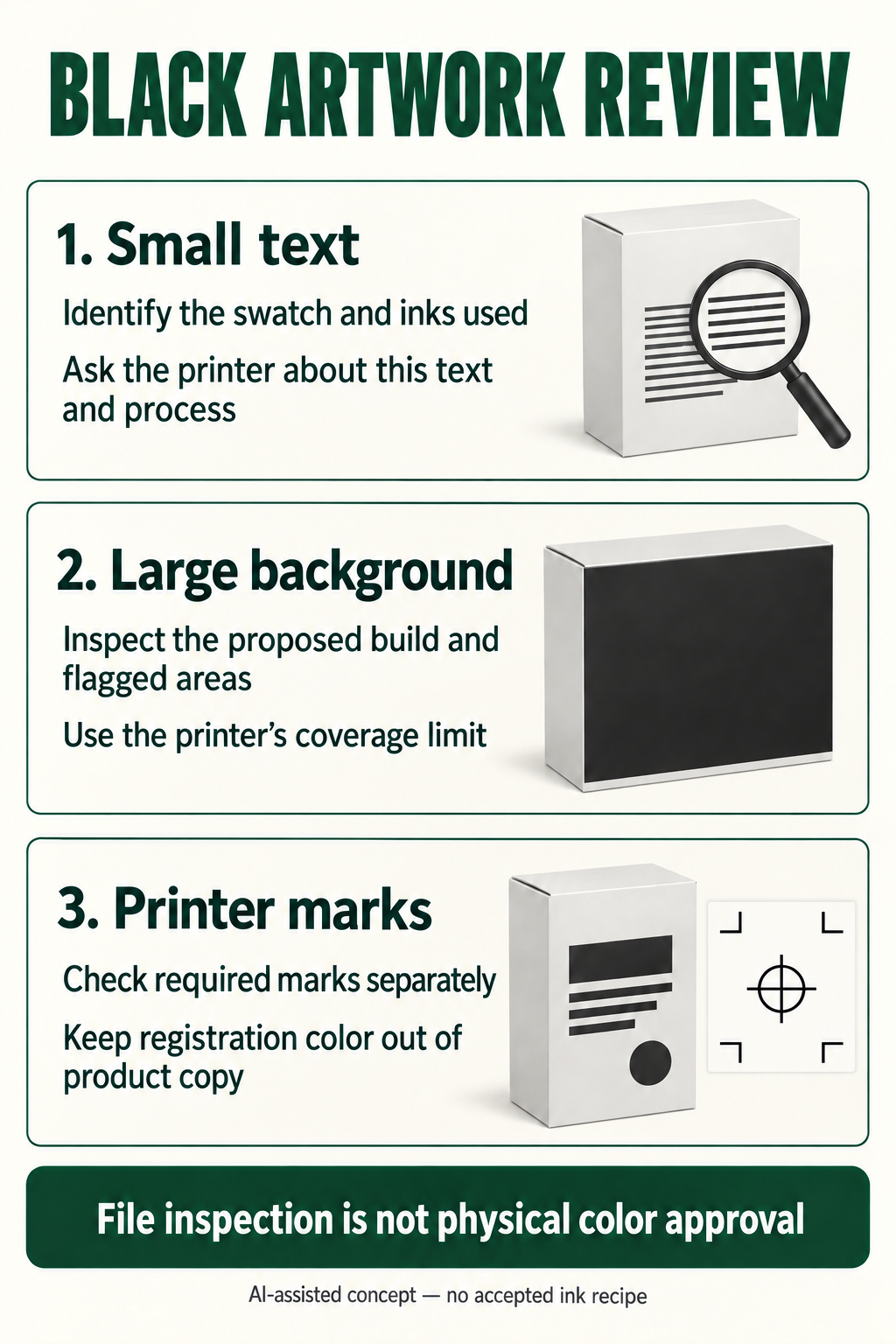
Review the text and background separately after a correction. If the background is changed, inspect nearby reversed lettering as well. A correction that improves one object may change the relationship around another.
Compare appearance after the technical correction
The separation check answers which inks are present. The buyer still needs to judge the intended appearance on the proposed material. Use a suitable proof or sample agreed with the printer, and retain the distinction between file inspection and physical appearance approval.
Packrivo’s physical color approval guide helps frame that comparison. Its small positive-type review covers the separate question of type size and the printer’s file rules.
Send the designer a located object question before requesting a global change. "Check the inks used in the back-panel care paragraph" is easier to resolve than "the black is wrong." It also lets the printer return an answer for the exact object that concerns you.
References checked 8 October 2026. This guide offers artwork review questions; it does not prescribe an ink formula, press limit or print-quality guarantee.
Changing a background build should not rewrite every black object
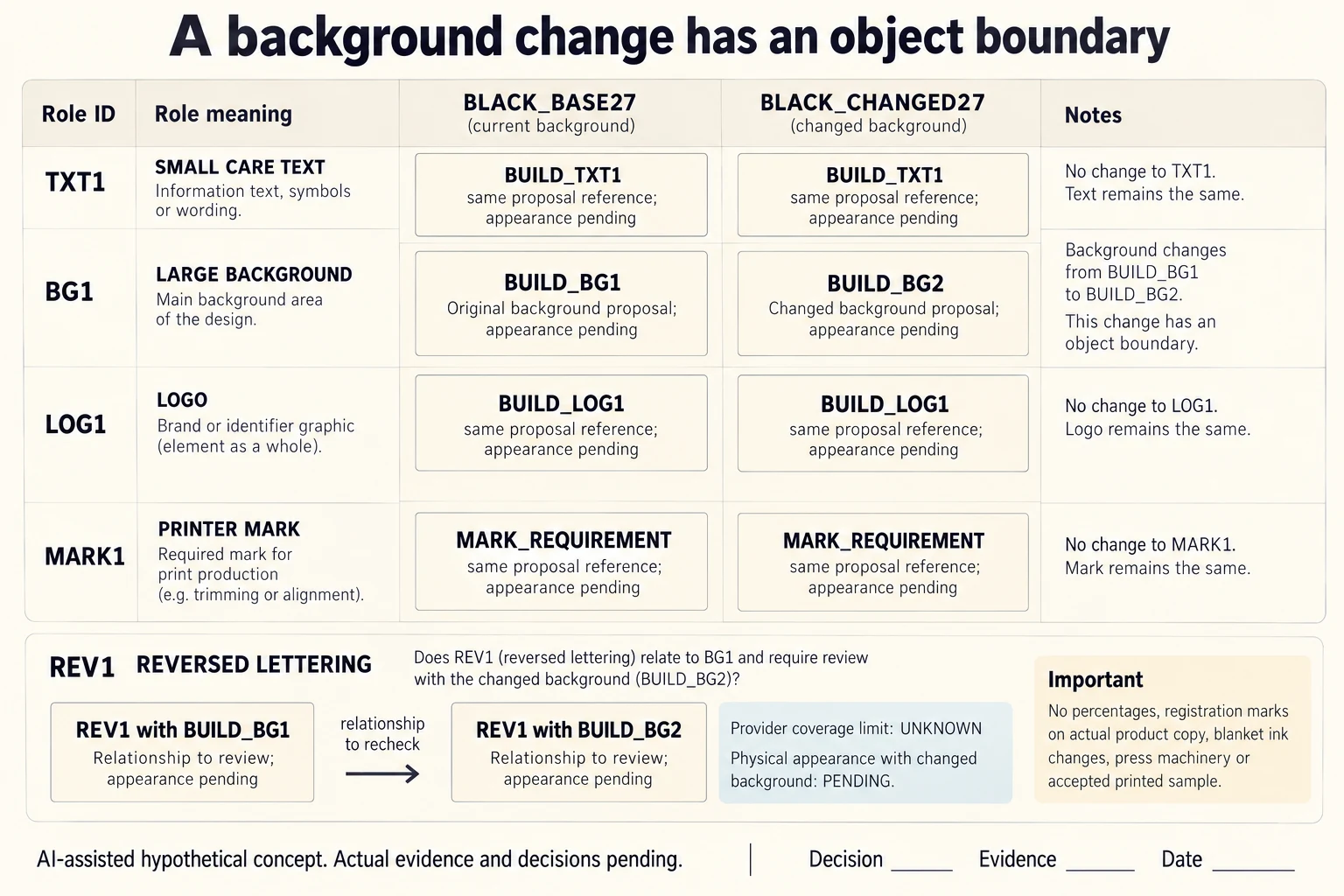
Name four object roles before issuing a correction: TXT1 is small care text, BG1 is the large background object, LOG1 is a logo and MARK1 is a printer-mark reference. In BLACK_BASE27 their proposed constructions are separate references. BLACK_CHANGED27 replaces background build BUILD_BG1 with BUILD_BG2 while leaving BUILD_TXT1, BUILD_LOG1 and MARK_REQUIREMENT unchanged as references. No ink percentages or accepted recipe are supplied.
Scroll horizontally if columns extend beyond the view.
| Hypothetical configuration | Named object | Relationship | Input or next scope |
|---|---|---|---|
| BLACK_BASE27 | TXT1 | uses proposal reference | BUILD_TXT1 |
| BLACK_BASE27 | BG1 | uses proposal reference | BUILD_BG1 |
| BLACK_BASE27 | LOG1 | uses proposal reference | BUILD_LOG1 |
| BLACK_BASE27 | MARK1 | uses proposal reference | MARK_REQUIREMENT |
| BLACK_CHANGED27 | TXT1 | uses proposal reference | BUILD_TXT1 |
| BLACK_CHANGED27 | BG1 | uses proposal reference | BUILD_BG2 |
| BLACK_CHANGED27 | LOG1 | uses proposal reference | BUILD_LOG1 |
| BLACK_CHANGED27 | MARK1 | uses proposal reference | MARK_REQUIREMENT |
| BLACK_BASE27 | REV1 | needs review with | BG1 |
| BLACK_CHANGED27 | REV1 | needs review with | BG1 |
| BLACK_CHANGED27 | BUILD_BG2 | replaces only | BUILD_BG1 |
| BLACK_CHANGED27 | BUILD_BG2 | requires | ACTUAL_CMYK_OR_NAMED_INK_CONSTRUCTION |
The shared BG1 object identity locates the changed background; it does not mean the build stayed the same. Ask the designer to identify the actual inks and affected output objects, and ask the selected print provider for the applicable coverage limit. The CSV leaves actual channel percentages and that limit empty. A generic coverage example from another job cannot determine whether BUILD_BG2 is suitable.
REV1 is the nearby reversed lettering to review with the background. Keeping its outline unchanged does not close its complete background and finish relationship. Conversely, a background correction should not silently convert the positive care text, logo or required marks. Inspect those scopes independently and keep any further proposed change attached to its object rather than request a global richer-black operation.
Adobe’s Registration explanation concerns printing every separation in the stated PostScript workflow; its ordinary-type warning does not authorize deleting the printer’s required marks. Separation inspection and physical appearance remain different reviews. Identify the selected substrate, process and proof scope before accepting the revised appearance. This comparison is an invented change map, not a preflight run or measured press result.
Download the black artwork object change scope record (.csv). It includes the original table fields and scenarios alongside the added relationships. HYPOTHETICAL rows are editorial examples or required review scopes, not actual records. Actual quantity, configuration, component and file identities, materials, process, specification, copy, method, condition, observation, owner, decision, evidence and dates are blank. ACTUAL_BLANK is a separate empty starting row; enter permitted project evidence before using an actual record. A blank means unknown.
Use the Packaging Color Approval Starts With a Physical Reference for its separate question. Use the Small Packaging Type Needs the Selected Printer’s File Specification for its separate question. Use the Reversed Type Needs Its Background, Print Process and Finish Reviewed Together for its separate question.
Sources apply to their named material, process or guidance. Worked configurations and dimensions are teaching examples; they do not establish production tolerances, machine settings or test results. Review the specified material, drawing and formed sample.
Discuss this packaging specification with Packrivo. We coordinate independent suppliers. MOQ: 500 pieces per product/design; illustrative quantities are not production offers. Confirm materials, samples, price and timing for your project.