
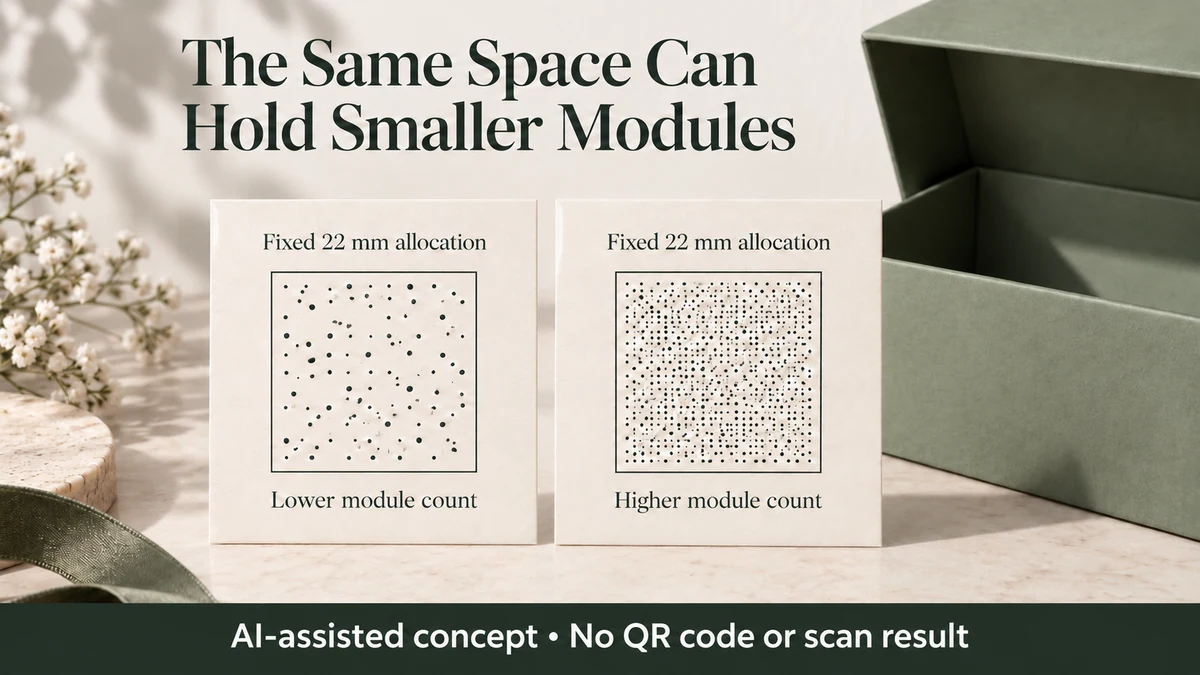
A QR code can become harder to print and read when more data or stronger error correction pushes it into a larger symbol version, but the packaging artwork keeps the same reserved area. The number of small squares, called modules, increases. If the available space cannot grow, each module must become smaller.
That is the trade-off to examine before approving a QR code on a jewelry care card, candle label or gift-box sleeve. Higher error correction may help restore damaged encoded data, but it does not guarantee that smaller printed modules will remain readable.
The useful decision is whether to simplify the encoded data, allocate more space or reconsider the correction setting and print constraints. Simply choosing the highest correction level and scaling the artwork down can work against the intended result.
QR Capacity Changes in Version Steps
A standard QR Code has numbered versions. Version 1 contains 21 × 21 modules, Version 2 contains 25 × 25, and Version 4 contains 33 × 33. Each version increases the count by four modules per side.
DENSO WAVE’s explanation of QR Code versions identifies three factors that determine capacity: the amount of information, the character mode and the selected error-correction level.
Character mode matters because the same number of visible characters does not always require the same encoded capacity. QR Codes support modes including numeric, alphanumeric and byte data. Mixed content may require different encoding arrangements.
For example, the length of a website address alone does not determine its version. Lowercase letters and other characters in an ordinary URL cannot automatically be treated as an all-uppercase QR alphanumeric payload. The actual encoding method matters.
Capacity also changes in steps, not continuously. Adding a few characters to a payload that still fits the current version does not add another row of modules. But crossing that version’s capacity limit requires a different solution, often a higher version.
The manufacturer’s Version 1–10 capacity table illustrates how correction level affects the limit. At Version 2, Level M accommodates up to 38 purely alphanumeric characters, whereas Level H accommodates up to 20. Those figures apply to the stated character mode, not indiscriminately to website URLs.
Increasing correction from M to H can therefore require a larger version when the same payload no longer fits. It does not mean that every change to H automatically increases the version.
A Fixed Print Area Determines the Module Pitch
The symbol itself is not the entire space needed on the packaging.
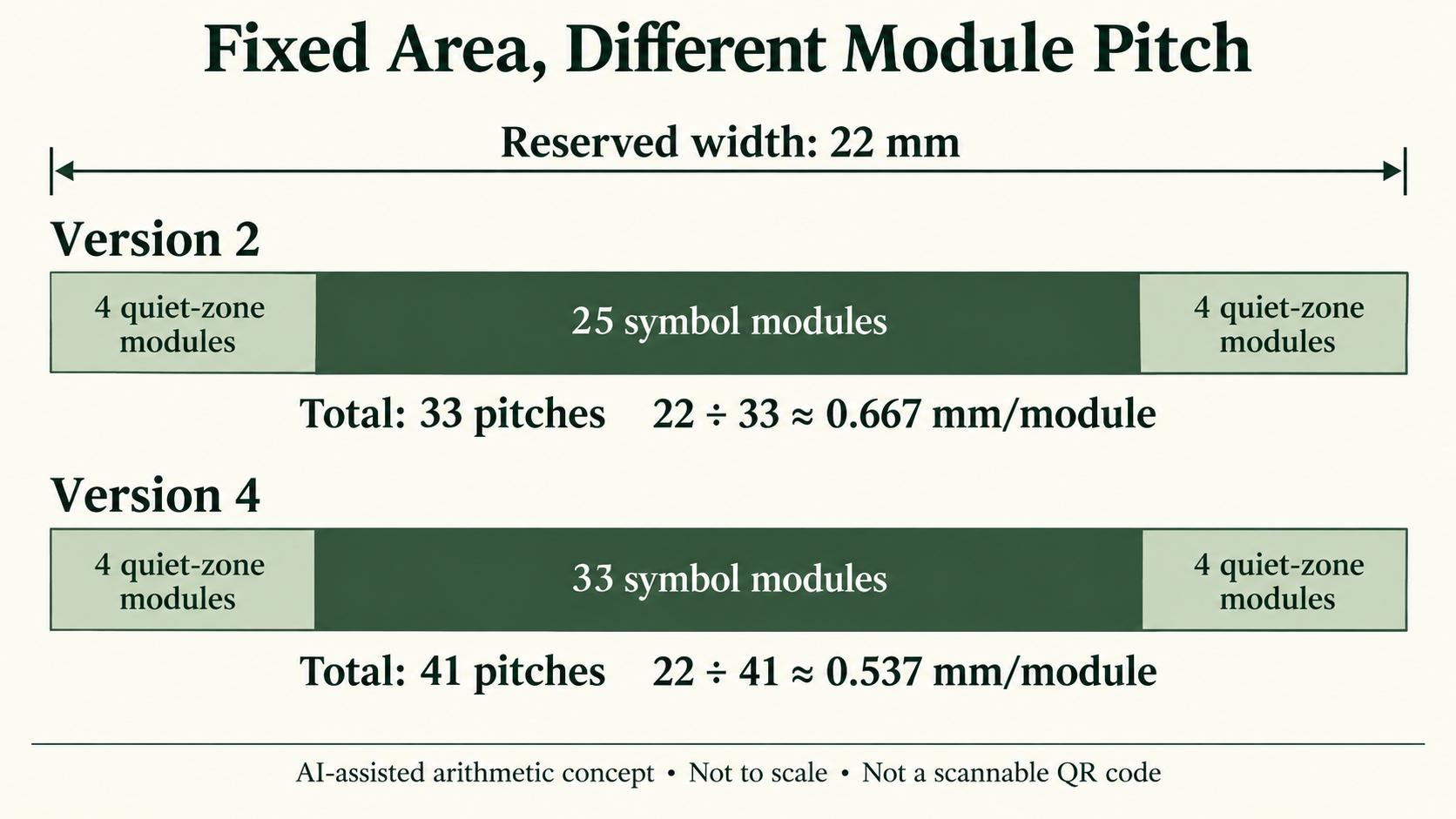
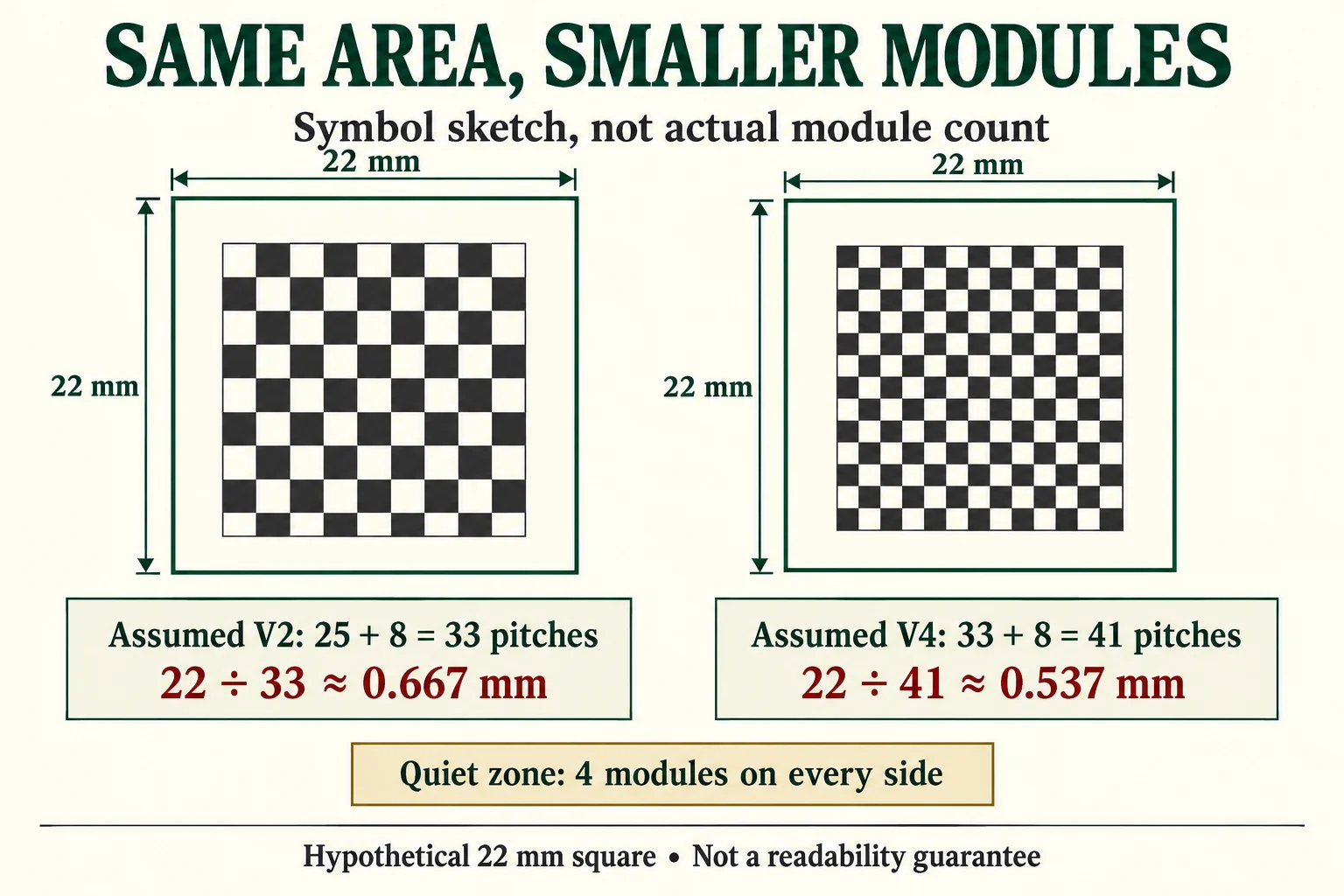
DENSO WAVE’s code-area guidance requires a clear margin, called a quiet zone, four modules wide on every side. Therefore, the reserved square must accommodate the symbol’s modules plus eight additional module widths: four on the left and four on the right, with the same arrangement vertically.
For a square allocation:
Module pitch = reserved side length ÷ (symbol modules per side + 8)
Module pitch is the width of one module, not the diameter of a printed dot or a guaranteed readable dimension.
Consider a deliberately hypothetical gift-card layout with a 22 mm × 22 mm reserved square, including all quiet zones. Compare two assumed symbol versions:
Version 2 model
-
Symbol: 25 modules per side
-
With quiet zones: 25 + 8 = 33 module pitches
-
Module pitch: 22 ÷ 33 ≈ 0.667 mm
Version 4 model
-
Symbol: 33 modules per side
-
With quiet zones: 33 + 8 = 41 module pitches
-
Module pitch: 22 ÷ 41 ≈ 0.537 mm
In the same reserved square, the Version 4 model has a module pitch approximately 19.5% smaller than the Version 2 model.
These versions are assumed solely to compare geometry. No specific URL has been encoded, no actual QR artwork has been generated, and neither result establishes a minimum readable pitch.
There is another way to examine the trade-off.
If the designer wants to preserve the hypothetical Version 2 pitch of approximately 0.667 mm while moving to Version 4, the reserved side would need to become approximately:
41 × (22 ÷ 33) = 27.33 mm
That is an increase from 22 mm to approximately 27.33 mm per side, including quiet zones.
It is a geometric comparison, not a recommendation that 27.33 mm will work with a particular printer, label stock, finish or smartphone.
The design question is now visible: does the artwork have room to grow, or must something about the data and symbol specification change?
Error Correction Restores Codewords, Not Arbitrary Printed Areas
QR Code error correction uses additional information to help recover encoded data when part of a symbol is damaged.
DENSO WAVE describes four correction levels: L, M, Q and H. Its technical explanation of error correction uses Reed–Solomon error correction and defines the restoration rates in terms of total codewords. One QR Code codeword contains eight bits.
The manufacturer’s published QR Code overview gives approximate restoration rates of 7%, 15%, 25% and 30% of codewords for Levels L, M, Q and H respectively.
These percentages are not permissions to obscure equivalent percentages of the printed square.
For example, Level Q’s approximately 25% restoration figure does not establish that a logo can safely cover 25% of a QR code’s area. The spatial position of damage, its effect on encoded information and interference with features required to locate and interpret the symbol are different questions. The quiet zone is not expendable correction capacity.
The same distinction matters for a code printed on a small packaging surface. More correction information may improve the ability to recover damaged codewords. But if the chosen configuration also forces a higher version inside the same area, the resulting smaller modules introduce another printing and reading constraint.
Whether that trade-off is acceptable must be determined for the actual encoded symbol and intended printed application. The correction percentage alone cannot decide it.
Change the Data, Area or Correction Decision Before Shrinking the Symbol
Suppose a small gift brand has already allocated a fixed square to a QR code that will lead to product-care information.
The first design question is whether the entire proposed payload needs to be encoded.
A long destination containing optional tracking parameters may consume more capacity than a shorter, controlled address that still reaches the intended content. Simplifying the encoded address could help the code remain in a lower version, although removing characters does not guarantee a version change.
The brand must still preserve the destination’s usefulness and maintainability. The separate Packrivo guide to QR code placement, links and long-term maintenance covers those customer-facing and website responsibilities.
If the necessary payload cannot be reduced, the next question is whether the reserved square can grow. Increasing the available area allows a given version to use larger modules while retaining its four-module quiet zones.
If the allocated area cannot grow, review whether the proposed error-correction level matches the intended environment. Do not select Level H merely because it sounds safest, or lower the level merely to make the artwork smaller. Either choice changes the balance between data capacity and correction capability.
A smaller module pitch may still be proposed, but it remains a print-and-reading question requiring evidence from the intended application.
These options are not interchangeable. Shortening data is useful for module size only if it permits a relevant version reduction. Changing correction settings helps the geometry only if it changes the required version. Enlarging the print allocation directly changes the space available per module.
Keep a QR print-size record with the actual encoding result
The two numerical versions above are assumed examples. In an actual project, ask the responsible generating service for the resulting version after it encodes the exact approved payload and correction level. A shorter displayed URL or a higher correction setting does not independently identify that version.
Record symbol modules, quiet-zone modules on each side and the entire reserved square separately. If the actual candidate uses N modules per side, the four-module margins give N+8 pitches across the reserved width. Retain the actual generated file and a print-review request; this worksheet supplies no barcode artwork or default pass. Ask the printer and technical reviewer to assess the finished candidate rather than using the mesh sketch as a production asset.
Download this article’s project record (CSV). The record includes field definitions, labeled teaching examples and a blank project row. Add source evidence and the details of your actual project.
For a sourcing discussion, send the intended code area, actual payload-owner reference and the unresolved print review. Packrivo coordinates supplier questions; the responsible technical or commercial parties confirm the actual method, configuration and terms.
Keep Geometry Separate from Printed-QR Performance
Before the artwork is finalized, identify the actual encoded data, selected mode or modes, correction level, resulting version and reserved area. Use those values to calculate the proposed module pitch, including quiet zones.
Then discuss the candidate with the responsible printer or technical provider in relation to the actual substrate, print process, finish and intended scanning conditions.
A numerical fit within the artwork is not proof of printed readability. Neither is a successful screen scan a substitute for examining the finished printed candidate.
For an application involving retail identification rather than an ordinary consumer-information link, the requirements must be reviewed separately. Packrivo’s finished retail-barcode proof guide addresses that different review task.
For small packaging projects, the immediate improvement is to avoid treating QR code size as an isolated artwork adjustment. Establish what needs to be encoded, understand the version that results and calculate the module geometry before deciding whether the allocated area is suitable.
Packrivo can help organize packaging dimensions, proposed artwork constraints and outstanding supplier questions through its packaging brief. Actual code generation, printing feasibility and reading performance need their own appropriate technical review.
Source/access note — DENSO WAVE public educational pages were checked 10 October 2026 and are undated. Paid ISO/IEC 18004 was not obtained. The 22 mm calculations are hypothetical arithmetic, not printed or scanned QR evidence.