
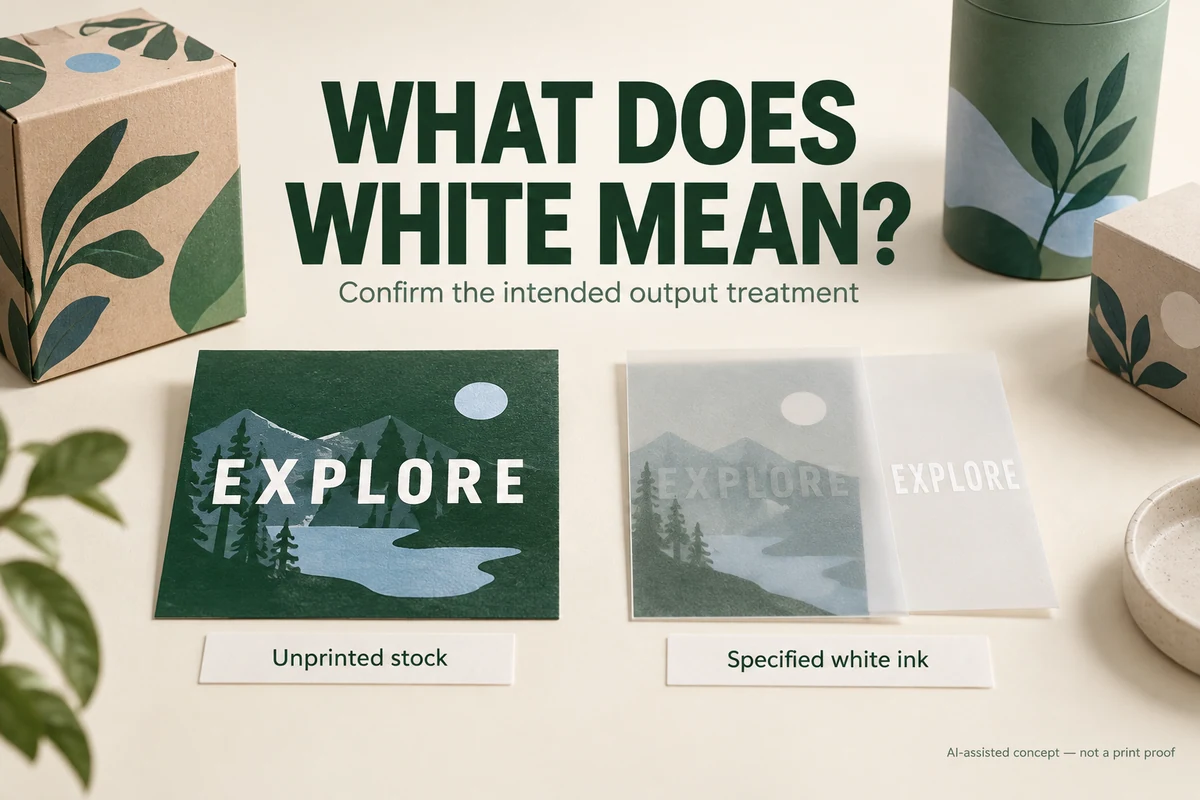
If white packaging artwork changes or disappears when overprint preview is enabled, ask the designer to inspect its fill, stroke and overprint attributes. Identify whether the white area represents unprinted stock or a separate white ink. Correct and re-export the affected artwork before reviewing the delivery PDF with the printer.
A white brand line on a colored sleeve can look right in an ordinary preview while carrying an unintended output attribute. The important question is what that object tells the printing workflow to do. A screenshot of the preferred appearance leaves that question unanswered.
Establish what the white area means
White artwork can describe the paper showing through a printed background, or it can belong to a proposed white-ink operation. Ask the designer and printer which meaning applies to the object before editing it.
Adobe’s white-overprint guidance describes accidental white overprint and a discard option for output. It also states that the operation does not affect Spot White objects. This distinction matters when a printer has deliberately specified a separate white ink.
Don’t assume an object needs the same correction because its swatch looks white. Inspect the actual swatch type and the intended print job. A blanket change can remove an accidental attribute from one object while disrupting another intended construction.
Locate the symptom in the delivery file
Ask the designer to compare the same object with overprint simulation off and on. Keep the surrounding artwork visible. Note whether the change affects the fill, outline or both, and whether it occurs in the native artwork, exported PDF or both.
Adobe’s overprinting explanation distinguishes knockout from ink overlap. Applied to this review, the designer needs to check the object’s output behavior as well as its visible color. Turning off a preview setting only hides the symptom; it doesn’t settle the printing instruction.
Send the printer the affected object and the exact PDF under review. Ask them to identify the intended result in their workflow. They may need the editable artwork to assess and correct the cause. A buyer can flag a missing word without choosing the technical repair.
Follow a branch that matches the intended white
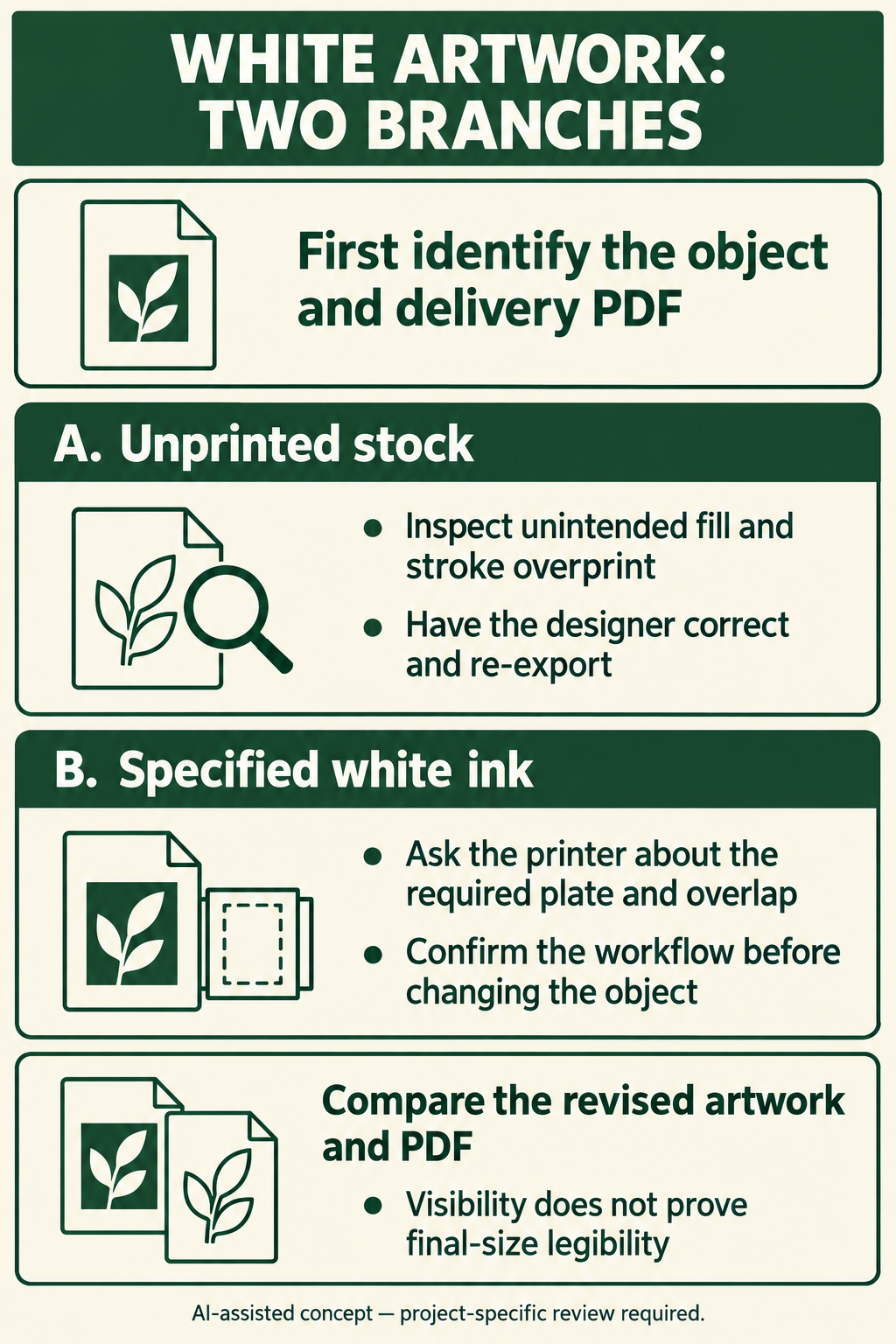
Use this decision path for discussion:
- Identify the affected lettering or graphic and the final delivery file.
- Ask whether the object represents unprinted stock or a specified white ink.
- For unprinted stock, have the designer inspect unintended overprint on the fill and stroke and return a corrected export.
- For specified white ink, have the printer confirm the required plate, naming and overlap instructions before the designer changes the object.
- Compare the revised native artwork and exported PDF with overprint simulation, then obtain the appropriate printer confirmation or proof.
The branch is important. "Remove white overprint" can be a reasonable investigation for an accidental process-white object, but it isn’t a complete instruction for a deliberately prepared spot-white layer.
Keep a missing word separate from small-type quality
In a hypothetical gift-sleeve project, a white care line is present in the reference preview but absent in an overprint simulation. The designer identifies an unintended attribute, corrects it and supplies a new PDF. The buyer first checks that the exact words are visible in the revised output.
The buyer then reviews legibility at the intended size and in the proposed finish. Correcting visibility doesn’t establish that thin reversed lettering will reproduce clearly. Packrivo’s reversed-type review addresses the surrounding background, process and finish. Those questions remain even after the missing-object issue is resolved.
This example is a planning scenario. It isn’t a report of a Packrivo print failure, test or customer job.
Review the corrected file before closing the issue
Compare the revised object with the approved copy, and check nearby artwork for unintended edits. Include both fill and stroke where the design uses them. If the correction changes the white-ink proposal, the printer and buyer need to review that change explicitly.
Keep the final delivery file distinct from the earlier reference PDF using the artwork handoff checklist. The useful outcome is a visible object with the intended output treatment in the file the printer will actually use.
Adobe references checked 8 October 2026. Software settings and printer workflows can vary; the proposed white-ink operation still needs project-specific confirmation.
Inspect fill and stroke without merging the two white meanings
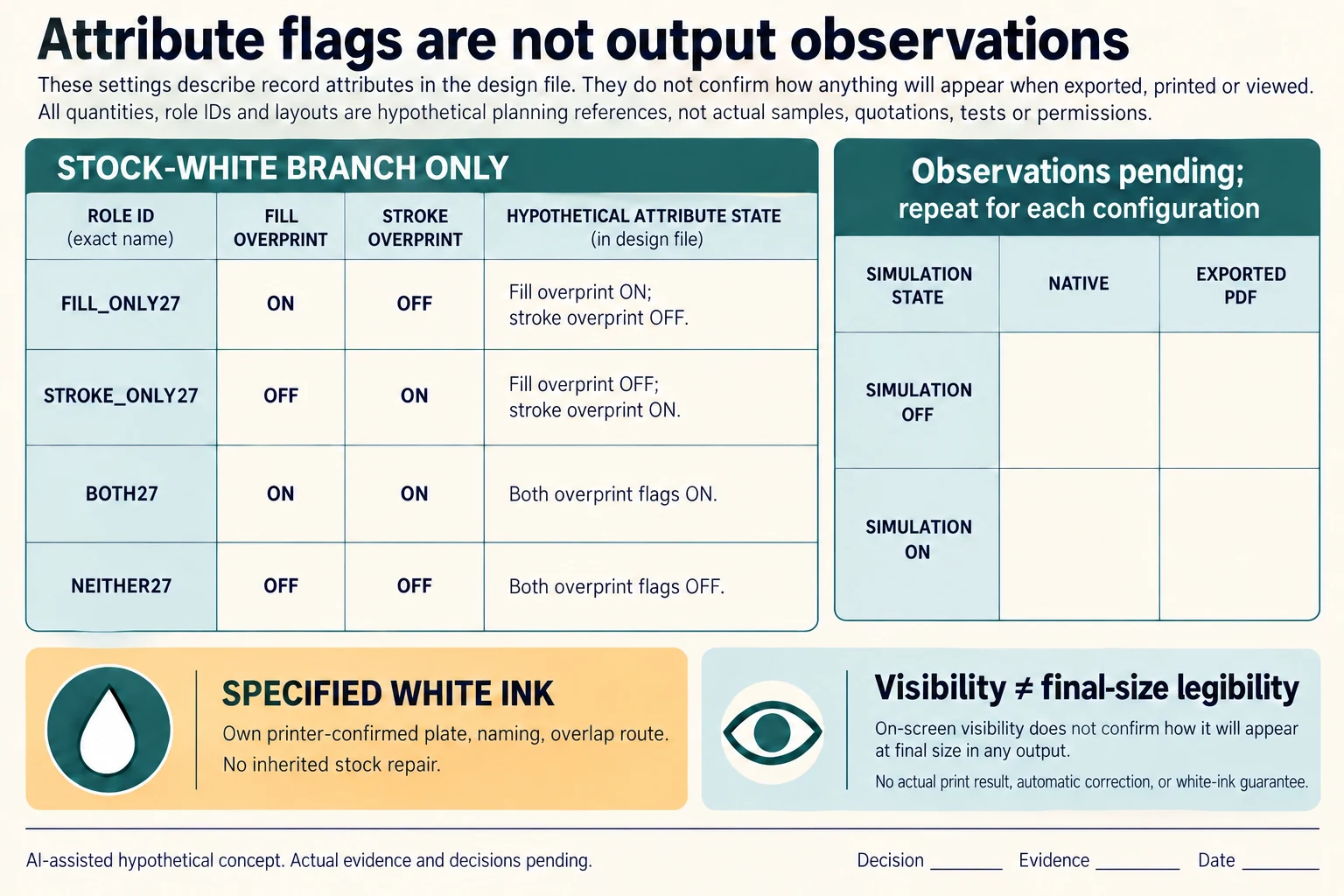
Within the unprinted-stock branch only, create four diagnostic references: FILL_ONLY27 assumes fill overprint on and stroke off; STROKE_ONLY27 reverses those attributes; BOTH27 assumes both on; NEITHER27 assumes both off. They are possible attribute configurations to locate, not four observed software results. The CSV requests the same object in native artwork and exported PDF with simulation off and on for every configuration.
Scroll horizontally if columns extend beyond the view.
| Hypothetical configuration | Named object | Relationship | Input or next scope |
|---|---|---|---|
| FILL_ONLY27 | WHITE_STOCK_OBJECT | assumed meaning | UNPRINTED_STOCK |
| FILL_ONLY27 | FILL | assumed overprint attribute | ON |
| FILL_ONLY27 | STROKE | assumed overprint attribute | OFF |
| STROKE_ONLY27 | WHITE_STOCK_OBJECT | assumed meaning | UNPRINTED_STOCK |
| STROKE_ONLY27 | FILL | assumed overprint attribute | OFF |
| STROKE_ONLY27 | STROKE | assumed overprint attribute | ON |
| BOTH27 | WHITE_STOCK_OBJECT | assumed meaning | UNPRINTED_STOCK |
| BOTH27 | FILL | assumed overprint attribute | ON |
| BOTH27 | STROKE | assumed overprint attribute | ON |
| NEITHER27 | WHITE_STOCK_OBJECT | assumed meaning | UNPRINTED_STOCK |
| NEITHER27 | FILL | assumed overprint attribute | OFF |
| NEITHER27 | STROKE | assumed overprint attribute | OFF |
| SPOT27 | SPECIFIED_WHITE_INK | does not inherit | STOCK_OBJECT_ATTRIBUTE_REPAIR |
| REVISED27 | VISIBLE_WORDS | do not establish | FINAL_SIZE_REVERSED_TYPE_LEGIBILITY |
Do not turn those assumed flags into a prediction that a whole word will disappear, survive or print correctly. The object’s actual construction, export and selected workflow determine what needs investigation. Keep fill, stroke and surrounding artwork visible in the record, and retain exact-copy comparison after a correction. Turning simulation off changes the inspection view rather than fixing a file attribute.
Specified white ink follows its own branch. Adobe’s White Overprint page, updated 8 April 2026, says its discard operation does not affect Spot White objects and distinguishes saved/output changes from the artwork. That documented software scope is not evidence that a particular installed version, printer route or white-ink proposal has been tested. The printer still needs to confirm plate identity, naming and overlap requirements.
After the revised output is identified, compare words and nearby artwork, then review final-size reversed-type legibility and the proposed finish separately. Correct visibility is a narrower result than readable reproduction. The original hypothetical missing-care-line example remains a planning scenario; these added records report no actual failure, repair, print test or accepted file.
Download the white overprint fill stroke inspection matrix record (.csv). It includes the original table fields and scenarios alongside the added relationships. HYPOTHETICAL rows are editorial examples or required review scopes, not actual records. Actual quantity, configuration, component and file identities, materials, process, specification, copy, method, condition, observation, owner, decision, evidence and dates are blank. ACTUAL_BLANK is a separate empty starting row; enter permitted project evidence before using an actual record. A blank means unknown.
Use the Reversed Type Needs Its Background, Print Process and Finish Reviewed Together for its separate question. Use the Small Packaging Type Needs the Selected Printer’s File Specification for its separate question. Use the Packaging Artwork Handoff Checklist for Print Approval for its separate question.
Sources apply to their named material, process or guidance. Worked configurations and dimensions are teaching examples; they do not establish production tolerances, machine settings or test results. Review the specified material, drawing and formed sample.
Discuss this packaging specification with Packrivo. We coordinate independent suppliers. MOQ: 500 pieces per product/design; illustrative quantities are not production offers. Confirm materials, samples, price and timing for your project.