
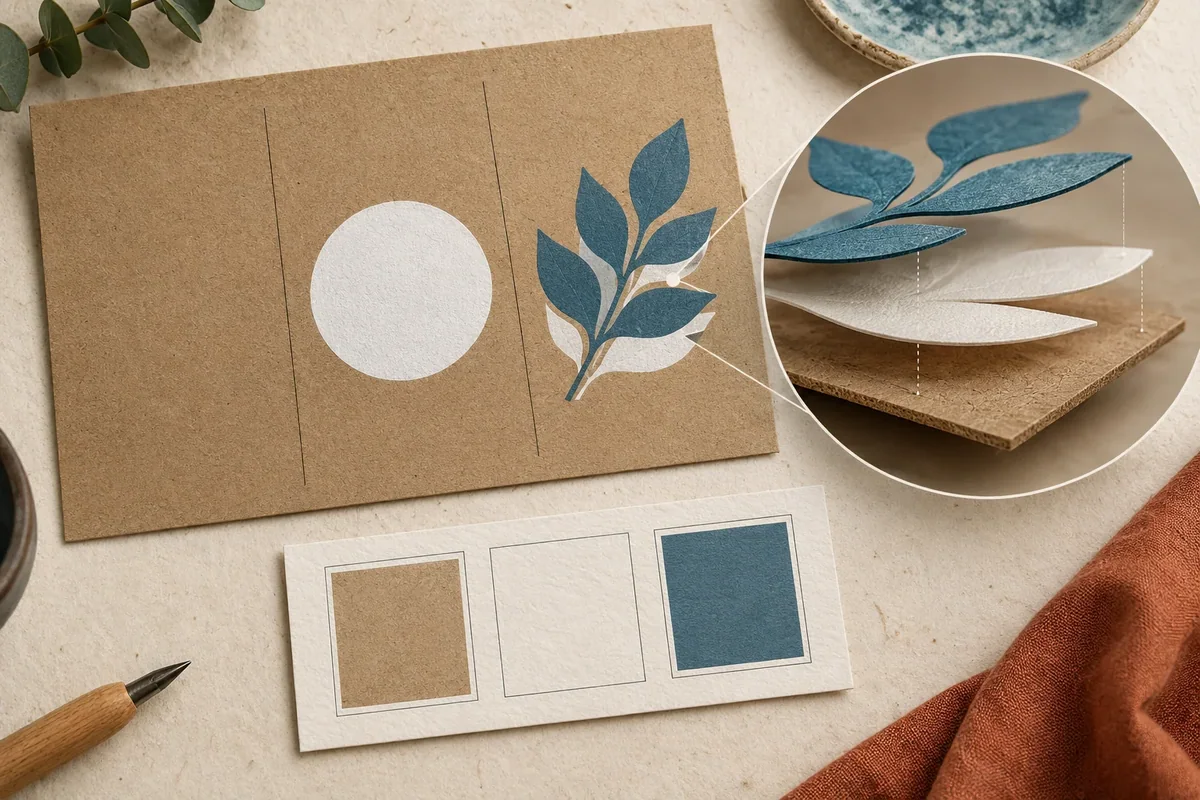
Printing white on kraft paper requires a clear instruction for each artwork area: visible white ink, a white underprint beneath color, or unprinted kraft showing through. Name the proposed substrate and selected printer before approving the file. A white screen background does not tell a printer which of those results you want.
Use this guide to produce an artwork map and a short proof request for a kraft box or sleeve. It does not prescribe ink settings or promise that a particular printer can reproduce the illustrated appearance.
Separate three white-area decisions on kraft packaging
A visible white logo is part of the final design. A white underprint is a supporting ink area behind another color. An unprinted opening leaves the kraft surface visible. The same white-looking object on a computer screen could be interpreted in more than one way unless its intended role is stated.
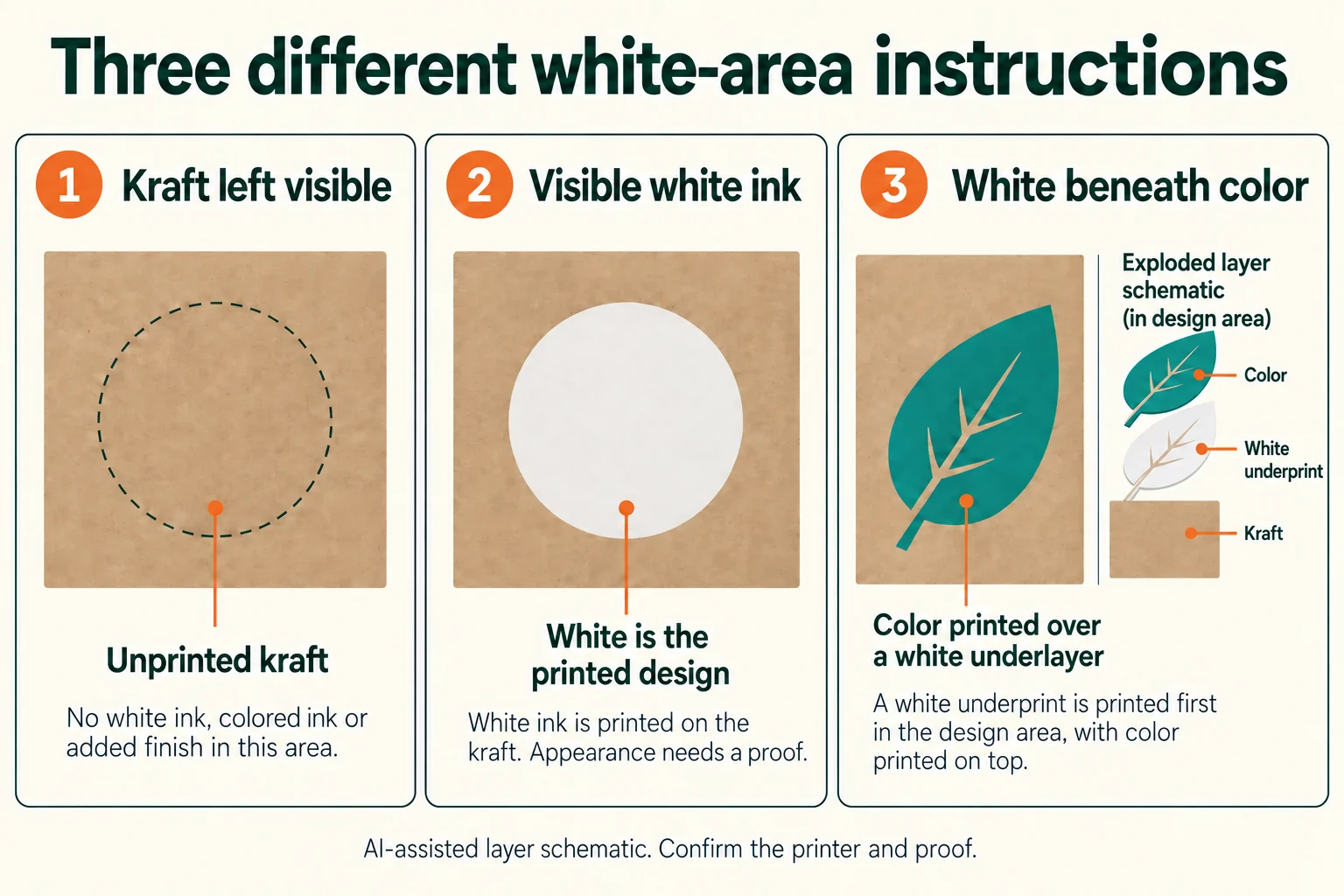
The PRINTING United Alliance white-ink explanation describes how the white layer and nonwhite substrate influence the colors seen above them. It also distinguishes surface and reverse printing. That distinction is useful context, not a technical setup specification for your kraft carton.
Keep the design intention separate from the printer’s proposed method. Ask whether white ink is available for the selected job and how it is represented in the required file. If an alternative substrate or process is proposed, record that changed scope before comparing it with the original kraft option.
Make a white ink and underprint artwork map
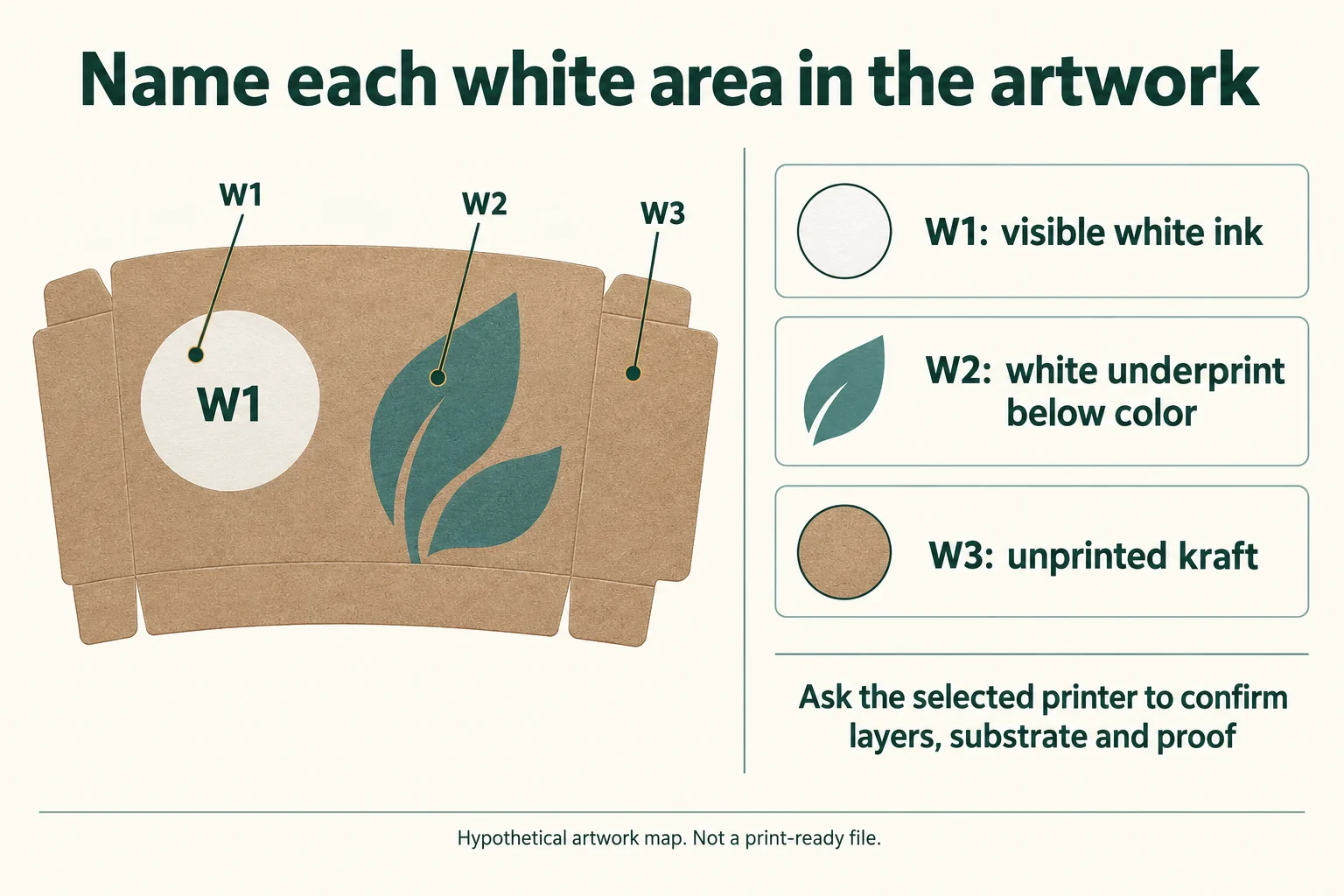
Give each relevant object a short ID and connect it to the current artwork revision. Identify the intended kraft face and grade. A note saying “white logo” is incomplete if it does not identify which logo, which panel and whether the white should remain visible.
Scroll horizontally if columns extend beyond the view.
| Object | Intended role | Question for the printer |
|---|---|---|
| W1 front logo | White visible in the finished design | Which white process and proof can demonstrate its appearance on the stated kraft? |
| W2 colored leaf | White underprint beneath the colored object | How should the separate white mask relate to the color boundary? |
| W3 outer margin | Natural kraft remains visible; no white ink, colored ink or added finish in this specified area | Does the supplied file exclude all white and colored ink and all unwanted surface treatments from W3? Confirm that a panel-wide coating or finish will not cover this area. |
| Small lettering | Visible white, subject to feasibility | What detail limitations apply to the actual size, grade and process? |
The W1/W2/W3 entries are hypothetical. Replace them with your actual objects. For W3, the example requests no added finish as well as no ink. If your design intentionally uses a clear coating or another treatment, identify it explicitly and revise the W3 instruction; “no white ink” alone does not define an unprinted, untreated area. Keep the printer’s mask, separation and registration requirements with its response. Do not invent a universal offset or small-text limit from an attractive illustration.
Review the proof against the question it can answer
A positional preview can show where the logo sits. It does not necessarily demonstrate the final white appearance on the chosen board. Ask the printer to identify the proof type, material and process represented, and state which decisions it supports.
Glenroy’s flexographic artwork guidelines discuss that printer’s white-ink and reverse-text considerations. Use them as an example of process-specific instructions. Their requirements must not be copied to an unrelated kraft-box printer as a universal rule.
For an appearance review, connect the actual reference to the chosen substrate and viewing conditions. Record the result and unresolved differences. If the supplier substitutes the kraft grade, coating or process, check whether the earlier proof still answers the intended appearance question.
Use a complete hypothetical handoff example
Imagine a small gift brand preparing artwork revision S-02 for a kraft sleeve. Its round logo should be white, its teal leaf should use a printer-confirmed white underprint, and the surrounding W3 margin should retain natural kraft with no white ink, colored ink or added finish. No physical sleeve has been produced for this example.
Scroll horizontally if columns extend beyond the view.
| Handoff field | Illustrative entry | Decision status |
|---|---|---|
| Artwork reference | S-02 with W1/W2/W3 object labels | Design intention recorded |
| Substrate | Kraft grade and printed face not yet confirmed | Supplier response needed |
| White method | Request the selected printer’s proposal | No ink or opacity approval |
| Proof | Ask which proof covers position and which covers appearance | Review scope open |
| Approval owner | Brand’s named reviewer to be entered | Not approved |
This produces a specific reply request: identify the substrate and print route, explain the required white file layer, and propose a proof for the intended result. It is more useful than asking the supplier to “make the white match the screen.”
Prepare the print discussion before requesting a quote
Send the current artwork, object map, packaging structure, intended kraft grade if known, quantity per design and destination. Include the unfinished questions rather than filling them with guesses. The printer confirms the technical setup; the buyer records the appearance decision supported by the proof.
Use the artwork handoff checklist to connect files to their revision, and the print finish brief if other treatments share the panel. You can send the kraft artwork map for a packaging discussion. Packrivo coordinates requirements with independent suppliers; a file discussion is not a confirmed process offer.
Download the white-area map CSV. It includes field definitions, the labeled hypothetical example and blank fields for your project.
White ink on kraft questions
Does a white object in a PDF request white ink?
It may be a design intention or simply the page background. State the intended white role and follow the selected printer’s file requirements.
Does every kraft printer offer the same white result?
No result is established by this guide. Ask the selected printer about its process and the proof that demonstrates the proposed appearance.
Must every colored object have white underneath?
Define the desired appearance first. Visible kraft influence may be intentional. Ask the printer to confirm the layer arrangement for each object.
Can a mockup approve opacity?
A mockup can explain position and hierarchy. It does not establish the white-ink appearance of the actual material and print route.
Key takeaways
- Name visible white, white underprint and unprinted kraft separately.
- Connect each instruction to an object, revision, substrate and printer.
- Approve only the questions supported by the actual proof.
Source scope: public industry and printer documents checked 16 October 2026. This article is a buyer handoff method; it supplies no process settings, universal tolerance or measured print result.