
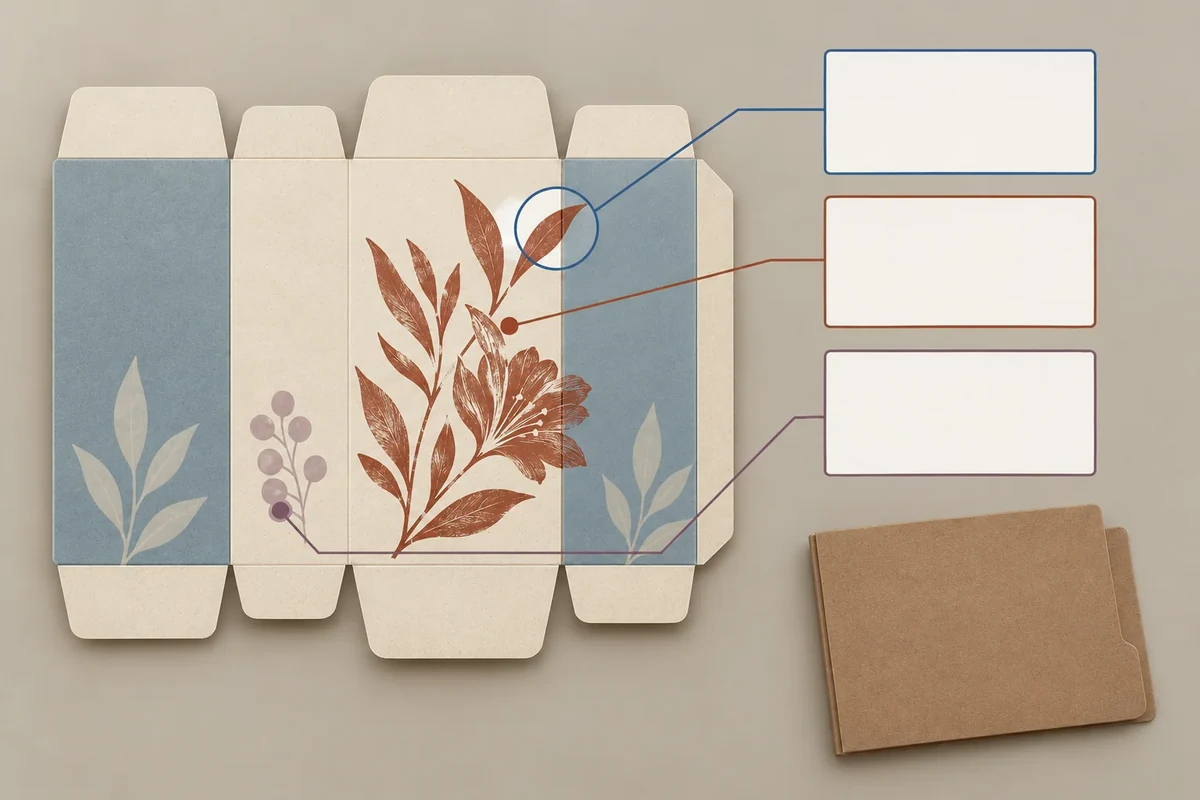
Record artwork decisions panel by panel against the current structural drawing, then keep those states separate from release of the complete production file. Each row should identify the panel, file revision and accepted scope. A completed front panel does not automatically settle side, end or finishing instructions.
This record supports staged review. The responsible printer and project owner still define what constitutes a complete handoff and production authorization.
Use one current panel map
Identify the structural drawing and name its panels in formed positions. Keep front, back, ends and inside faces distinct. A flat screenshot rotated for design should not change those names.
Adobe’s trim and bleed guidance defines print-boundary concepts and directs job-specific advice to the print shop. It does not define carton fold-safe areas or a panel-release contract. Use the actual converter’s specifications for those requirements.
Keep the complete artwork handoff linked to this record. Panel review is a way to locate decisions, not a reason to send incomplete files as production-ready.
Give each panel a decision scope
Record whether a panel’s copy, placement, colour reference or finishing artwork has been reviewed. Use separate fields if those decisions have different evidence or owners.
List dependencies such as a pending end-flap revision or a finish element crossing two panels. The dependent panel may remain provisional even if its isolated layout looks complete.
| Panel field | Current reference | Decision/status |
|---|---|---|
| Panel identity | Formed face on current drawing | Stable map reference |
| Artwork file | Actual file and revision | Current or superseded |
| Copy | Supplied version and owner | Confirmed or awaiting decision |
| Placement/finish | Located elements and specifications | Scope reviewed |
| Dependency | Related fold/panel/component | Open relationship retained |
| Final handoff | Complete file and responsible release | Partial states not expanded |
Use the dieline change record when a panel or fold changes. A copied earlier artwork approval should not hide the new structural reference.
Follow a hypothetical side-panel change
Suppose a brand accepts a front motif but the supplier revises a side fold. The front placement row remains linked to its evidence, while the side panel and any crossing motif dependency are reviewed against the new drawing.
The record makes that scope visible without claiming the entire file is locked. The source’s final handoff requirements determine when a complete production file can be released.
If the designer updates the structural layer, the artwork file receives its own revision. The panel table identifies which decisions still point to the older file.
Ask the current-panel question
A specific request is: ‘Please confirm side panel SP2 and its crossing finish element on drawing D3 before final-file release.’ It locates the dependency. A front rendering alone leaves SP2 unresolved.
Review the final complete proof with the current panel map. A set of individually favourable earlier images may contain incompatible file versions, so they cannot replace that final relationship check.
The original record coordinates decisions and references. It does not prescribe print tolerances, certify artwork or authorize production from this public page.
Send the incomplete dependency
Bring the current panel map, file identities and open rows through Packrivo’s enquiry. The next response should resolve the actual dependent panel or specification before the complete handoff is treated as ready.
A retained wording reference does not preserve a changed panel placement
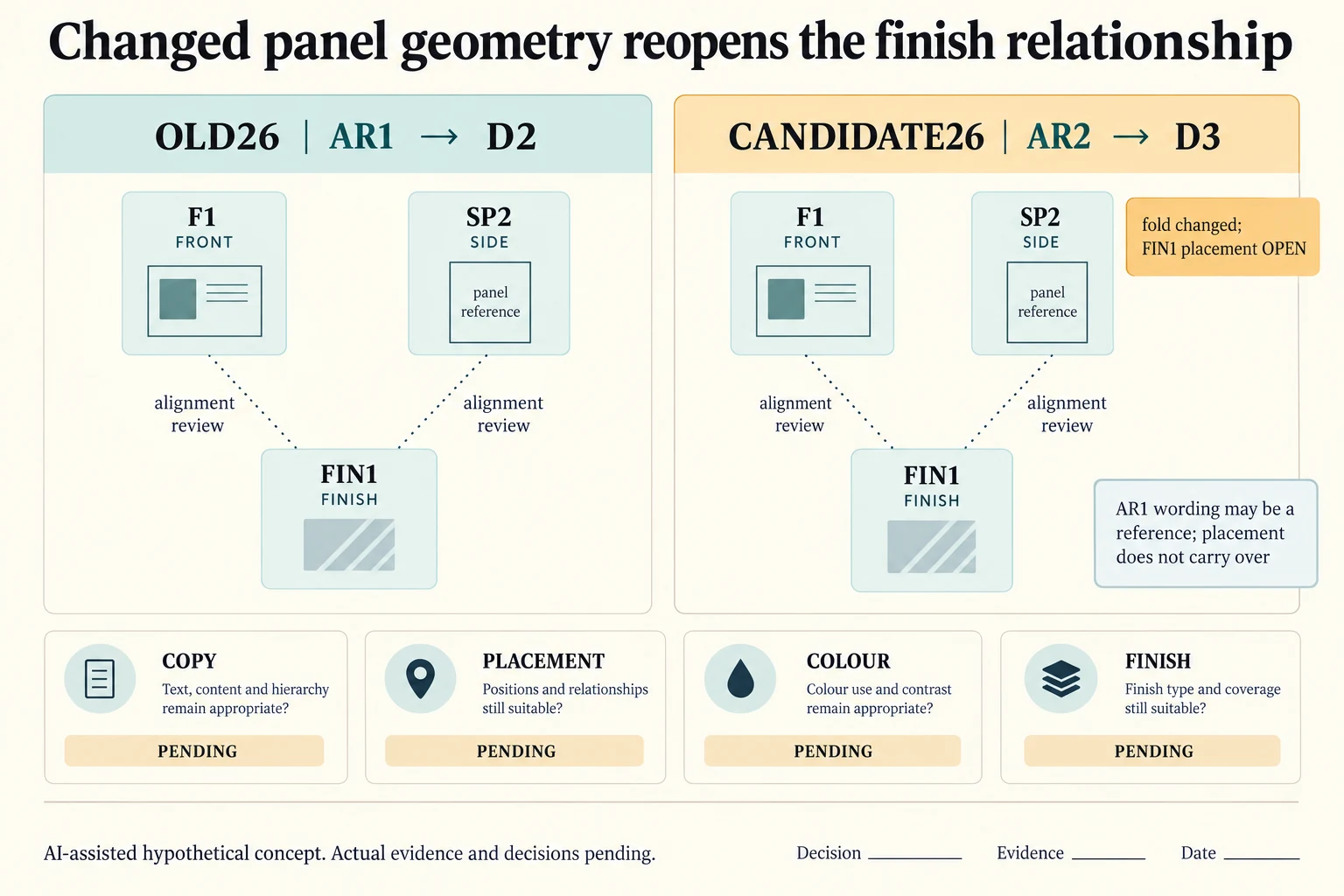
Make a dependency record before discussing a finish that crosses a panel relationship. In this invented extension OLD26 links AR1 to D2; CANDIDATE26 links AR2 to D3. Both name front F1, side SP2 and finish FIN1. These identifiers describe review relationships rather than a new structural drawing. No panel width, fold location or safe distance is supplied.
Scroll horizontally if columns extend beyond the view.
| Hypothetical configuration | Named object | Relationship | Input or next scope |
|---|---|---|---|
| OLD26 | AR1 | uses drawing | D2 |
| OLD26 | AR1 | has panel | F1 |
| OLD26 | AR1 | has panel | SP2 |
| OLD26 | FIN1 | requires alignment with | F1_SP2_ON_D2 |
| CANDIDATE26 | AR2 | uses drawing | D3 |
| CANDIDATE26 | AR2 | has panel | F1 |
| CANDIDATE26 | AR2 | has panel | SP2 |
| CANDIDATE26 | FIN1 | requires alignment with | F1_SP2_ON_D3 |
| CANDIDATE26 | D3_SP2 | reopens | FIN1_PLACEMENT_RELATIONSHIP |
| CANDIDATE26 | AR1_WORDING_REFERENCE | may be reference for | AR2_CONTENT_REVIEW |
The original hypothetical front-motif decision stays attached to its earlier file and scope. D3’s changed SP2 fold reopens FIN1’s placement relationship across the affected panels. Retaining the wording as a reference for AR2 does not retain its placement automatically. If the new drawing changes another relevant boundary, record that dependency instead of treating a prior front-panel opinion as approval of the complete current file.
Copy, placement, colour and finish have separate decision rows for each configuration. A wording owner can confirm the source text while the finish alignment remains open. The candidate export must be checked against its current drawing and artwork references; a favourable older proof cannot establish the new physical fold relationship.
Adobe’s packaging workflow describes finishing elements aligning with printed graphics. Its printer-marks guidance distinguishes trim and bleed context; neither source defines a universal fold-safe area or approves this cross-panel design. Actual selected construction, finishing process, supplier specification and suitable formed evidence govern the next review. This record adds a dependency question rather than manufacturing geometry.
Download the cross panel finish drawing dependency record (.csv). It includes the original table fields and scenarios alongside the added relationships. HYPOTHETICAL rows are editorial examples or required review scopes, not actual records. Actual quantity, configuration, component and file identities, materials, process, specification, copy, method, condition, observation, owner, decision, evidence and dates are blank. ACTUAL_BLANK is a separate empty starting row; enter permitted project evidence before using an actual record. A blank means unknown.
Use the Packaging Artwork Handoff Checklist for Print Approval for its separate question. Use the Packaging Dieline Changes Need an Impact Record for its separate question. Use the Link Component Approvals Before Releasing the Whole Set for its separate question.
Source scope checked 16 October 2026. References cover only the named materials, processes or guidance. Added configurations and geometry are hypothetical, not supplier specifications, tests or production approval; they set no universal tolerances or machine limits. Confirm the actual material, process, drawing and formed sample for the project.
Discuss this packaging specification with Packrivo. We coordinate independent suppliers. MOQ: 500 pieces per product/design; illustrative quantities are not production offers. Confirm materials, samples, price and timing for your project.