
Review a packaging window with the actual product and holder behind the proposed patch. Take a matched view with and without the patch where practical, and record angle, light and sample identity. Describe visibility and reflections as observations; a photograph doesn’t establish an optical grade or a universal clarity result.
This method starts after the opening position is broadly agreed. Its job is to make the window-view review repeatable enough to discuss. It should not turn a screen impression into a measured material specification.
Identify what the window sample represents
PakFactory’s window patching explanation distinguishes the film layer from the die-cut opening. Record the proposed patch material and supplier sample identity before comparing views. A different patch or a bare opening leaves a different question.
Ask whether the sample uses the proposed joining method and formed panel. If it is a loose material swatch, record that limitation. It can show one surface under one condition without representing a complete loaded window.
Choose the exact product face the customer should see. Keep the holder, product orientation and background fixed for the comparison. A repositioned product can make a window appear improved even though the patch is unchanged.
Plan a small set of matched views
Use a front view in the intended sales orientation and one relevant angled view. Add another only if the actual display or handling task needs it. Record the light source and camera position in plain words.
Where practical, compare the same arrangement without the patch and with the proposed patch. Keep the opening, product and viewpoint unchanged. If removing the patch changes the panel or holder, describe that limitation rather than pretending the pair isolates one variable.
Capture an overall pack view as well as a close-up. The overall view tells the reviewer whether the product is recognizable in the intended presentation. The close-up helps locate a reflection or obscured detail.
The sample approval checklist covers wider sample decisions. This photo plan deals specifically with the view through one proposed window.
Use a product-behind-window photo plan
Complete the plan before taking comparison photos. A photo file name should connect to a row and sample version.
| View ID | Condition | Pair to capture | Observation |
|---|---|---|---|
| V1 | Front sales view, named light | Without and with patch where practical | Recognizable product face and covered areas |
| V2 | Relevant side angle, same light | Same product and holder position | Reflections at identified locations |
| V3 if needed | Actual handling or display condition | Matched wider view | Visibility during intended action |
| Sample reference | Patch, panel and holder revisions | Component identity image | Final or substitute configuration |
| Decision | Accepted view or open issue | Specific photo IDs | Next supplier question |
Use a located description instead of a single clarity score. For example, record that the top of the ornament is covered by a reflection in V2 while the front view remains recognizable.
Work through a hypothetical reflective ornament
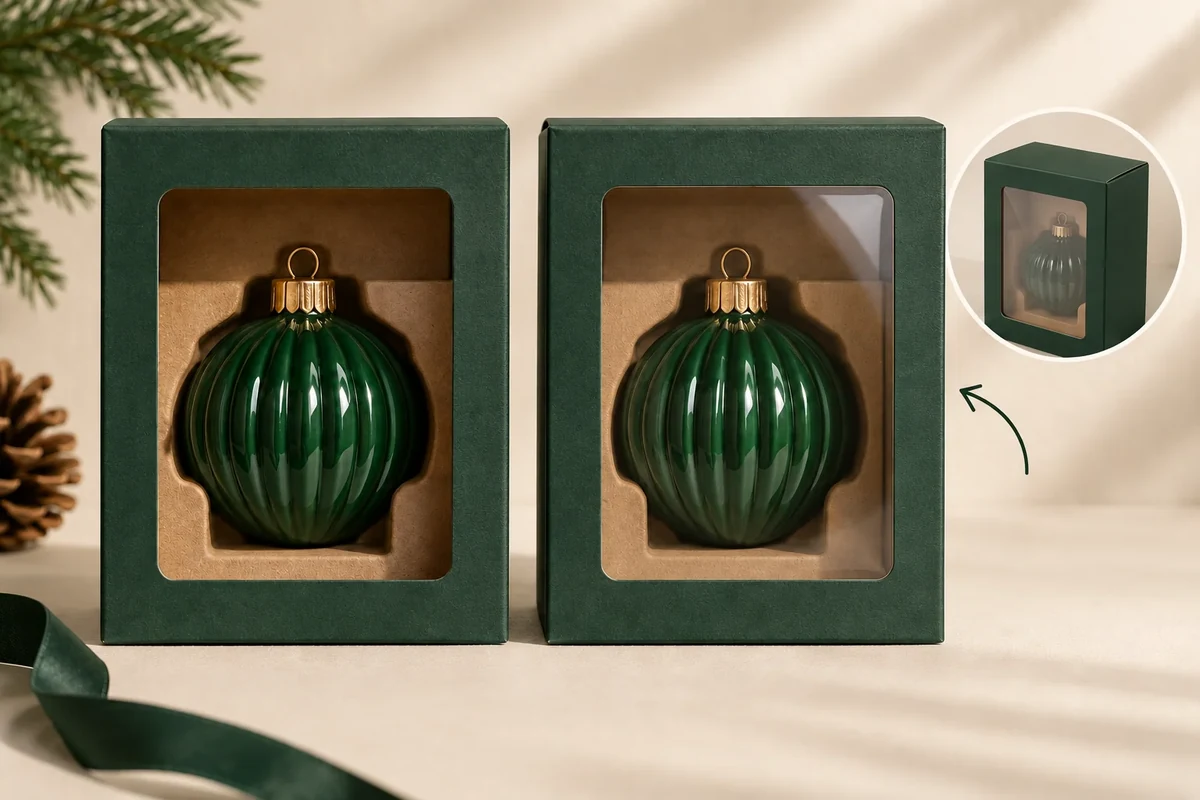
Suppose a carton window shows a polished ornament. In one angled photo, a bright reflection covers its decorative face. The buyer repeats the same product view without the patch where practical and records both images.
The pair helps frame a question about the window view under that condition. It doesn’t establish whether the reflection comes entirely from the patch, product surface or lighting. The supplier can review the named patch proposal and suggest useful further evidence.
If the buyer changes the holder position, record that as a new configuration. Keep the earlier patch comparison separate. The objective is to see which decision changed, not to collect only the most attractive photographs.
Keep the view plan separate from a photography choice
For the hypothetical polished ornament, call the straight customer view V1 and the relevant side view V2. Record the visible reflection in V2 without replacing it with a more attractive angle. A product photograph may be styled for publication, while this review image needs to preserve the agreed comparison condition.
If a matched bare-opening view cannot be obtained without disturbing the holder, write that limitation in the pair field. The supplier can suggest another sample or material reference. Don’t call the two images a controlled comparison when their product positions differ.
Ask the source: ‘Please review the patch proposal for the visibility issue in V2 with holder H1.’ That names the condition and component, while leaving the cause open. A reply changing the holder should create a new configuration row rather than overwrite the patch record.
The final decision may accept V1 and request another look at V2. Keep both scopes visible. A useful photo plan helps choose the next evidence for the actual display task; it does not require every possible light and angle, or turn ordinary photographs into a claim about laboratory clarity.
Keep the approval scope visible
A visual review can accept a presentation under stated conditions. A requirement for a measured optical property needs an appropriate specification and responsible evidence. Avoid assigning a laboratory term to an ordinary photograph.
Send the view plan, sample identities and located observations through the Packrivo enquiry. Ask the next question in terms of the actual view that remains unresolved, then review the relevant revised sample or evidence.
Start a new matched-pair group when the holder changes
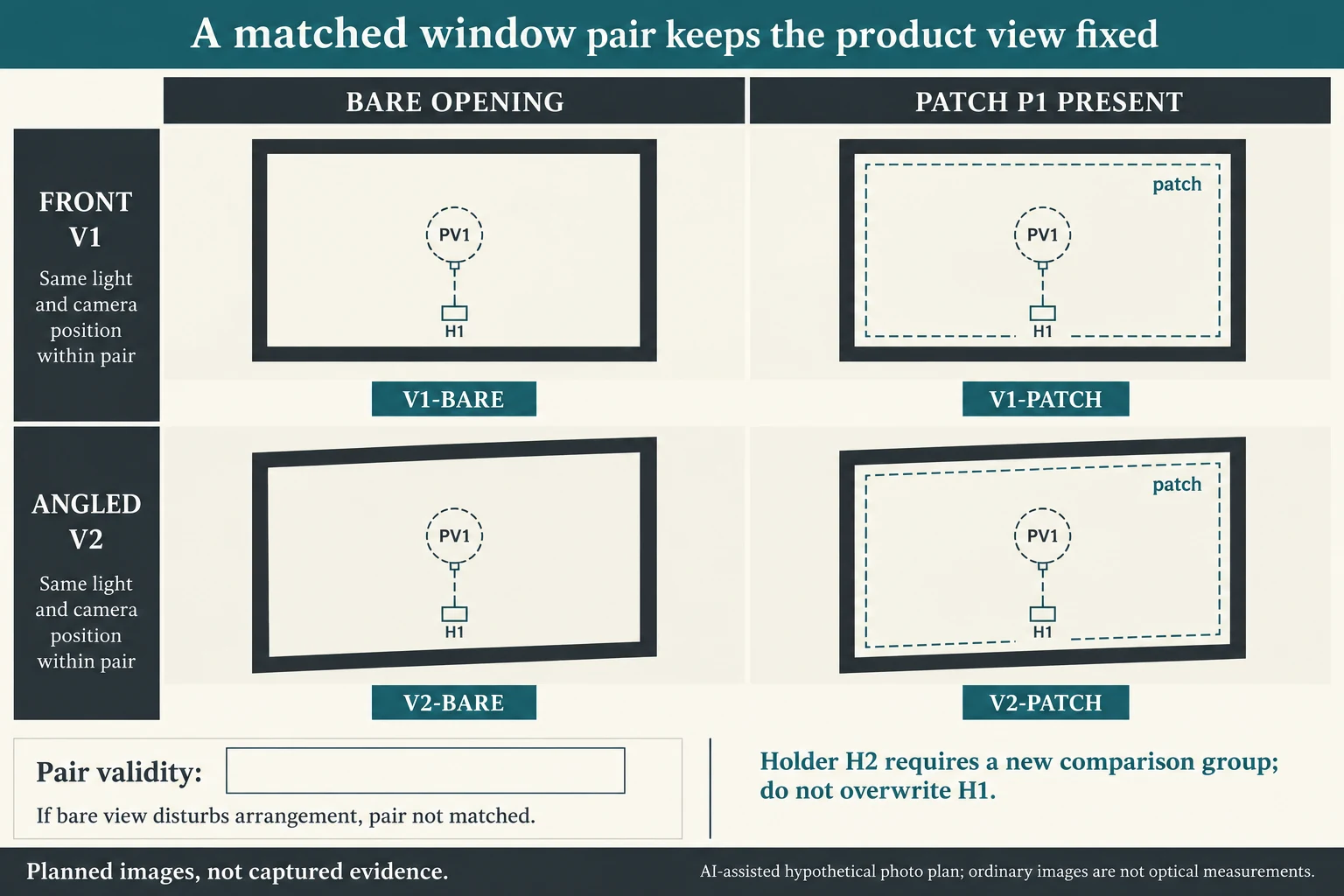
A matched pair belongs to a complete configuration. In the fictional plan, H1 holds P21 with desired face PV1. Request V1-BARE and V1-PATCH from the same front view, then V2-BARE and V2-PATCH from the same relevant angled view. The four entries are planned photo requests, not captured evidence or four optical measurements.
Scroll horizontally if columns extend beyond the view.
| Hypothetical configuration | Named object | Relationship | Input or next scope |
|---|---|---|---|
| H1_V1_BARE | H1_V1_BARE | uses holder | H1 |
| H1_V1_BARE | H1_V1_BARE | uses patch state | BARE |
| H1_V1_PATCH_P1 | H1_V1_PATCH_P1 | uses holder | H1 |
| H1_V1_PATCH_P1 | H1_V1_PATCH_P1 | uses patch state | PATCH_P1 |
| H1_V2_BARE | H1_V2_BARE | uses holder | H1 |
| H1_V2_BARE | H1_V2_BARE | uses patch state | BARE |
| H1_V2_PATCH_P1 | H1_V2_PATCH_P1 | uses holder | H1 |
| H1_V2_PATCH_P1 | H1_V2_PATCH_P1 | uses patch state | PATCH_P1 |
| H2_V1_BARE | H2_V1_BARE | uses holder | H2 |
| H2_V1_BARE | H2_V1_BARE | uses patch state | BARE |
| H2_V1_PATCH_P1 | H2_V1_PATCH_P1 | uses holder | H2 |
| H2_V1_PATCH_P1 | H2_V1_PATCH_P1 | uses patch state | PATCH_P1 |
| H2_V2_BARE | H2_V2_BARE | uses holder | H2 |
| H2_V2_BARE | H2_V2_BARE | uses patch state | BARE |
| H2_V2_PATCH_P1 | H2_V2_PATCH_P1 | uses holder | H2 |
| H2_V2_PATCH_P1 | H2_V2_PATCH_P1 | uses patch state | PATCH_P1 |
If the supplier proposes H2, create a second group with its own four requests. H1's bare view should not be paired with H2's patched view to claim a patch contribution: the product arrangement changed too. Within either group, retain the same product orientation, background, light and viewpoint for the pair, then record any unavoidable difference. The CSV maps every request to product, face, holder, view and patch state.
A bare view is not always obtainable without disturbing the arrangement. Record whether it is practical, unavailable, or changes the holder/panel. Leave pair validity unresolved when the needed identities or conditions are missing; do not fill the absent member using a different product photograph. Ask the supplier what alternative sample or material evidence addresses the actual viewing question.
The original fictional V2 reflection and separate V1 recognition scope remain distinct. Neither identifies a cause or an optical grade. A buyer can accept one view and keep another open under its stated condition. Use wider and close views to locate the issue, while any measured transmission, haze or clarity requirement needs a suitable technical evidence basis. The teaching image contains only planned-view locators and empty evidence frames, without simulated better or worse film results.
Download the packaging window matched product view proof record (.csv). It includes the original table fields and scenarios alongside the added relationships. HYPOTHETICAL rows are editorial examples or required review scopes, not actual records. Actual quantity, configuration, component and file identities, materials, process, specification, copy, method, condition, observation, owner, decision, evidence and dates are blank. ACTUAL_BLANK is a separate empty starting row; enter permitted project evidence before using an actual record. A blank means unknown.
Use the A Window Can Transmit Plenty of Light Without Showing Fine Product Detail Clearly for its separate question. Use the Custom Packaging Sample: Approval Checks That Matter for its separate question.
References apply to the materials, processes or guidance named in each source. Worked configurations and dimensions are teaching examples, not tested specifications or production limits. Use the project’s material specification, drawing and formed sample for approval.
Discuss this packaging specification with Packrivo. We coordinate independent suppliers. MOQ: 500 pieces per product/design; illustrative quantities are not production offers. Confirm materials, samples, price and timing for your project.