
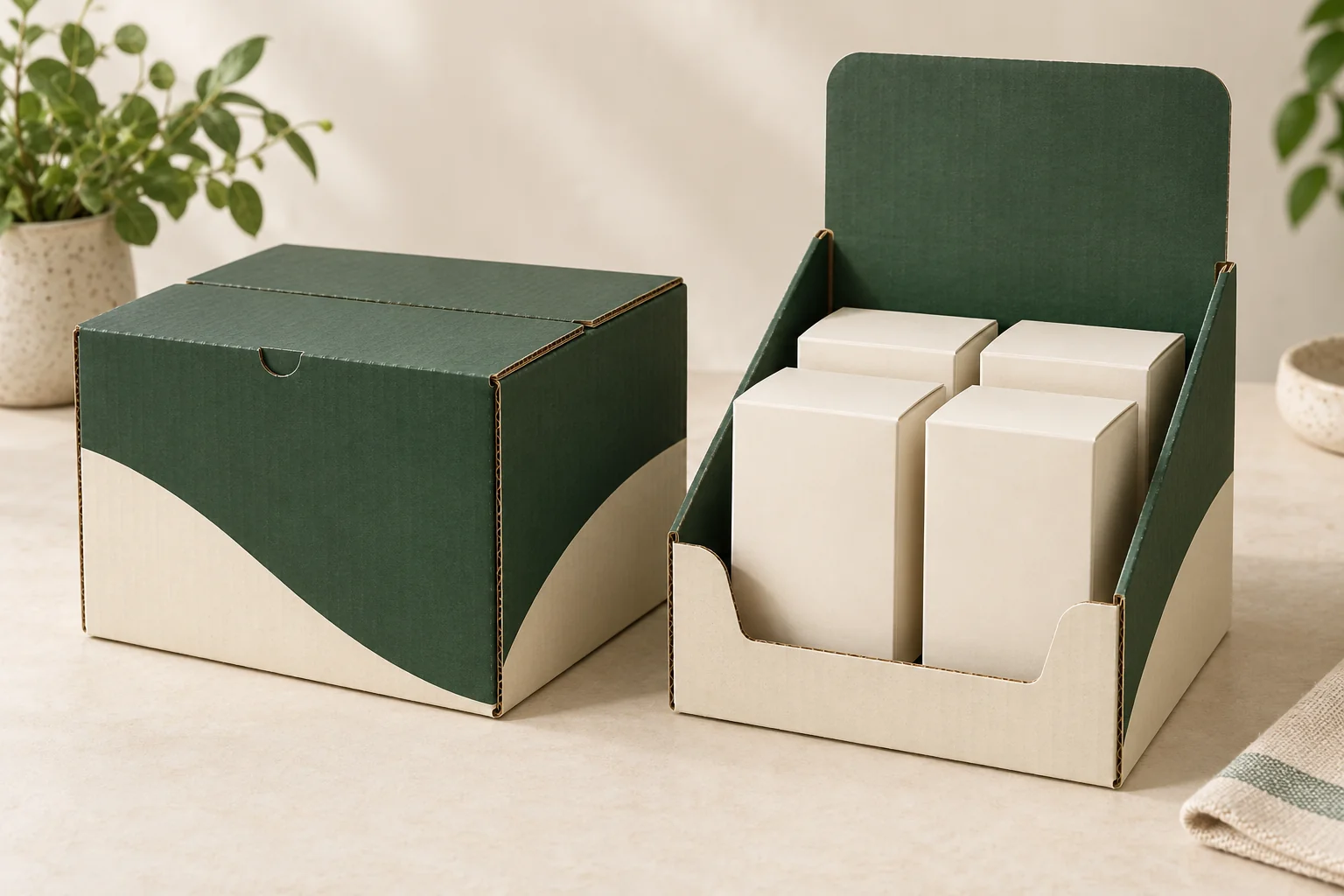
Concept / packaging option. AI-assisted visuals explain the structure; final materials, production details and sample scope are agreed for the project.
Describe both states of the carton
The supplied pack and the open display may have different roles. Ask whether a cover, flap or separate shipping component is removed, folded back or retained. Show the intended display state with the contents visible. If a rear panel becomes a header, mark its fold and final position.
Record how many retail items the display holds and how they are arranged. Their dimensions should include individual cartons, cards or pouches that remain around the products. The height of the front wall affects what a customer can read and where they can grip an item.
Specify who removes any outer protection before display, and show where that removed material goes during the retailer’s setup.
Think about the layout after some items have been removed. A display that looks orderly when full may leave a different access problem near the last row. Specify whether the retailer refills it, how stock is placed and whether a divider or another holder remains during use.
Compare a display with an individual gift box
A folding carton for one item usually focuses on its own loading and opening. A counter display adds group arrangement, retailer setup and repeated removal. It may still contain individually boxed products, so those units should remain separate lines in the component list.
For an illustrative group of jewelry pouches on mounting cards, the card tops might carry product information while the display carries brand or price information. Specify which copy belongs to the individual pack and which belongs to the display. That keeps later artwork changes from being sent to the wrong component.
Write the retailer setup brief
| Field | Describe the display task |
|---|---|
| Retail units | Complete unit dimensions, quantity, weight and arrangement. |
| Display | Formed footprint, wall heights, header and compartments. |
| Setup | What the retailer removes, folds, locks or loads. |
| Use | Customer grip, removal order and proposed refill process. |
| Files | Copy and artwork linked to the relevant display or retail-unit drawing. |
| Delivery | Supplied state, outer pack, destination and sample questions. |
Keep the display-unit quantity separate from the number of items sold. A launch with several hundred retail packs does not necessarily need the same number of display cartons. Build the component counts before comparing a combined proposal.
Review setup, use and replenishment
- Start with the sample in the actual proposed delivery state.
- Complete the retailer setup using the intended instructions.
- Load the full group and inspect the footprint and information panels.
- Remove items from the front and later rows, checking access.
- Review the partly filled arrangement and the proposed refill task.
- Record the display version and any affected retail-pack changes.
If the header, front cutout or compartments change, review how that alters both the flat drawing and the loaded layout. The dieline change record helps identify the decisions that need to be reopened rather than assuming an earlier approval covers the new display.
Agree the quantity and display scope
Packrivo’s order planning policy is 500 pieces per product / design. Identify the proposed display and its retail-unit quantity basis in the brief, then review project feasibility, sample work, pricing and delivery conditions with the relevant parties.
The original display-box structural reference illustrates the group-presentation format. It does not establish transport or display performance for the configuration you propose.
Get a Quote with the retail-unit arrangement and counter setup. Packrivo helps connect those tasks to a comparable supplier response and a sample review.