
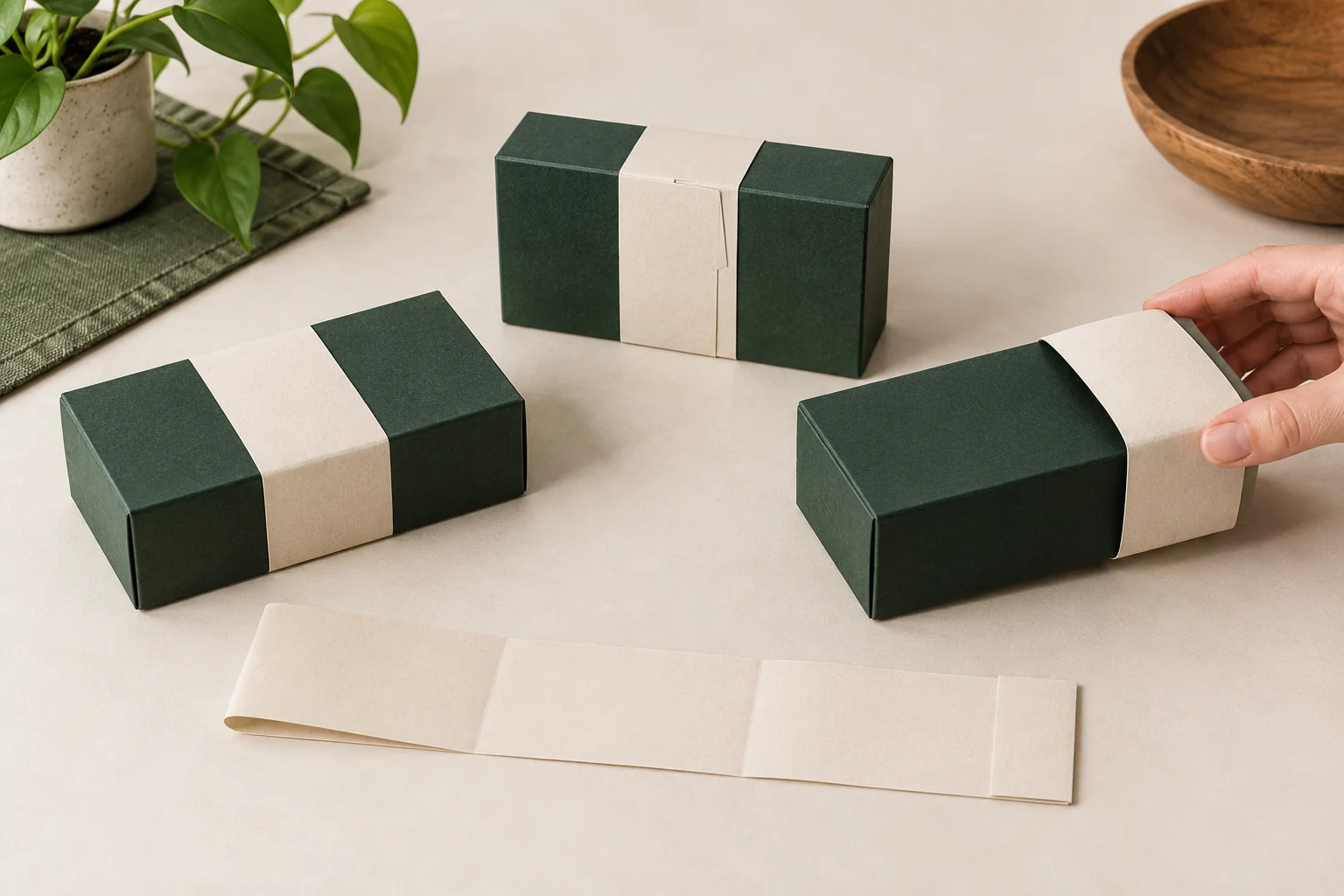
Concept / packaging option. AI-assisted visuals explain the structure; final materials, production details and sample scope are agreed for the project.
Draw the actual wrapping path
Show which sides of the product or box the band passes over and where its joint lands. A wrap around a closed gift box may cross the lid opening, while a band around several loose components might hold them in a different arrangement. Name the intended task before deciding whether the band is a flat strip, an adhesive-ended piece or a prepared sleeve.
Measure the configuration in the state being wrapped. A bow, a folded tissue layer or another printed card can change the surface beneath the band. Mark the proposed fold positions and the areas that should remain visible. Asking for a tight wrap without these details leaves the removal action unresolved.
Locate the front artwork against the final joint and folds. If a seam belongs underneath the box, show that orientation in the brief. Keep any required product copy, barcode or care information readable after the band is applied.
Compare the wrap with a label or structural sleeve
A label option introduces an attachment-to-surface task. A belly band can have a different application and removal sequence, depending on the proposed construction. Compare those actual steps rather than assuming every band slides off or every label leaves residue.
The sleeve around a drawer jewelry box is part of its opening structure. A separate belly band is an added wrap to specify in its own right. The names “band” and “packaging sleeve” can overlap, so the drawing and supplied form should decide the proposal.
Brief the wrap as its own component
| Input | What to record |
|---|---|
| Wrapped item | Complete dimensions, surface, added layers and orientation. |
| Wrap path | Band width, folds, coverage and information that must remain visible. |
| Joint | Location, proposed joining method and final appearance. |
| Supply state | Flat strip, adhesive-ended part or prepared sleeve. |
| Operation | Who applies it, how the customer opens it and what stays on the gift. |
| Design plan | Artwork variants, quantities, underlying components and destination. |
For an illustrative launch using one box structure and several band artworks, record which components remain identical and which change by design. The design quantity worksheet keeps those counts separate. A shared box does not make differently printed bands one design or establish a lower order basis.
Review application, alignment and removal
- Place every layer on the gift in the proposed packing order.
- Apply the band using the intended supplied form and joining process.
- Inspect the joint, artwork face, fold locations and exposed information.
- Open or remove the band as the customer is expected to do.
- Inspect the underlying surface and any component the band touches.
- Record the reviewed wrap version and any affected box or print change.
If the proposed band slips or is difficult to remove, identify the wrapping dimension, construction or process that needs review. A color change will not answer a fit question. Resolve the application first, then evaluate a representative printed and finished version.
Agree the complete scope
Packrivo’s order planning policy is 500 pieces per product / design. List the band and underlying box or product pack separately, including design quantities and sampling. Final materials, joining method, pricing, production conditions and delivery timing are confirmed for the project.
The original packaging-sleeve reference illustrates different supplied forms for this wrapping family. It provides structure context, without transferring the source’s commercial terms.
Get a Quote with the wrap path and removal you want. Packrivo helps connect those inputs to a clear supplier proposal and sample check.